49R5900102 /11 ClickShare CX-20
3.20 XMS Cloud registration
About registration
Registering the Base Unit allows for more control, more features to be available and a 5 year SmartCare
package.
A SmartCare package includes:
• 5-year coverage for hardware
• Increased service levels
• XMS for management
• 5-year analytics management
For more info, see https://www.barco.com/en/clickshare/apps-accessories/smartcare.
3.20.1 Pc onboarding
How to register on pc
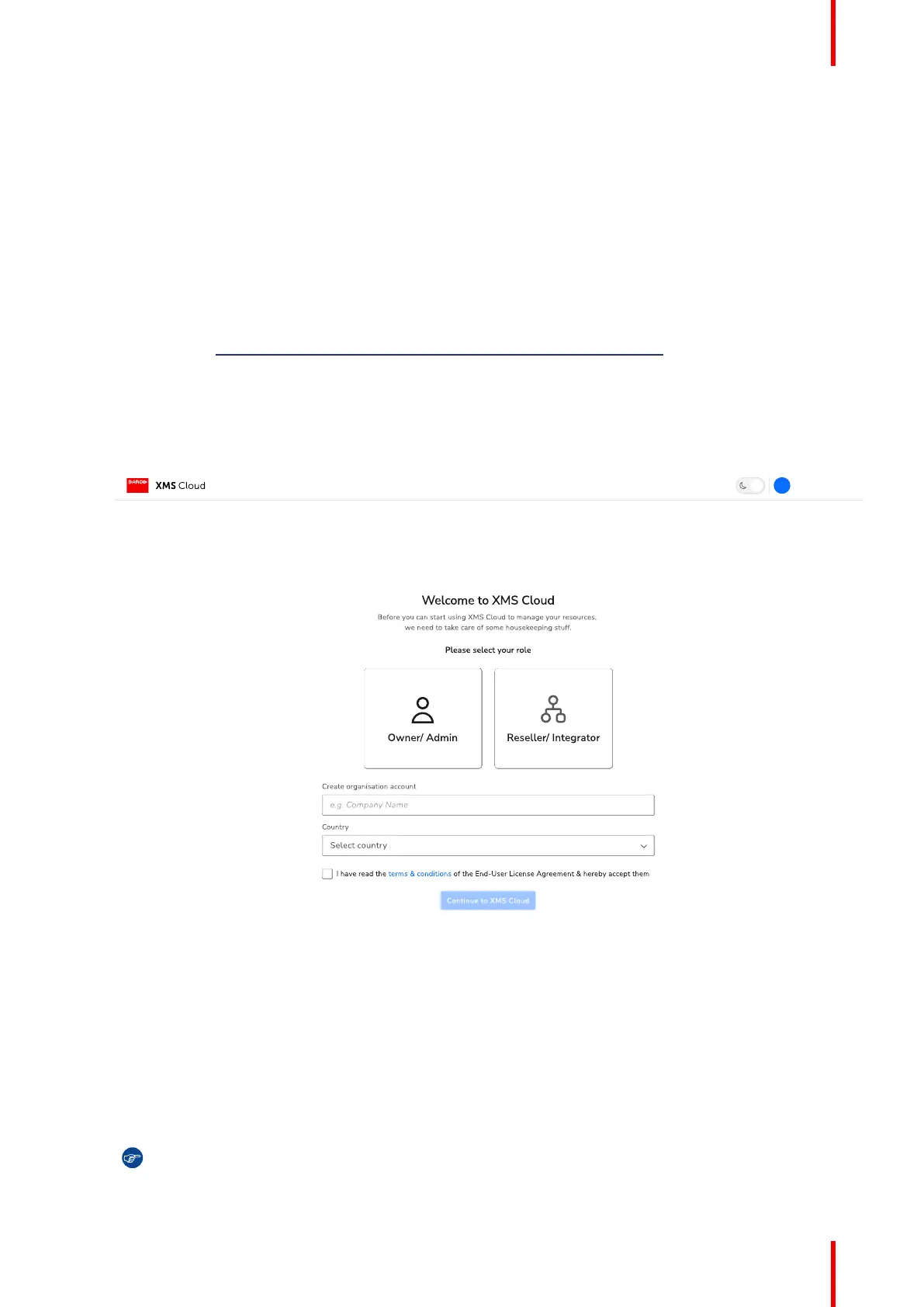
1. Click on the link below the QR code on the SmartCare page of the configurator.
Image 3–22 Example of the registration log-in page on pc.
If a log-in page is prompted, fill out the account details and log in to continue.
2. Are the unit(s) being installed for a client?
► If yes, select “Reseller/Integrator” and create or chose the client, called organisation in XMS, from the
fields below.
► If no, select “Owner/Admin” and create or chose a name for the organisation where the unit is installed.
Tip: A Base Unit can only be registered to one organisation at a time! If a Base Unit must be
changed to a different organisation, then the Base Unit must be unlinked first!
CX-20 Installation


 To Next Page
 Loading...










