R5900102 /11 ClickShare CX-2086
5.9 Wi-Fi settings
WARNING: It is not allowed to operate the Base Unit outside its intended geographical region.
For wireless conferencing, it is recommended to use the 5 GHz frequency band.
About
The operational mode of the Wi-Fi setting can be set in 3 different modes:
• Access point
• Wireless client
• Off
Change operational mode
1. Log in to the Configurator.
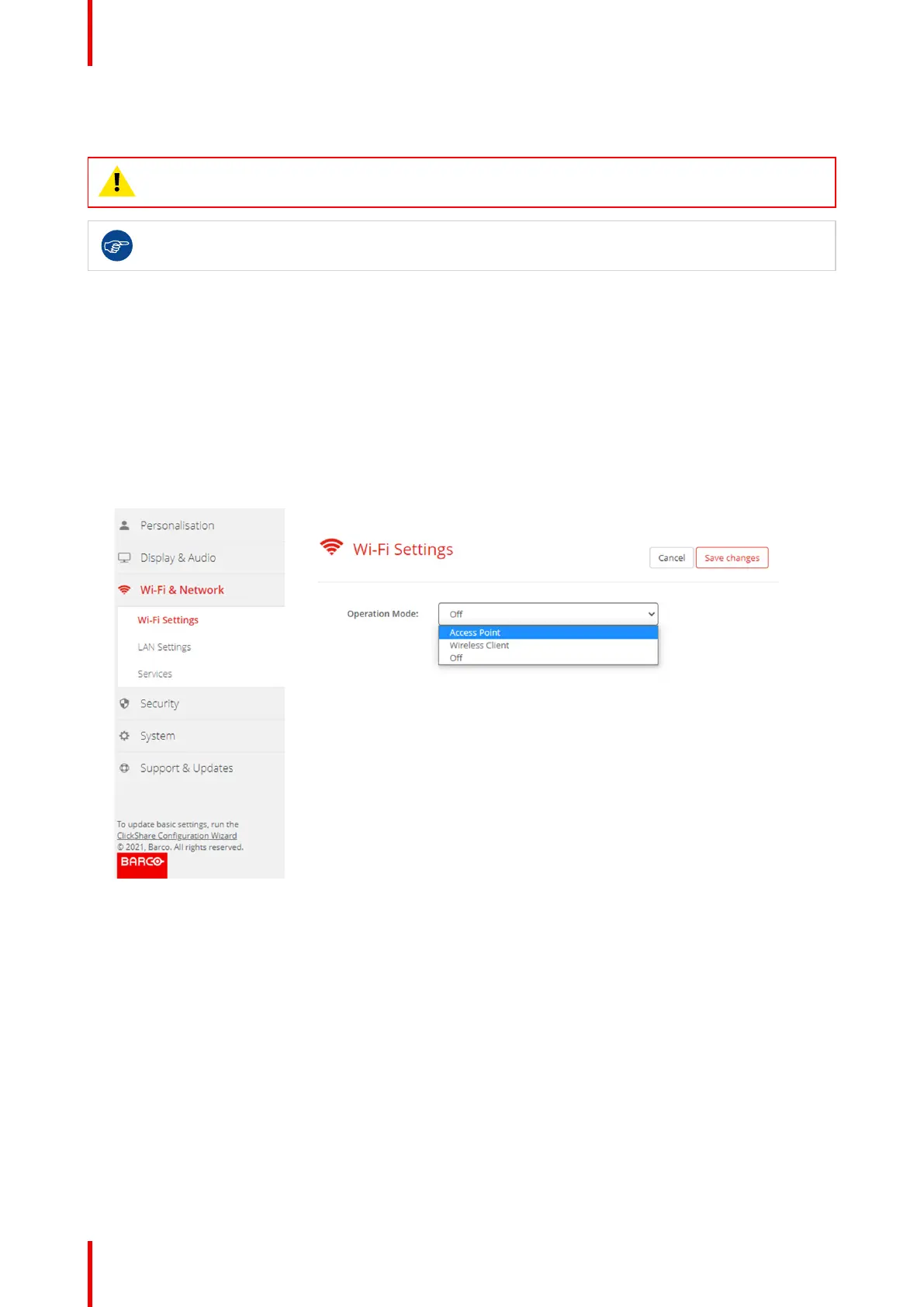
2. Click Wi-Fi & Network → Wi-Fi Settings.
Image 5–16 Wi-Fi settings
3. Select the operational mode by clicking on the drop down and selecting the desired option.
The following options are possible.
• Access point
• Wireless client
• Off
4. To change the Access Point settings, select Access Point.
For more detailed information, see “Wi-Fi settings, Access Point settings”, page 87
5. To change the Wireless Client Settings, select Wireless Client.
For more detailed information, see “Wi-Fi settings, Wireless Client”, page 90.
CX-20 Configurator


 To Next Page
 Loading...










