Programming
5-44
HYGROPHIL® F 5673 Operating manual, Software version 1.8.x, 387896MDHEN(14.06.2013)
5.6.16 Change Password
To call up the programming mode you must enter a password (see section
5.2). The default password is 5673. You can change the password that is set
as default.
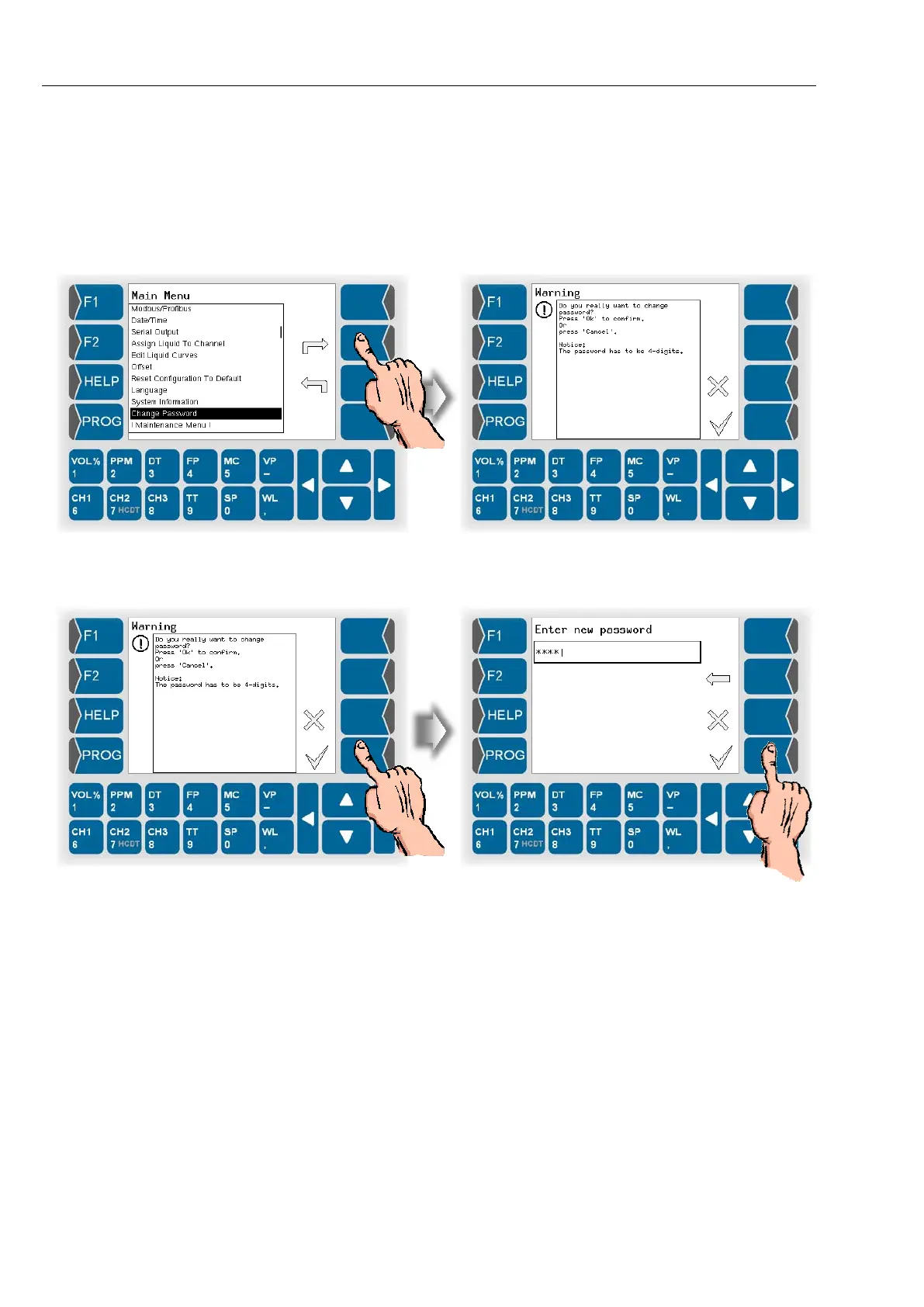
● Open the menu „Change Password“. A warning will be displayed.
● Confirm the warning if you want to change the password.
● Enter the new password. The password must consist of four digits.
After confirming the new password it is valid immediately.
5.6.17 Maintenance menu
This menu is exclusively reserved for authorised service staff. The access is
protected by a password.


 To Next Page
 Loading...


