Programming
5-35
HYGROPHIL® F 5673 Operating manual, Software version 1.8.x, 387896MDHEN(14.06.2013)
5.6.11.2 User specific curves
You can create curves which are specifically designed for your measuring
task.
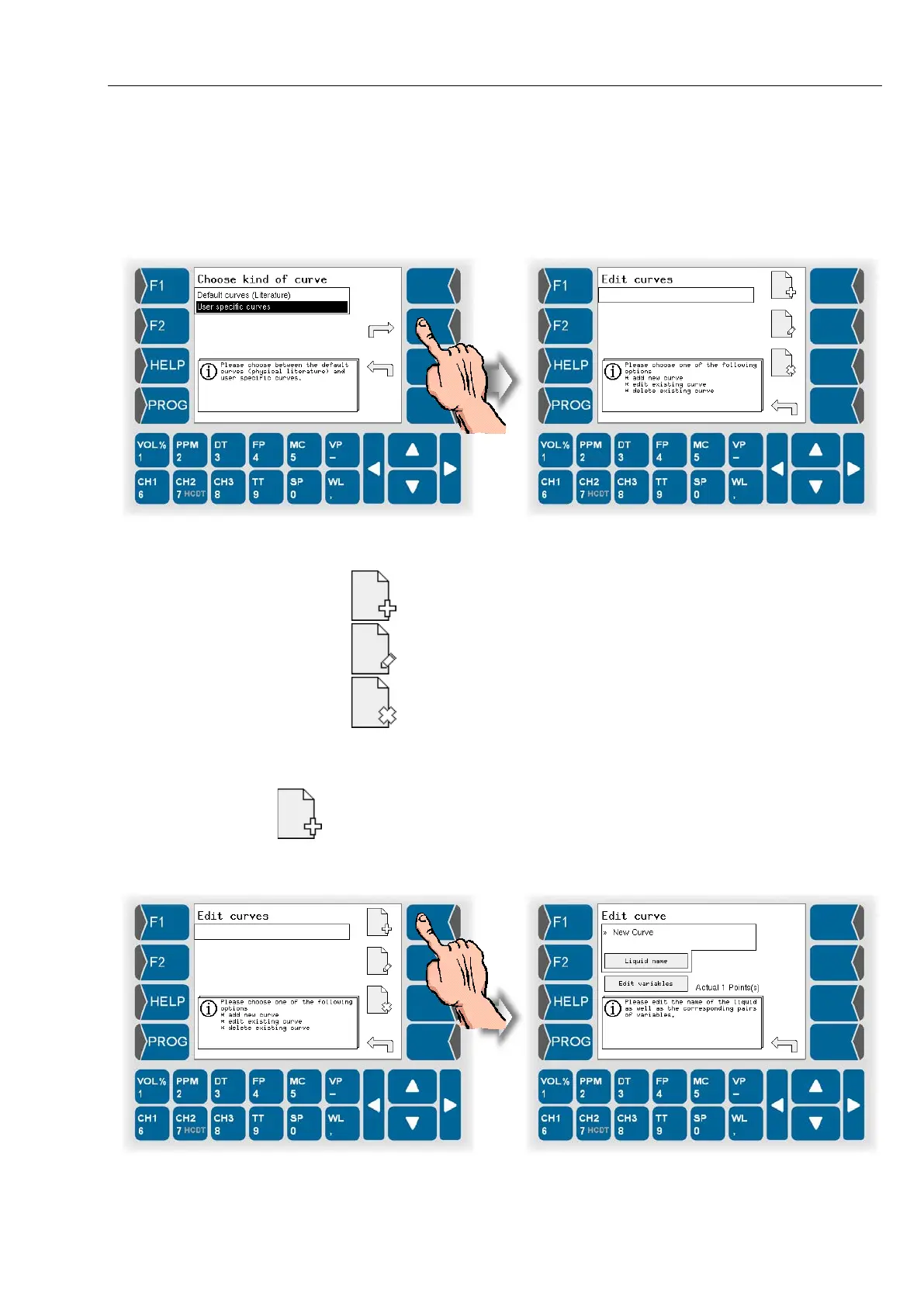
Open the menu for editing of user specific curves.
Choose from the following options:
Create a new curve
Edit a curve
Delete a curve
Create a new curve
User specific curves are not present when delivering the device.
To use such a curve you must create at least one curve.
● Touch the „Create curve“ key.
A new curve with the name „New Curve“ and the point 0/0 is created.


 To Next Page
 Loading...


