Programming
5-32
HYGROPHIL® F 5673 Operating manual, Software version 1.8.x, 387896MDHEN(14.06.2013)
5.6.10 Assigning a liquid to a channel
To measure the moisture in liquids you must assign a characteristic curve of
a liquid to a channel.
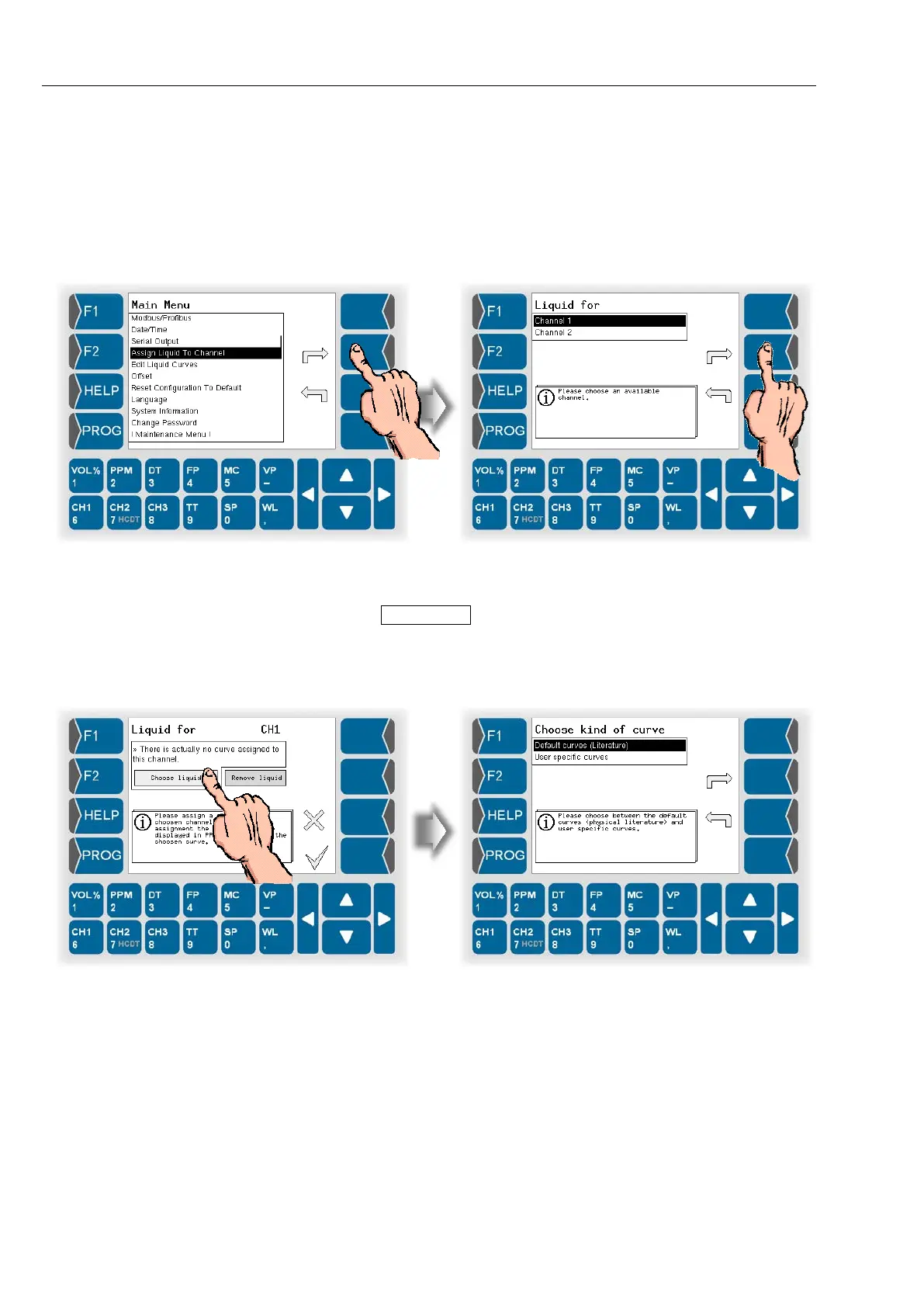
● Open the menu “Assign Liquid To Channel”.
● Then select the channel to be used for measuring in a liquid.
When opening this menu for the first time there is not yet a curve assigned
to the channel.
● Touch the Choose Liquid button.
● Then you can decide to use one of the default curves or a user specific
one.
The device is delivered just with default curves.


 To Next Page
 Loading...


