Programming
5-5
HYGROPHIL® F 5673 Operating manual, Software version 1.8.x, 387896MDHEN(14.06.2013)
5.4.2 Selecting the parameters for editing
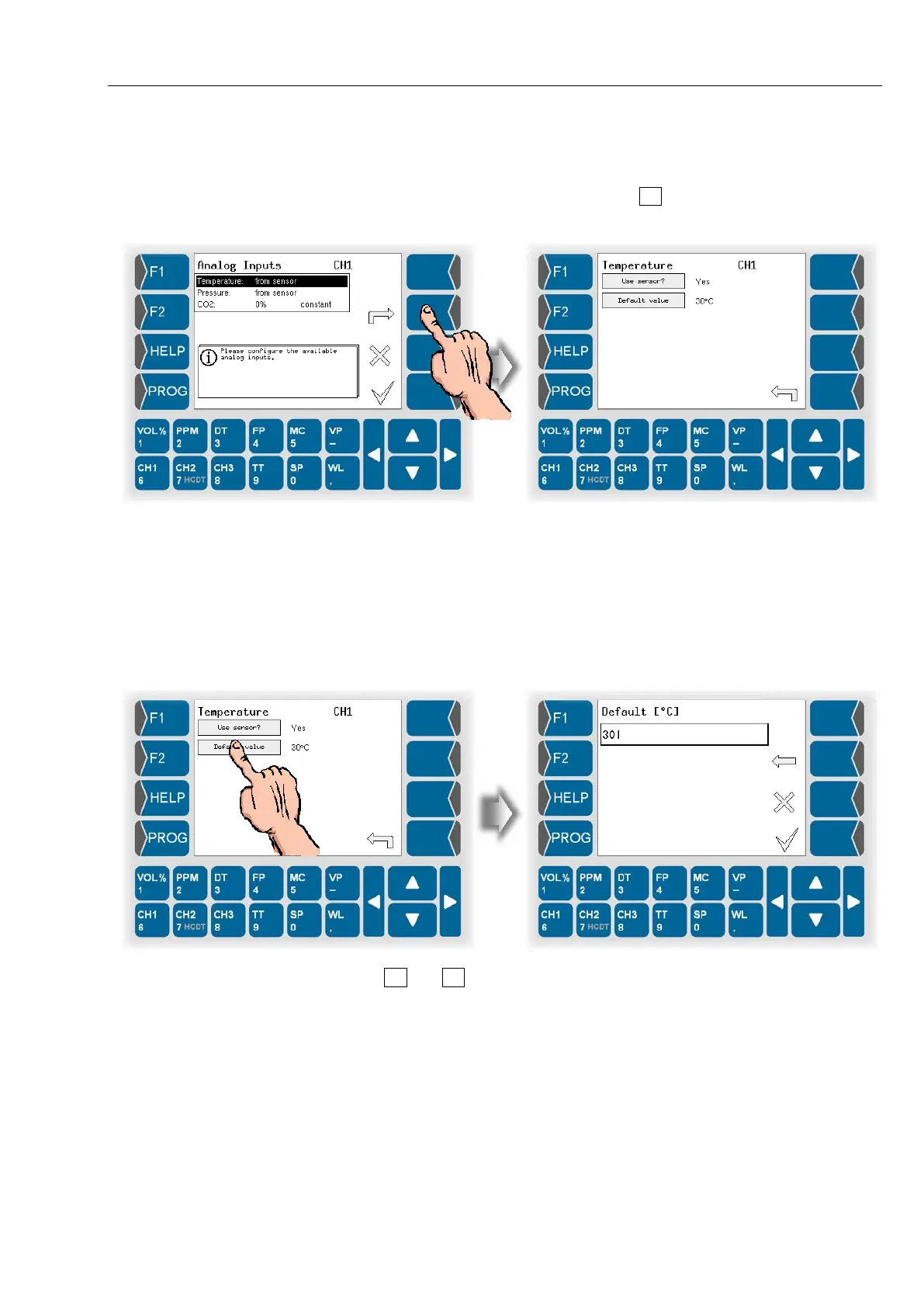
If the menu contains several parameters which can be edited individually,
first select the parameter and then touch to open the appropriate editing
dialog.
Now you can edit the settings of this parameter.
Either a selection dialog (see section 5.4.1) or an entry dialog for the entry of
numerical values (see section 5.4.3) is opened.
5.4.3 Numerical entries
You can enter numerical values by means of the keys below the display.
The value that was set up to now is displayed after opening the dialog.
Use and to change the position of the cursor.
The delete key (arrow pointing to the left) is available for carrying out correc-
tions. If you touch this key, the character left to the cursor is deleted.
Touch the OK key to confirm the entry.



 To Next Page
 Loading...

