Programming
5-18
HYGROPHIL® F 5673 Operating manual, Software version 1.8.x, 387896MDHEN(14.06.2013)
5.6.4 Limits
It can be checked whether the values that have been measured or calculat-
ed do not infringe the limit values.
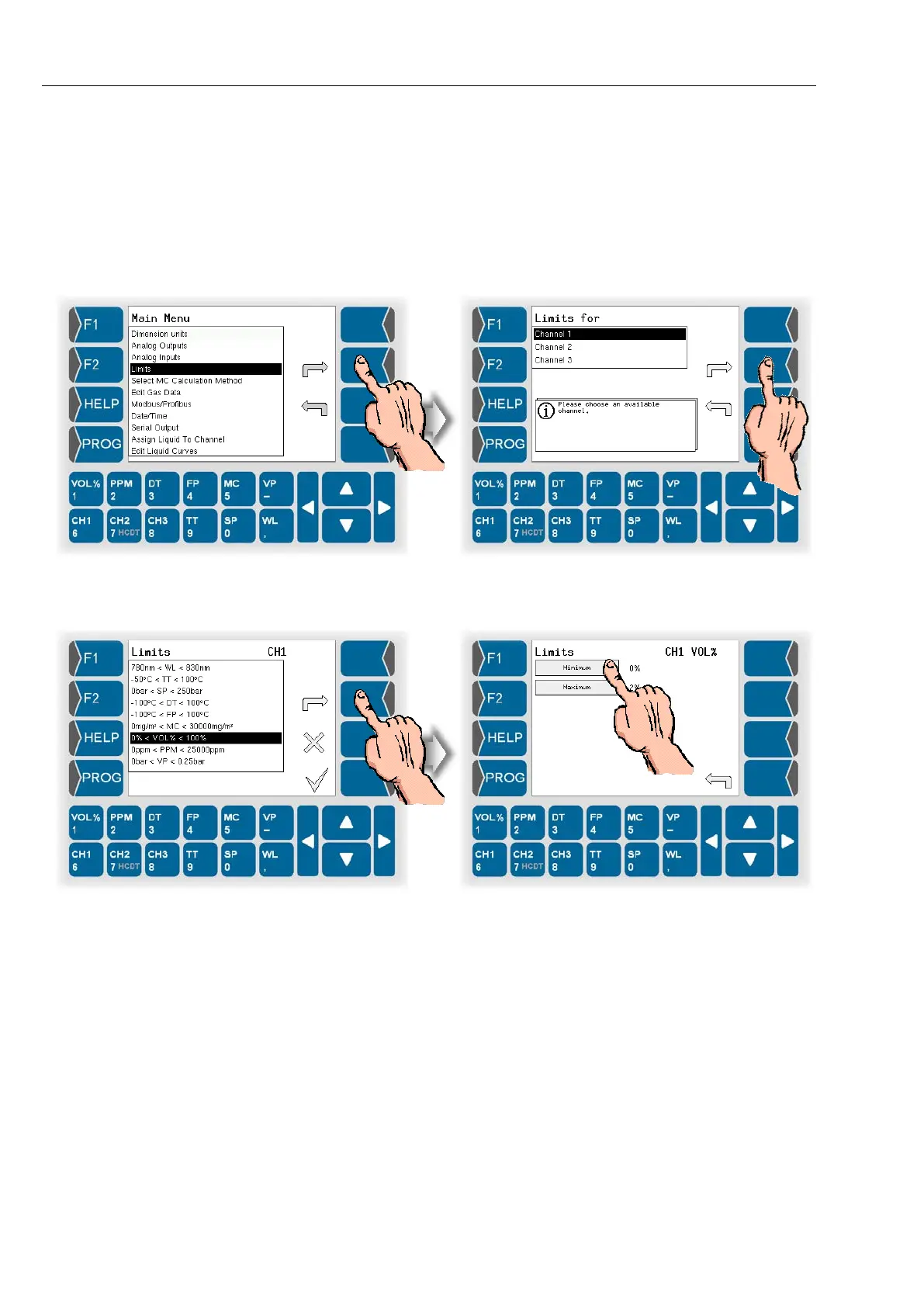
● Open the menu „Limits“.
● Choose which one of the three measurement channels you want to
program.
● Select the measurement variable. The currently valid limits are displayed.
● Enter the required minimum and maximum values.
If a value either exceeds or falls below any limits, a signal is issued via an
optocoupler.
Icons in the display show that a limit has been exceeded or fallen below (see
section 4.3.1.5 and 4.3.1.7).


 To Next Page
 Loading...


