Programming
5-33
HYGROPHIL® F 5673 Operating manual, Software version 1.8.x, 387896MDHEN(14.06.2013)
5.6.10.1 Default curves
The default curves („Literature“) which are delivered with the device cannot
be edited.
You find an overview of the available default curves in the appendix at page
9-3.
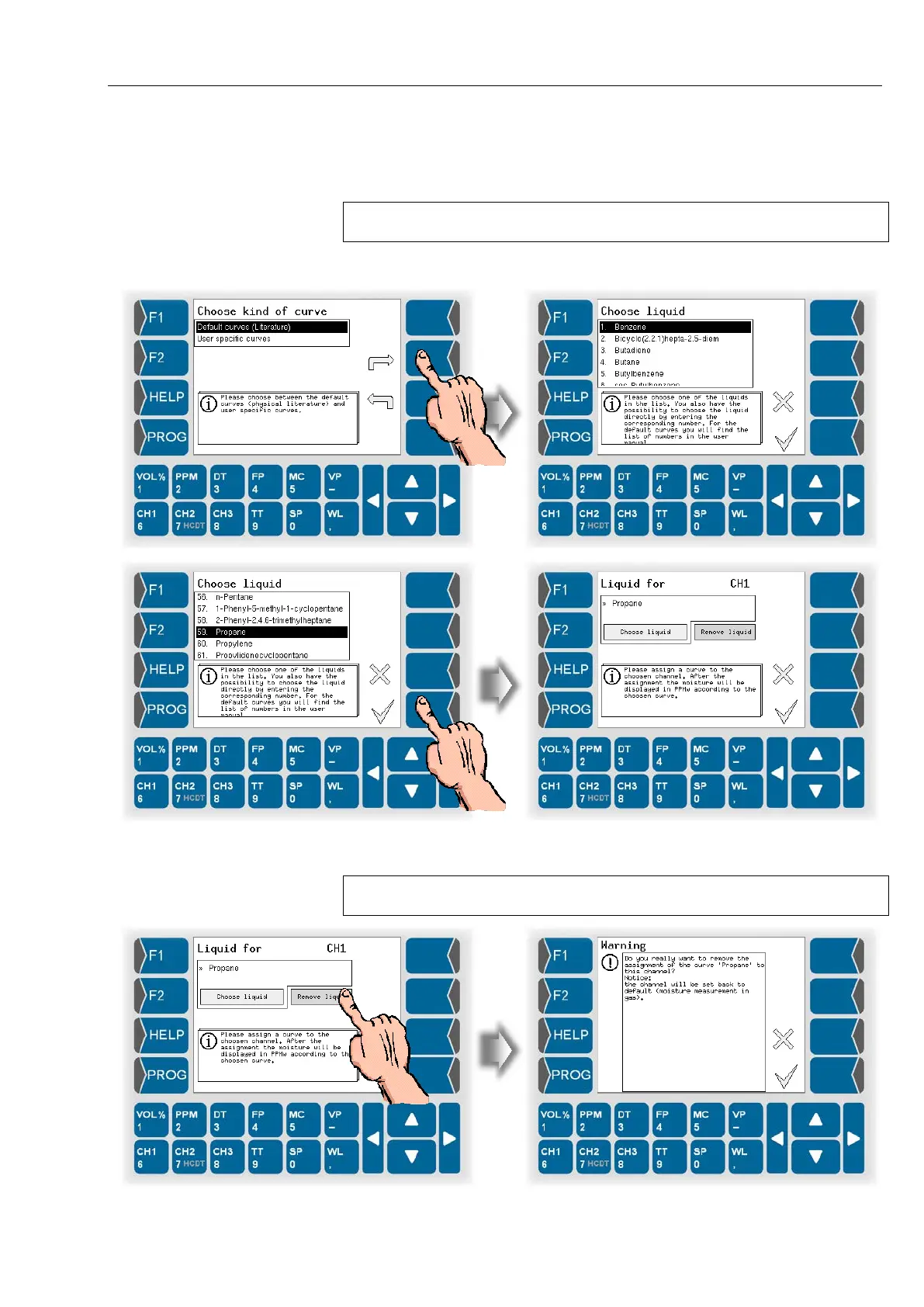
● Choose the liquid that is matching to your measuring task. Use the
selection keys or just the corresponding numeric key for choosing.
As soon as you confirm the selected liquid curve is HYGROPHIL
®
F in the
selected channel ready for moisture measurement in liquids.
To return to moisture measurement in gases, you must remove the assigned
curve.


 To Next Page
 Loading...


