Operation
4-14
HYGROPHIL® F 5673 Operating manual, Software version 1.8.x, 387896MDHEN(14.06.2013)
4.4 Data export
HYGROPHIL
®
F 5673 safes the measuring data in a SQLite-database.
You can copy this database via USB-port to an external data medium and if
required convert into a .csv file.
4.4.1 Copy data
● Connect the external medium (e.g. USB-stick) to the USB-port at the
back of the evaluation unit.
The data medium must be FAT 32 formatted!
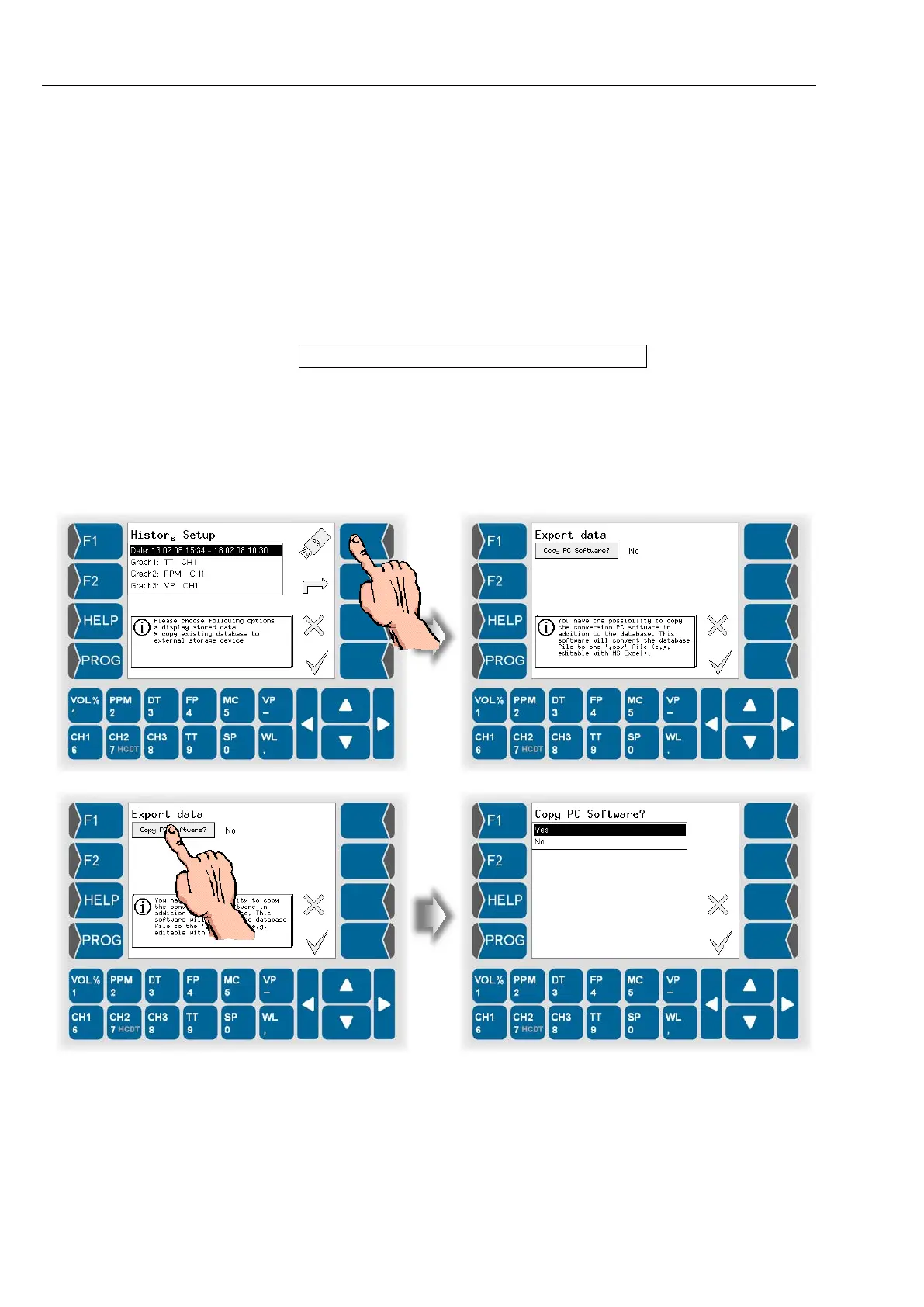
● Call up Hisory-Setup (see section 4.3.5.1).
● Touch the key with the USB-stick icon.
Then you can choose to transfer a PC software (data converting program)
additionally. For using the data converting program, you must only transfer it
once.


 To Next Page
 Loading...


