Operation
4-15
HYGROPHIL® F 5673 Operating manual, Software version 1.8.x, 387896MDHEN(14.06.2013)
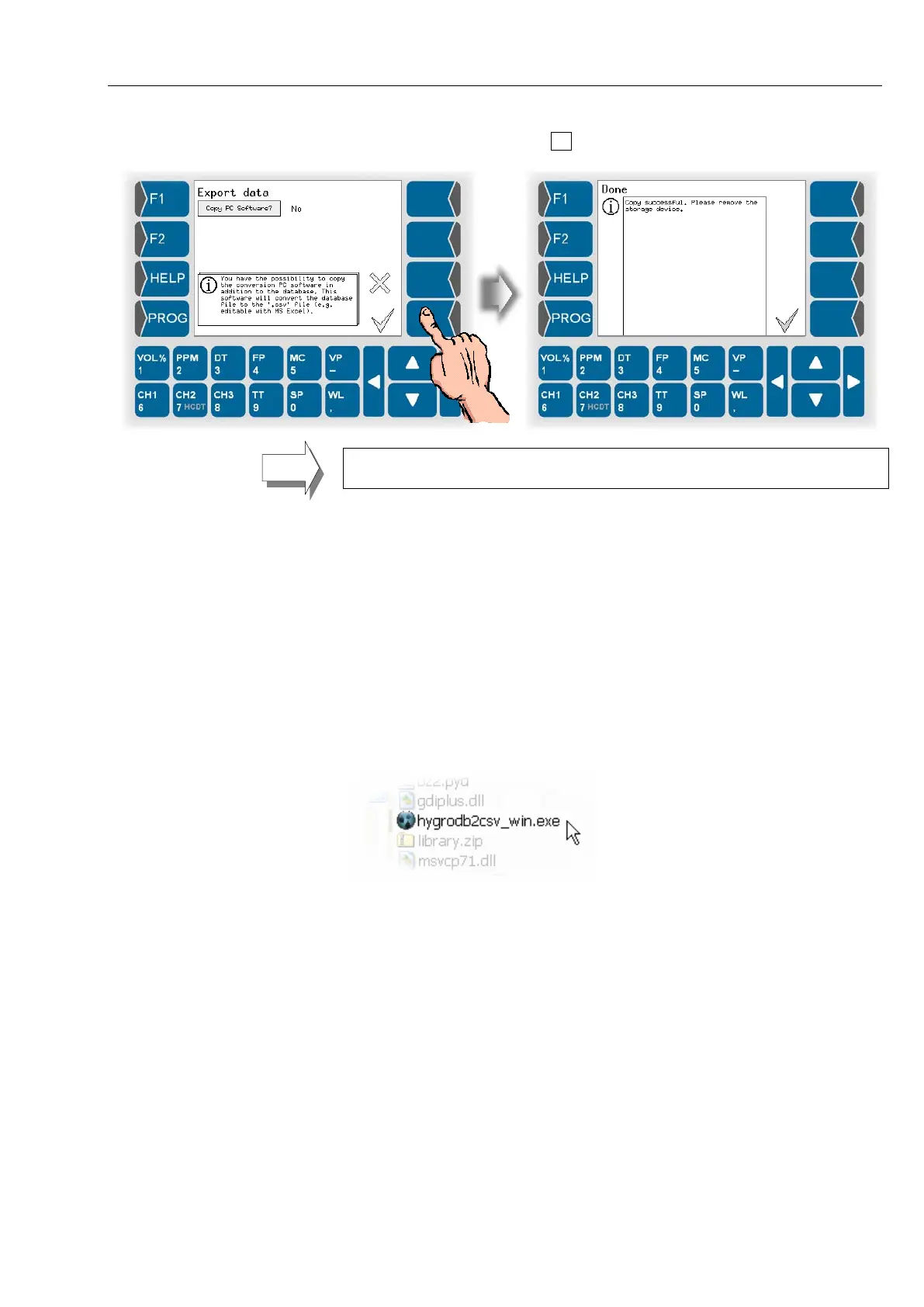
● Start data export with the key.
The database is always transferred completely. The defined presentation pe-
riod for the history graphic display has no influence on the data export.
● For further processing the data connect the data medium to your PC via
USB-Port.
4.4.2 Converting data
By using the PC-program that you can transfer additionally to the database
you can convert the database to a .csv file. You can open and edit this file in
Windows-applications, such as MS Excel, Open Office.
● First unpack the file hygrodb2csv_win.zip. It contains the converting
program.
● The folder hygrodb2csv_win contains the program file
hygrodb2csv_win.exe. Start this program.


 To Next Page
 Loading...


