Programming
5-25
HYGROPHIL® F 5673 Operating manual, Software version 1.8.x, 387896MDHEN(14.06.2013)
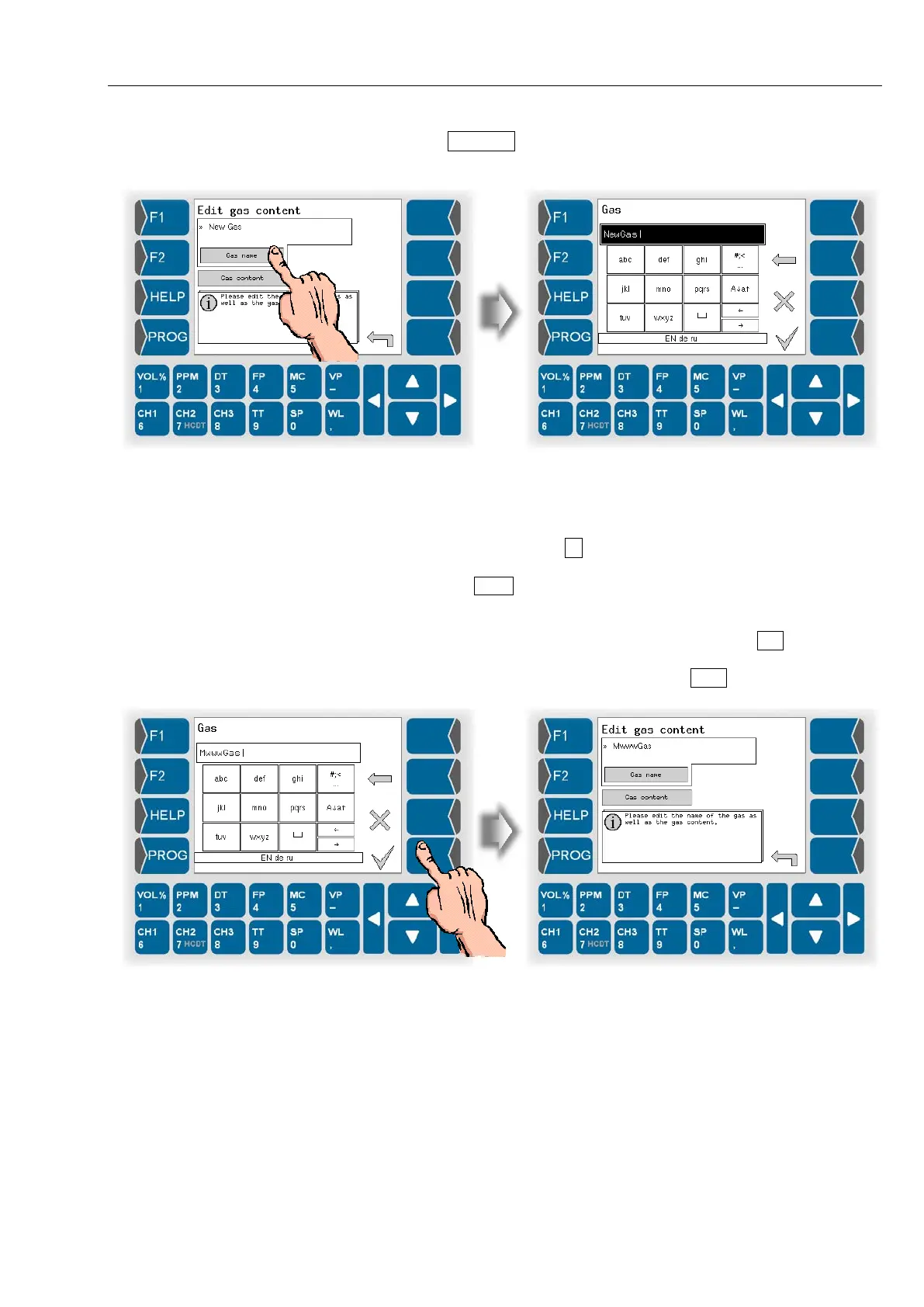
● Touch the Gas name button. Use the following dialog to change the name
of the gas.
Letters are entered using the keys that are shown on the display. To enter a
letter, simply touch the corresponding key. The keys are assigned up to four
characters. You determine which character appears in the input line by
pressing the key the appropriate number of times in quick succession.
You can enter a blank with the
key.
You can use the A↓a↑ key to switch from upper case to lower case letters
and vice versa.
If special characters need to be entered, you can use the #;< key to switch
the key assignment to the special character level. You can switch back to
letters using the same key, which is now labelled abcä .


 To Next Page
 Loading...


