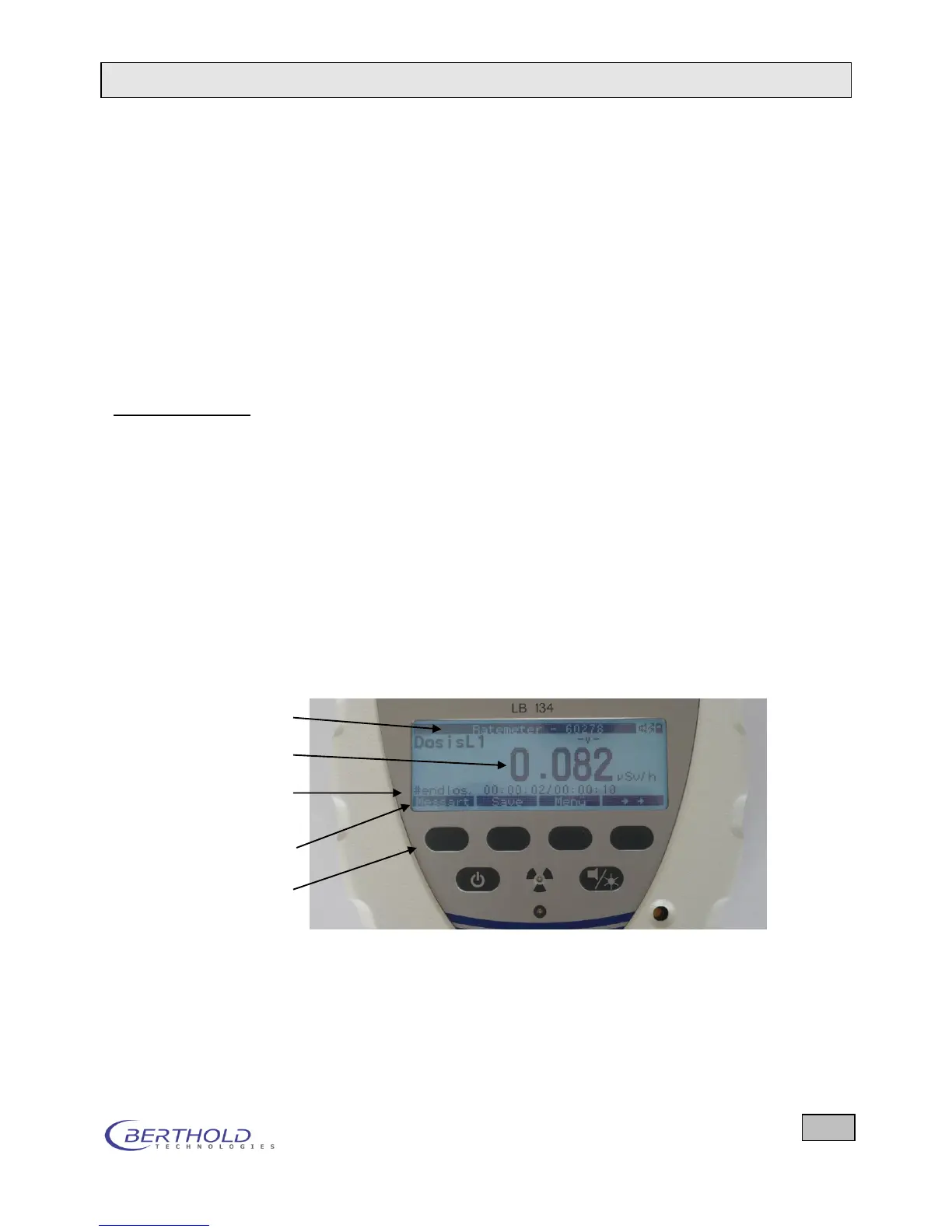
2.2 Operating and Display Elements
Measurement, operation and display are controlled by the soft-
ware integrated in the LB 134. Results, menus and user infor-
mation are displayed on a monochrome LCD graphics module
(192 x 64 pixel) with LED backlight and scratch-resistant Plexi-
glas. The device is operated by means of six function keys be-
low the display. Alarm and status signals are output via two
LEDs and a buzzer.
2.2.1 Design of the Display
Measurement menu
Top line (black background):
Measurement mode and probe name are displayed in the top
line.
Center panel:
Net measured value(s), with unit of measurement and meas-
urement nuclide(s)/measurement type or net (= cps measure-
ment). With simultaneous / measurement, both measured
values are displayed. Below that, information on the measure-
ment is displayed which can be selected via the Info softkey:
e.g. gross values or display as Scale from 0-100% relative to
the alarm threshold of the selected nuclide and many more.
Figure 2.5: Display and function keys
Bottom line (black background):
Displays menus and functions that can be selected via the but-
tons below the display (so-called softkeys). The top four func-
tion buttons have the function assigned to them by the softkeys
located directly above each button.









 To Next Page