LB 134 4. Software Design and Operation
4.3 Key Functions
A long keystroke is identified by a double tone and by a brief
flashing of the lower LED. Then you can release the button.
The software is operated using the 4 push buttons in the mid-
dle, below the display. They have the following functions:
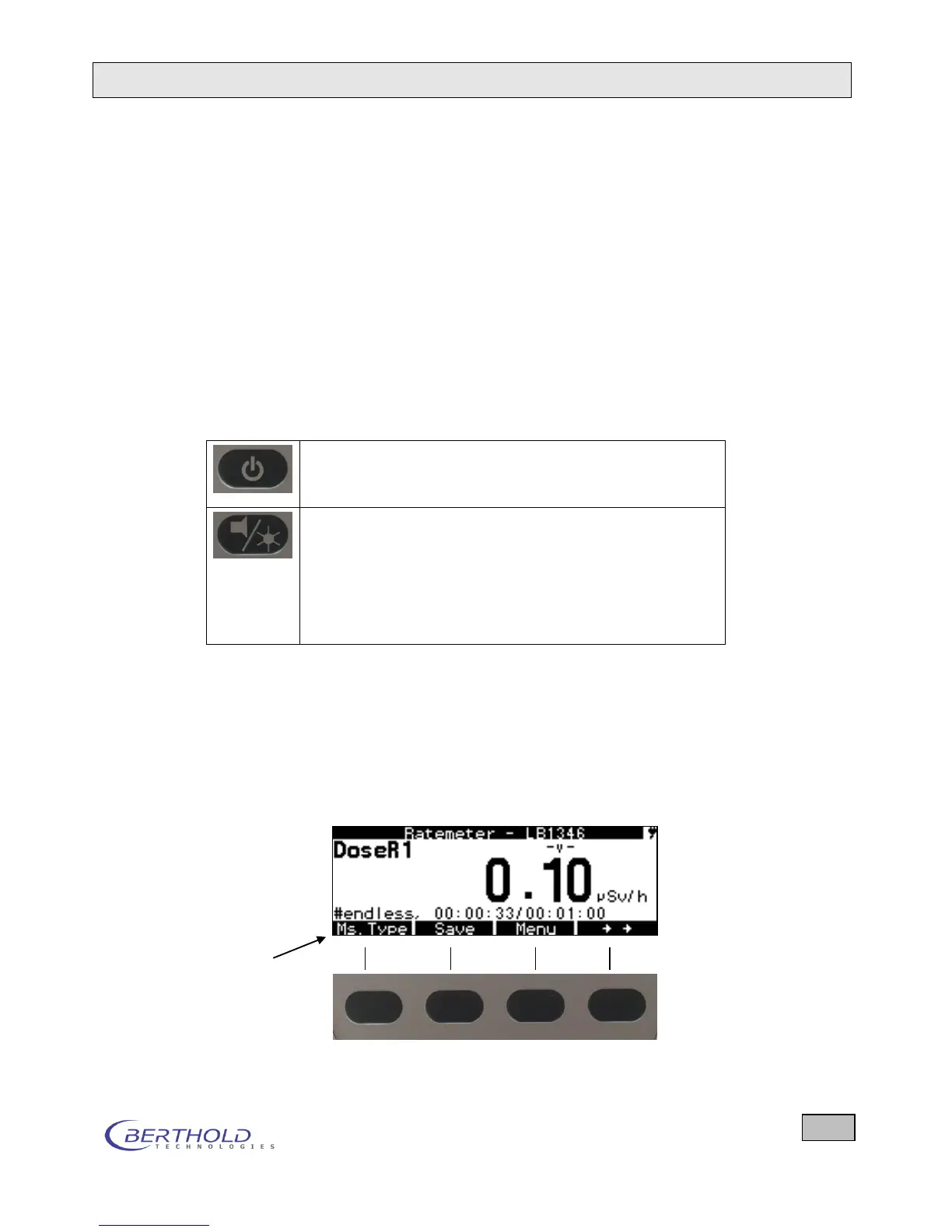
In the Measurement menu and during measurements, soft-
keys (menu options) are displayed in the bottom line of the dis-
play which assign their respective function to the button located
directly below the softkey. Push the button to select that option.
4.3.1 Labeled Push Buttons and their Function
The label on each key indicates the function of this key.
Turning on/off the device.
Push this button for about 0.5 seconds to power on, and for at
least 1 second to power off.
Turning on/off the buzzer and the LCD backlight and ad-
justing the display contrast (keep button pushed until the
desired value is reached). The current status is displayed in
the top line of the display.
If the LCD backlight is turned on: The backlight turns off auto-
matically if no button is pushed for 60 seconds. It is turned on
again automatically when a button is pushed.
4.3.2 Softkeys
The software is operated using so-called softkeys. Softkeys are
software-controlled key functions which assign the push buttons
their current functions on the display. They are shown in the
bottom line.
Line with softkeys
Figure 4.3: Softkeys and assigned functions









 To Next Page