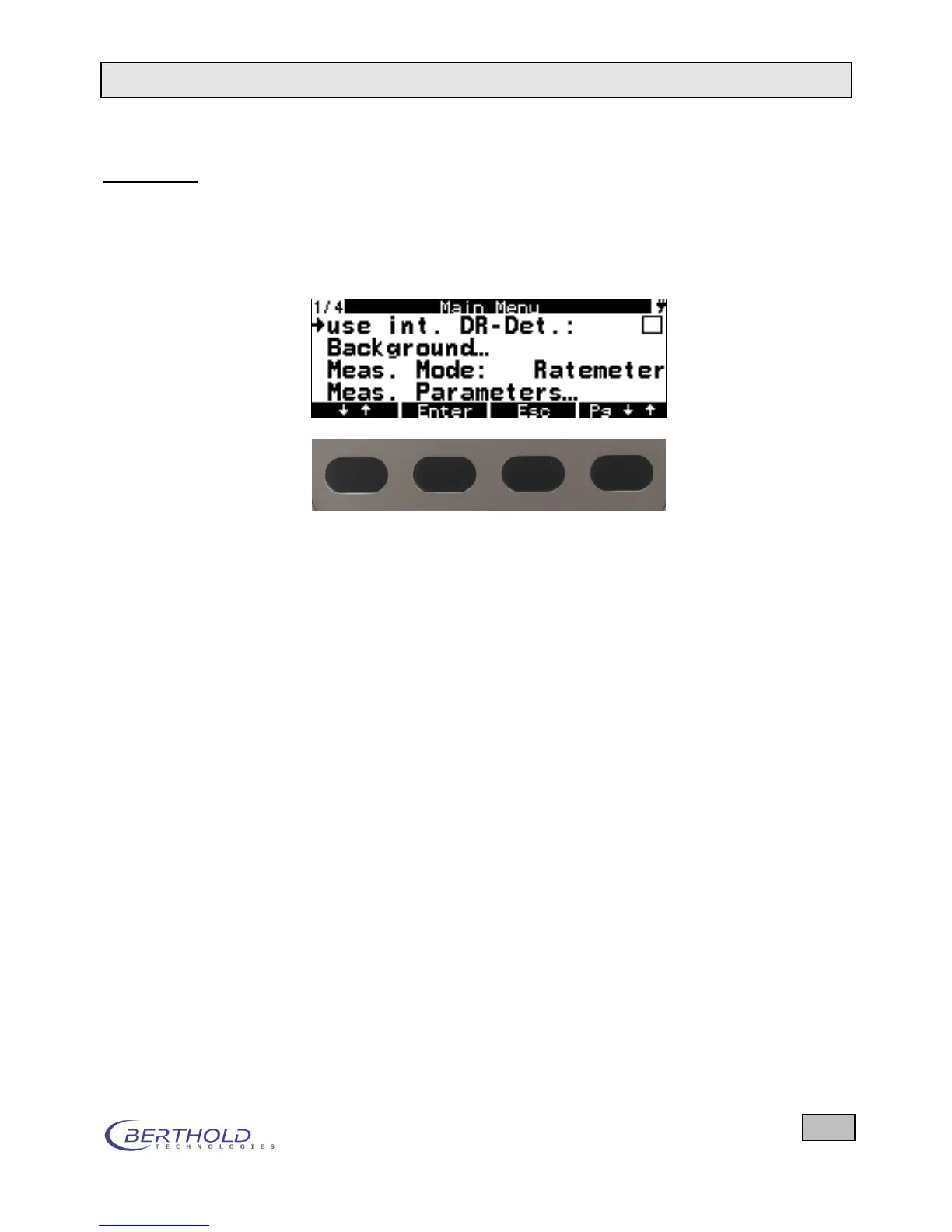
System menu On the System menu the menus and functions are displayed
for selection, and parameters can be edited.
The selection and parameter input takes place via the push but-
tons. The bottom line of the display shows the function of the
push buttons.
Figure 2.6: Softkeys directly below the display
2.2.2 Function keys and their meaning
The device and software is operated using six push buttons,
two of which are labeled with their function name. In the Meas-
urement menu, the top four buttons have the function assigned
to them by the softkey located directly above each button. The
softkeys are displayed in the bottom line of the display (in
black).
2.2.3 Warning Signals
LED indicators The LEDs on the membrane keypad indicate the following
states:
Top LED Alarm when threshold is exceeded
Bottom LED After pressing a button the LED lights up as long as the proces-
sor is busy processing the triggered function.
Acoustic signal When the threshold is exceeded, a warning signal is output
(provided this has been set in the Parameters menu). The red
LED (top) is flashing. In the Parameters menu you can choose
Visual or Audible as signal type.
Battery change If the battery/rechargeable battery voltage displayed after power
on is below 4 V for battery operation and below 4.5 V for re-









 To Next Page