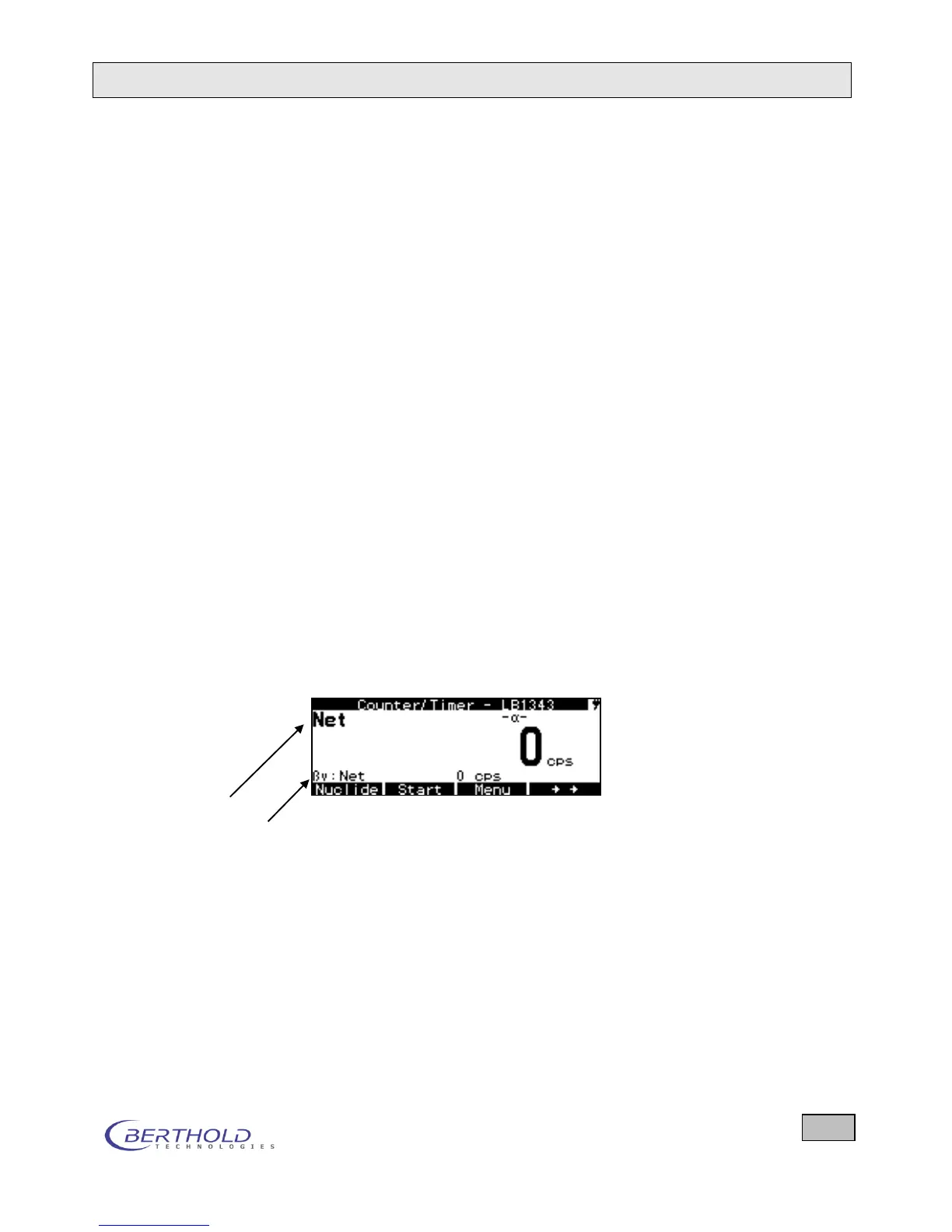
Each display shows the currently measured value, the unit of
measurement and, on the left, the selected nuclide and the
measurement mode. The measured value for the new setting is
displayed virtually with no time delay whenever there is a
change in display. In the counter/timer mode, the measurement
must first be stopped for a nuclide change.
The detector has to be held as closely as possible to the sur-
face to be measured (be careful not to damage the foil!). De-
pending on the level of the count rate, in the counter/timer
mode a different measurement duration and in the ratemeter
mode a different time constant or preset accuracy has to be
used to obtain a fairly low statistical error. Decreasing statistical
fluctuations become apparent from the fact that the displayed
measured values show less and less deviations. The stored
background rate is automatically subtracted.
5.2.1 CPS Measurement
Start the measurement by selecting the desired measurement
mode (Ratemeter, Counter/Timer ...) on the System Menu
and then press ESC to go to the measurement menu.
If gross or net [cps] is not yet set, select this setting from the
small nuclide table. Press the Nuclides button repeatedly until
Gross or Net is displayed in the second row of the display (see
below).
Display Net
2
nd
measuring channel
Figure 4.14: CPS measurement
Press the Info softkey to view further information on the ongo-
ing measurement.
5.2.2 Measurement of Area Activities
Start the measurement by selecting the desired measurement
mode (Ratemeter, Counter/Timer ...) on the System Menu
and then press ESC to go to the measurement menu.









 To Next Page