6. Software Functions
In this chapter you will find information on all measurement
functions, parameters and service functions in the order they
appear on the System Menu. It starts with the description of the
actual measurement of contamination, activity or dose rate.
For a detailed description of the software operation please refer
to chapter 4 (how to select the System menu and menu items,
editing, etc.). You have access to all menu items from the Sys-
tem Menu. See also Table 6.1.
After start-up and configuration of the device, only those menu
items appear for which the user has read or edit rights. The us-
er rights are password protected and can be changed only by
the device supervisor under the item Menus Enable. There, the
rights: Off, Read only and Read and Edit can be assigned. Off
means the menu does not appear in the menu list. Read only
means you can view the parameters but you cannot edit them.
Read and Edit means that you can also edit the parameters.
Next, we will describe the measurement function.
6.1 Measurement of Contamination, Activity or Doserate
After power-on or when you press the ESC key on the System
Menu, the Measurement menu appears and – in the Ratemeter
or Search mode – the measurement starts automatically in the
preset measurement mode using the selected parameters. In
the Counter/Timer mode, you have to press the Start button.
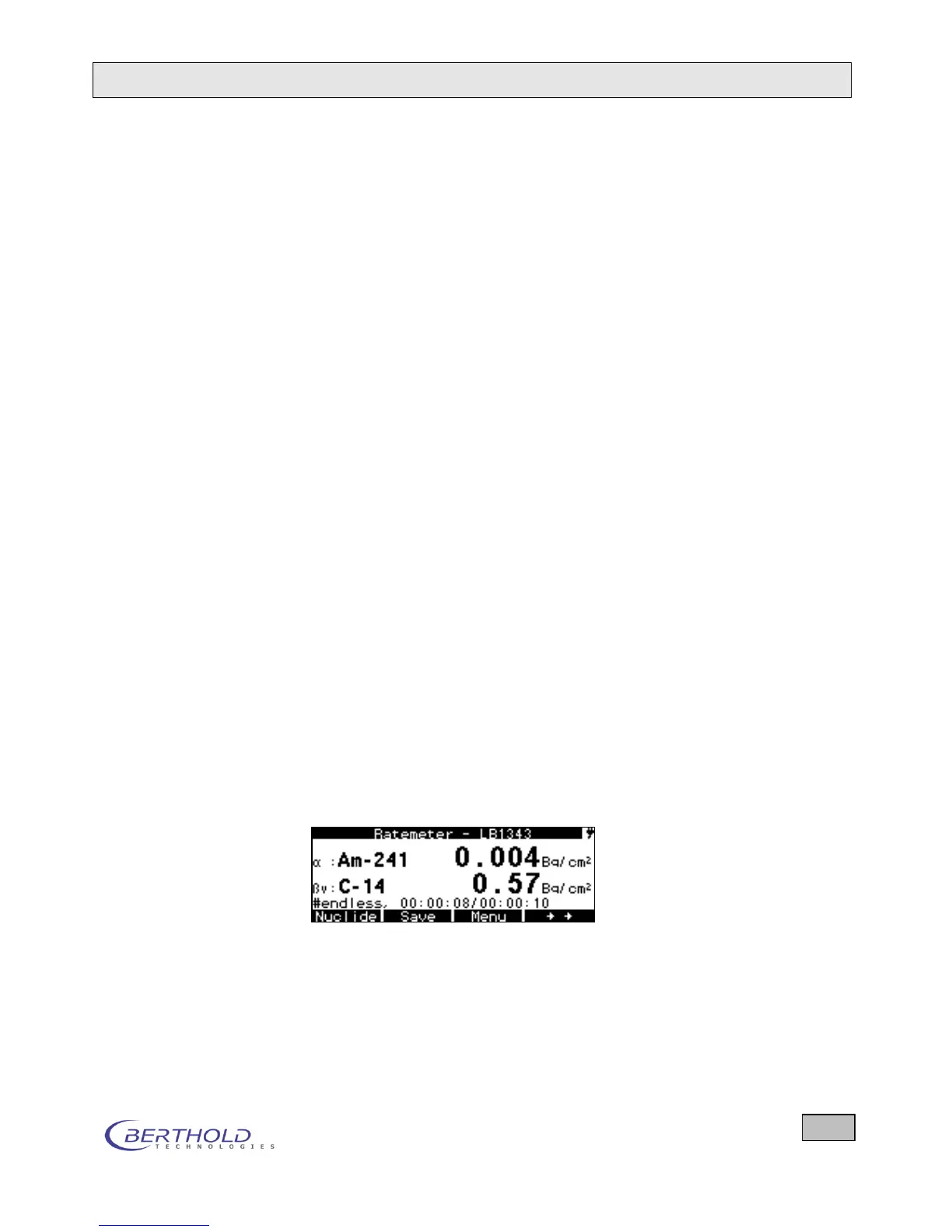
The active measurement mode, the LB number of the probe
and the current measurement results are displayed. Example in
the Ratemeter mode:
Press the double arrow key on the right to access more func-
tions in the bottom line.









 To Next Page