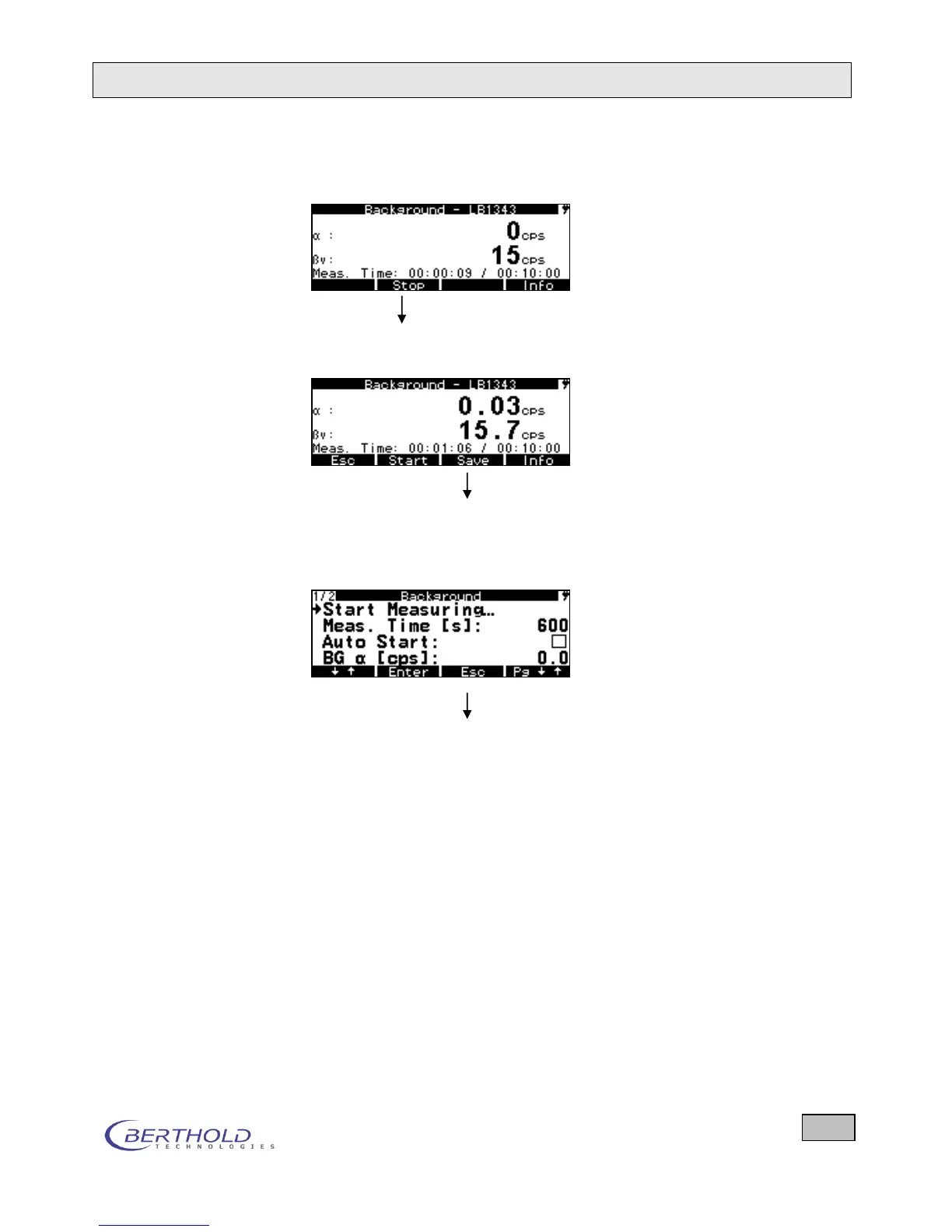
Procedure Automatic background measurement after power on of the
device.
BG measurement finished (at the end of measurement or by
pressing Stop)
Saving the BG values
Figure 4.9: Display at the end of a background measurement
Press ESC twice to start the contamination measurement.
Figure 4.10: Return to the measurement menu
5.1.3 Creating the Small Nuclide Table
To be able to select particular nuclides for a sample measure-
ment, you first have to select those nuclides from the nuclide
table that you use most frequently and that you wish to access
directly during measurements. These nuclides are stored in a
small nuclide table to which you have direct access during each
measurement via the Nuclides softkey. The scope of the small
nuclide table is adjustable (minimum: net; maximum: all nu-
clides). This allows you to switch to another nuclide at any time.
Upon delivery, the small nuclide table already includes several
nuclides.
At the same time, you can enter Alarm Thresholds for these
nuclides; when they are exceeded, an alarm signal is output.









 To Next Page