LB 134 4. Software Design and Operation
In the menu item Display Mode you can toggle between these
modes of display. You can select additional information to the
main display by briefly pressing the Info button in each of the
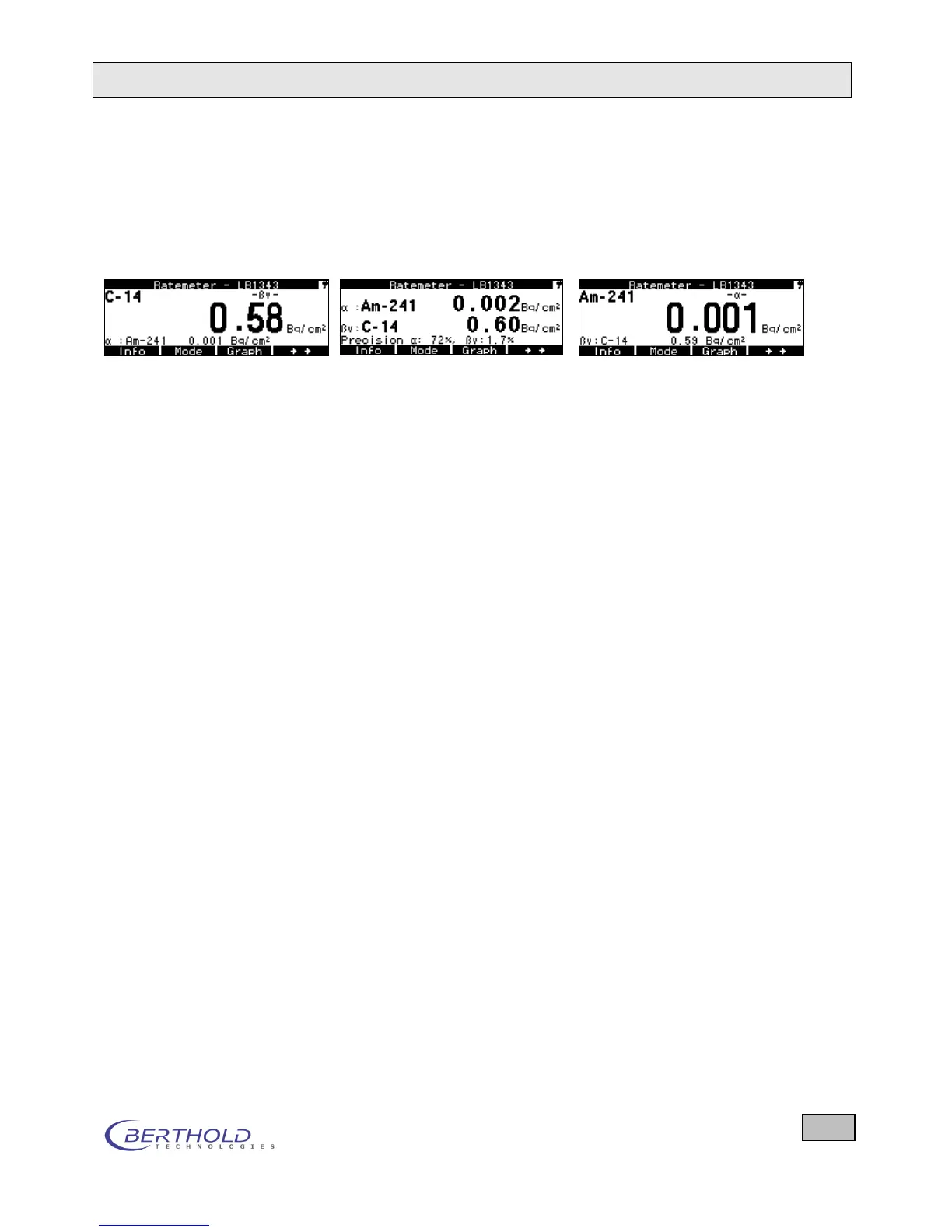
three modes of display. The three display options for alpha and
beta contamination show the following three displays.
Main display: - channel Main display: Both channels Main display -channel
Indication of Measurement mode (ratemeter, counter/timer ...) and LB number of the
probe and Status (buzzer / light) and on the left the storage number at the time of saving
Second line
(only 1 channel)
2
nd
/3
rd
line
with 2 channels
Left: Nuclide or Measurement type or Net/Gross
Right: Radiation type
Radiation type, nuclide/measurement type, measured value, unit
(third line same as second line but only for channel 2)
Net/gross results during the measurement (in [cps], [Bq/cm
2]
or µSv/h or according to the
selected nuclide(s) and/measurement type(s) or the computed unit of the measurement
Info line, second line
from the bottom
Measured value of the 2
nd
measuring channel, dose (integral value), bar graph, accuracy,
calibration factor, date and time, background with measurement time, minimum and maxi-
mum value, raw data value, net count rate, measuring time at N cycles, accuracy of the
mean, selectable by repeatedly pressing (briefly) the Info button
Display of softkey function relative to the selected mode.
Counter/Timer: During measurement: Info, Stop, Graph
After the measurement: Nuclide, Start, Menu, Info, Mode,
Save, Graph, Start, Integral
Ratemeter: During measurement: Nuclide, Save, Menu, Info, Mode,
Graph, Reset, Integral start
Search: During measurement: same as Ratemeter
During the measurement, the Nuclide/Measurement type stored in the small nu-
clide library can be selected by repeatedly pressing the Nuclide/Measurement type
button (separately for each type of radiation).









 To Next Page