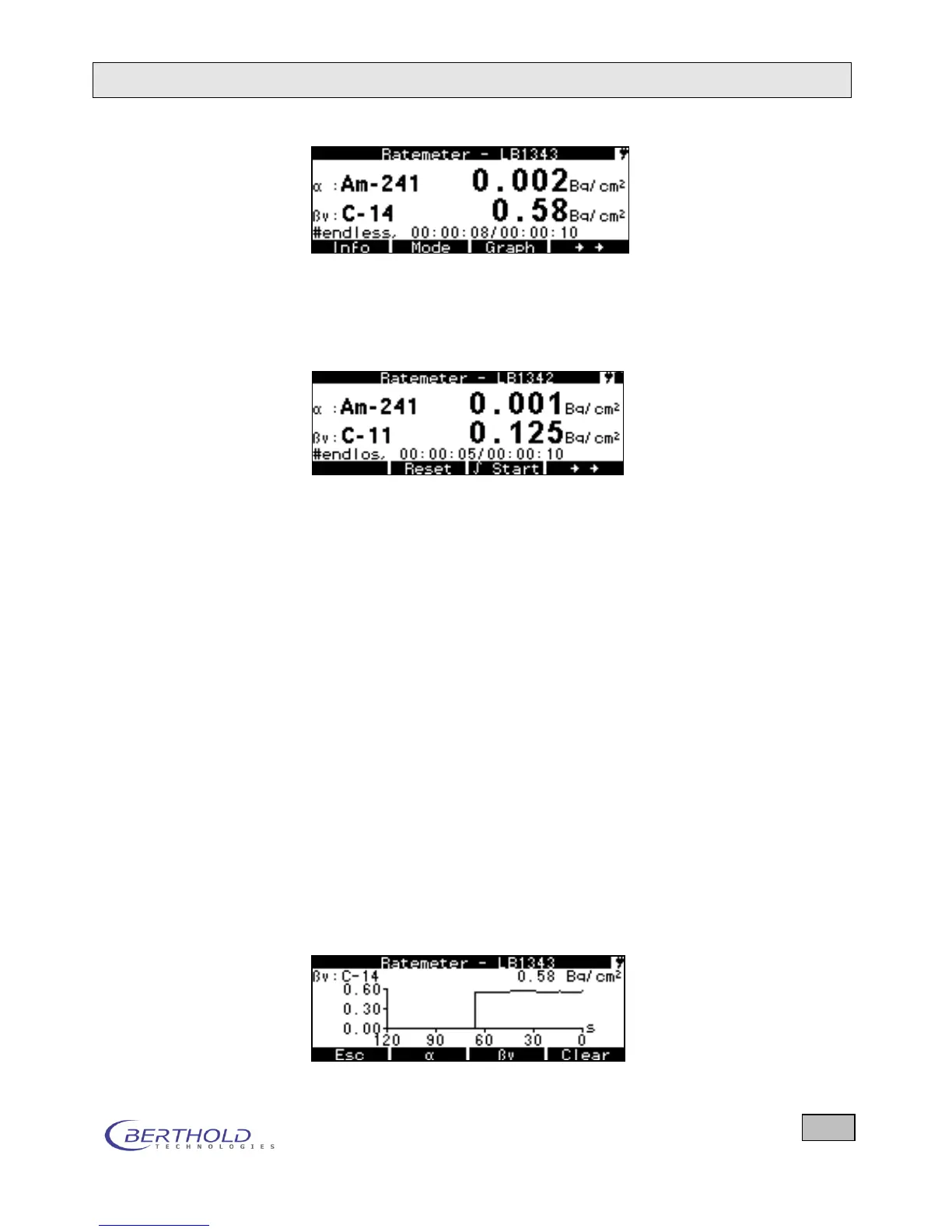
If you press the double arrow key on the right once more, fur-
ther functions appear in the bottom line. If you press this key
once more, the first functions appear again (see first picture).
The functions are explained in detail.
Figure 6.1: Display in Ratemeter mode
Nuclide Select the desired nuclide or nuclides from the small nuclide ta-
ble depending on the selected measuring channel. (The con-
tents of the small nuclide table is selected on the Nuclides
menu.) The nuclides can be selected during a measurement. If
you are working with dose rate probes, the Measurement
mode is displayed here and instead of nuclides you can select
preset measurement types.
Save Saves the measurement results of the stopped or completed
measurement in the Counter/Timer mode. In the Ratemeter
mode you can save the results any time.
Menu Go to the System Menu.
Mode Three functions can be selected:
Ratemeter, Counter/Timer and Search which are selected
here.
Graph Shows a graph of the measured values as a function of time. In
the Ratemeter mode the seconds values are recorded from
right to left. In the Counter/Timer mode, a dot is drawn from
right to left at the end of each measurement. 120 dots max. are
displayed.









 To Next Page