Data Analysis Overview
74
Adjusting the Threshold
In Single-Threshold mode, adjust the threshold for a fluorophore by clicking on the threshold
line in the Amplification chart and moving the mouse pointer vertically. Alternatively, specify an
exact crossing threshold for the selected fluorophore by following these instructions:
1. Select one fluorophore in the fluorophore selector in the Quantitation tab (Figure 72) by
clicking the boxes next to the fluorophore name located under the Amplification chart.
2. Select Settings > Baseline Thresholds in the menu bar to open the Baseline Thresholds
window.
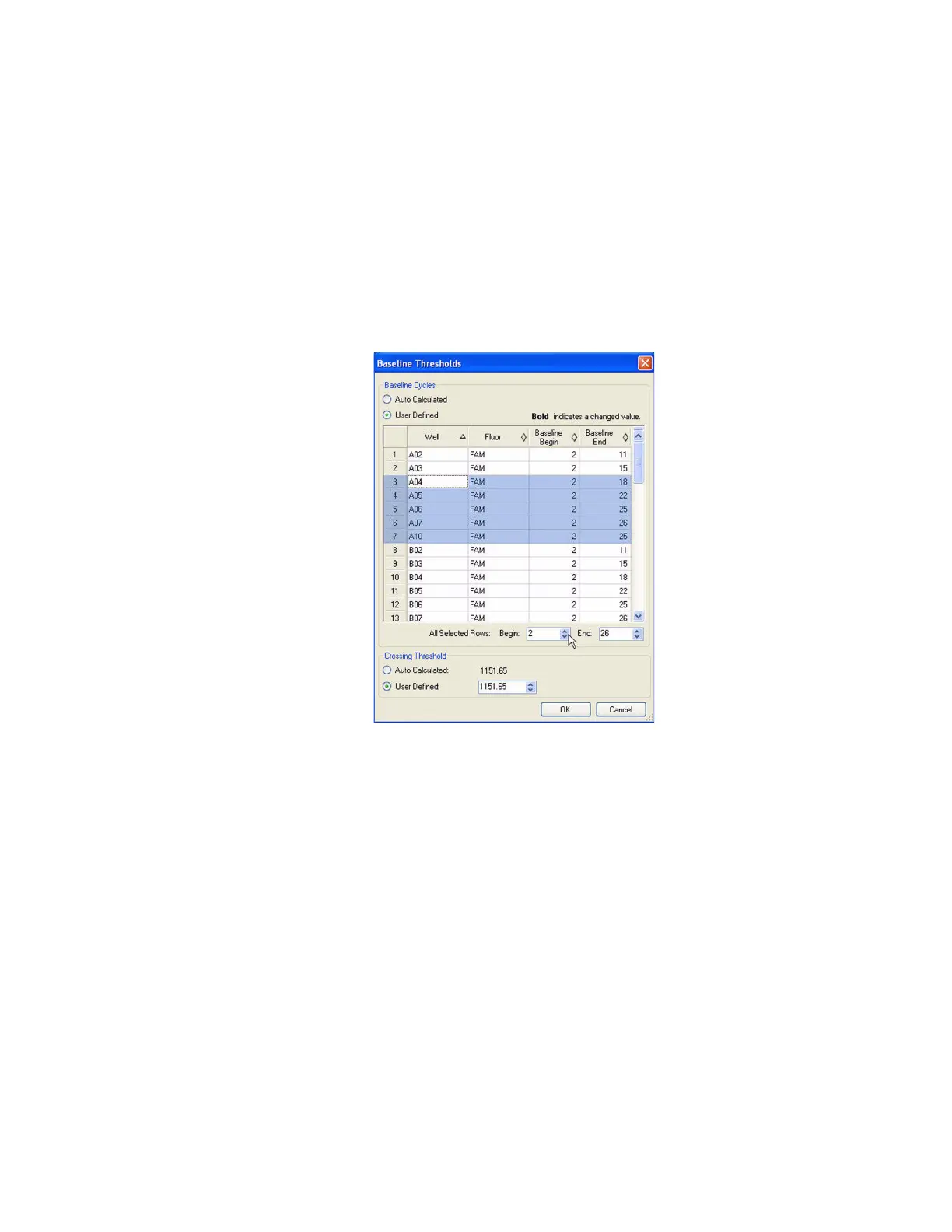
3. Adjust the crossing threshold (Figure 75) for the fluorophore by clicking User Defined
and entering a threshold number.
Figure 75. Baseline Thresholds window.
4. Click OK to confirm the change and close the window.
Baseline Settings
The software automatically sets the baseline individually for each well. Once you select the
wells for analysis, check the baseline settings in these wells. Open the Baseline Thresholds
window (Figure 75) to change the default baseline for selected wells. To open this window:
1. Select one fluorophore in the fluorophore selector in the Quantitation tab (Figure 72) by
clicking the boxes next to the fluorophore name located under the Amplification chart.
2. Select Settings > Baseline Thresholds to open the Baseline Thresholds window.
To adjust the begin and end baseline cycle for each well:
1. In the Baseline Cycles pane, select one or more wells by clicking the row number,
clicking the top left corner to select all wells, holding down the Control key to select
multiple individual wells, or holding down the shift key to select multiple wells in a row.
2. Adjust the Baseline Begin cycle and Baseline End cycle for all selected wells or change
the Begin and End cycle number at the bottom of the spreadsheet (Figure 75).



 To Next Page