61
BOCA PRO16 Reference Guide
DUMB MODE OPERATION
Your modem has two methods of operating with your computer. The
commonly used method is “smart mode”, where the computer issues
“AT” commands to the modem to make it dial and hang up. For
computers which do not offer an asynchronous port or cannot commu-
nicate synchronously using V.25bis commands, dumb mode permits
manual control of your modem.
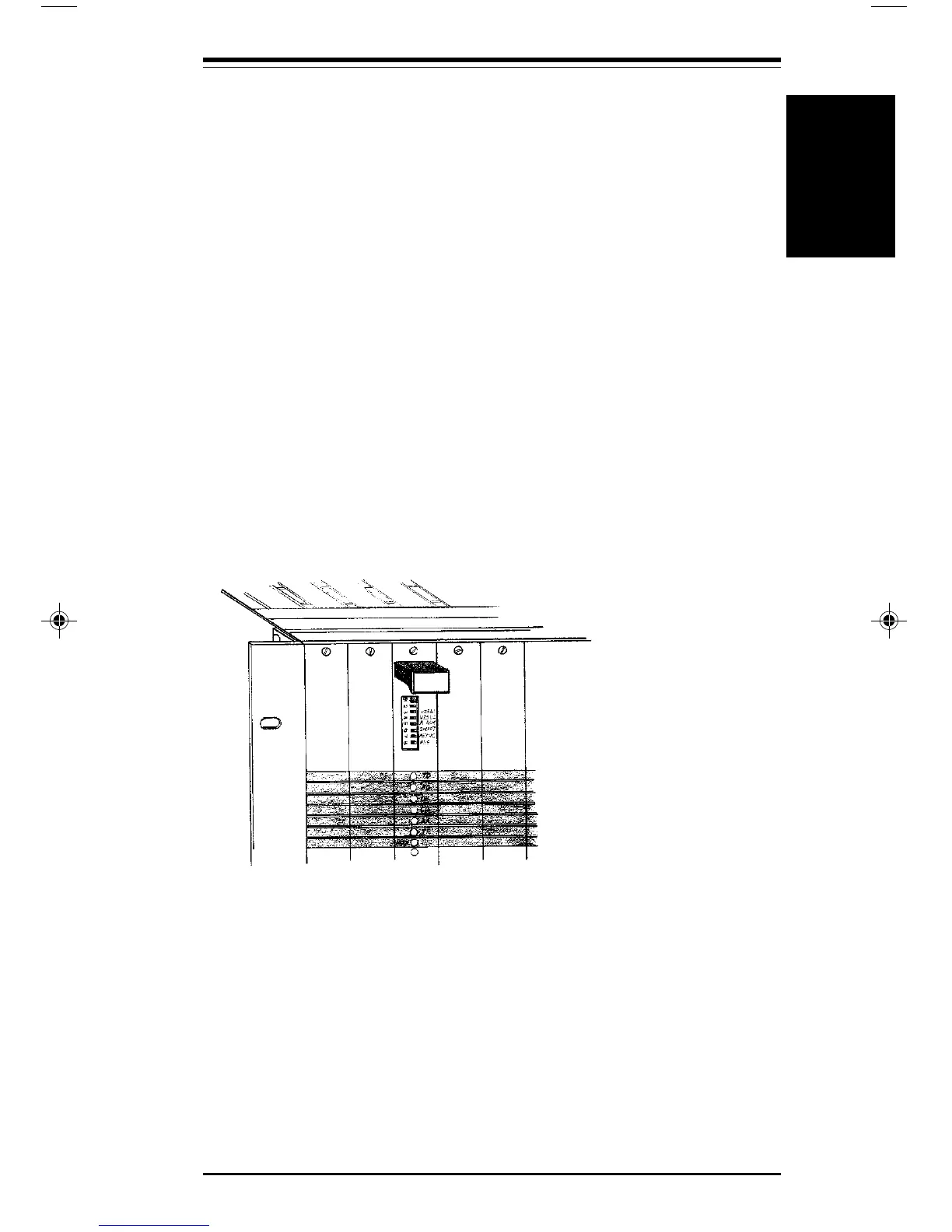
Selecting Dumb Mode on PRO16RK Modems
To select Dumb mode on a ProRack modem:
• Place front panel Option switch 6 in the On (or Left) position
To select Smart mode:
• Place front panel Option switch 6 in the Off (or Right) position
ProRack Modem
Option Switches
Setting Up your Modem
In most instances, your modem will need to be configured prior to
entering Dumb mode. All configuration of your modem is performed
using the AT commands.
For example, if you wish to have your modem dial a stored telephone
number when the computer asserts (or “raises”) the DTR signal, you
must first store the telephone number in the modem and select stored
number dialing operation, using the AT commands.
Dumb Mode Operation
Dumb Mode
Operation
pro16ref.pm6 6/14/96, 2:37 PM61



 To Next Page