Step 5. Install the USB Driver and Configure for USB Operation
This step describes how to install the USB driver and configure the computer and Wraptor to
communicate via a USB cable (for Windows XP and Windows 2000). If you are not using a USB
cable, skip this step.
For Windows XP:
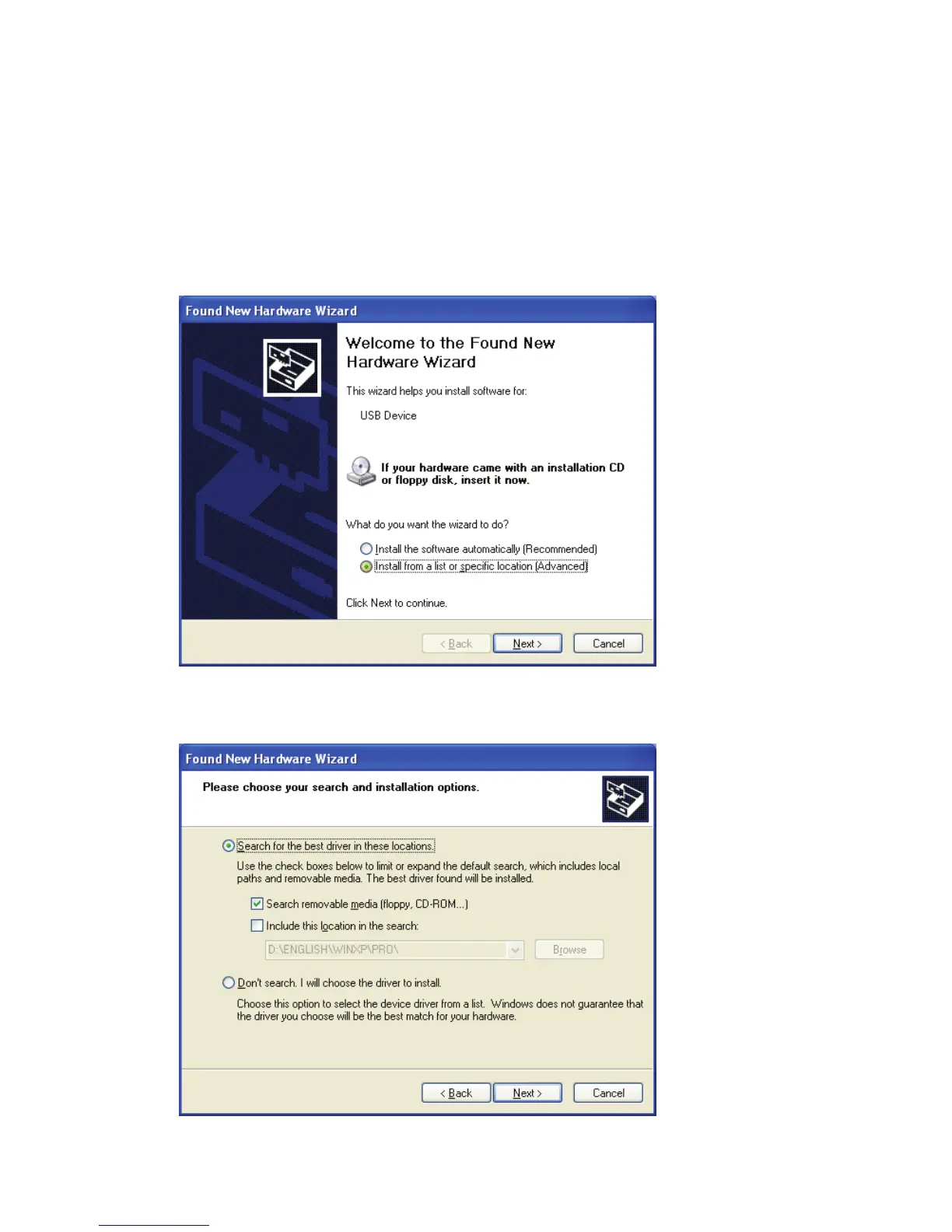
1. Plug the provided USB cable into the computer and the Wraptor unit.
2. Turn the printer on. The Found New Hardware Wizard will appear. Select Install from a list
or specific location. Click Next.
3. Select Search for the best driver in these locations. Check the Search removable media box.
Click Next.
Wraptor™ User’s Guide 13



 To Next Page