5 How to Use the Nippy 4
WARNING!
Read 2 Safety Information, page 14 before using the ventilator.
When the ventilator is handed over to the patient, the physician in charge or hospital
staff must instruct the patient in how the unit works.
5.1 Switch the Nippy 4 On and Off
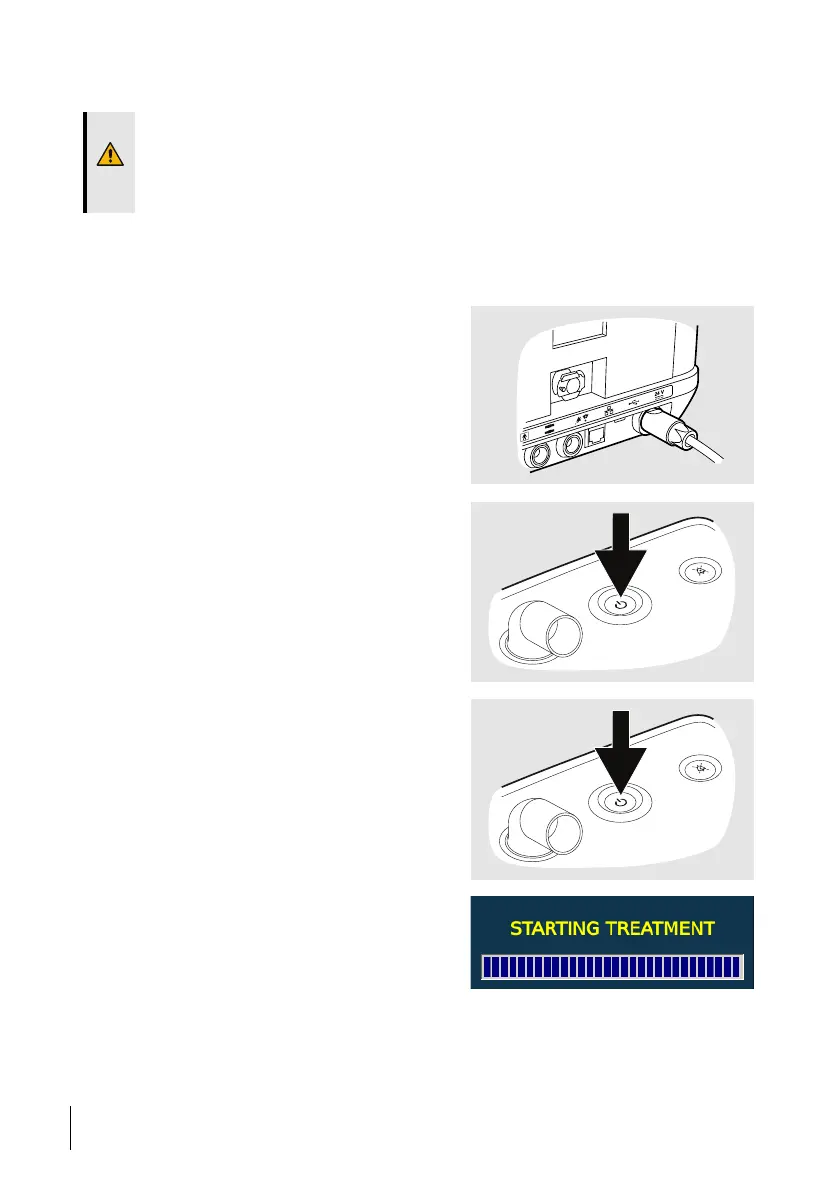
5.1.1 Switch On and Enter Operating Mode
1 If having access to mains power,
connect the mains power supply.
⇒The Nippy 4 needs about 15 seconds to
power up and enter standby mode.
2 If running the Nippy 4 on the internal
battery or the click-in battery, press the
Start/Stop button.
⇒The Nippy 4 needs about 15 seconds to
power up and enter standby mode.
3 To start treatment and enter operating
mode, press and hold the Start/Stop button
on the Nippy 4.
4 Release the Start/Stop button when the
progress bar is filled.
42
How to Use the Nippy 4
User Manual
Doc. 006553 M-6



 To Next Page