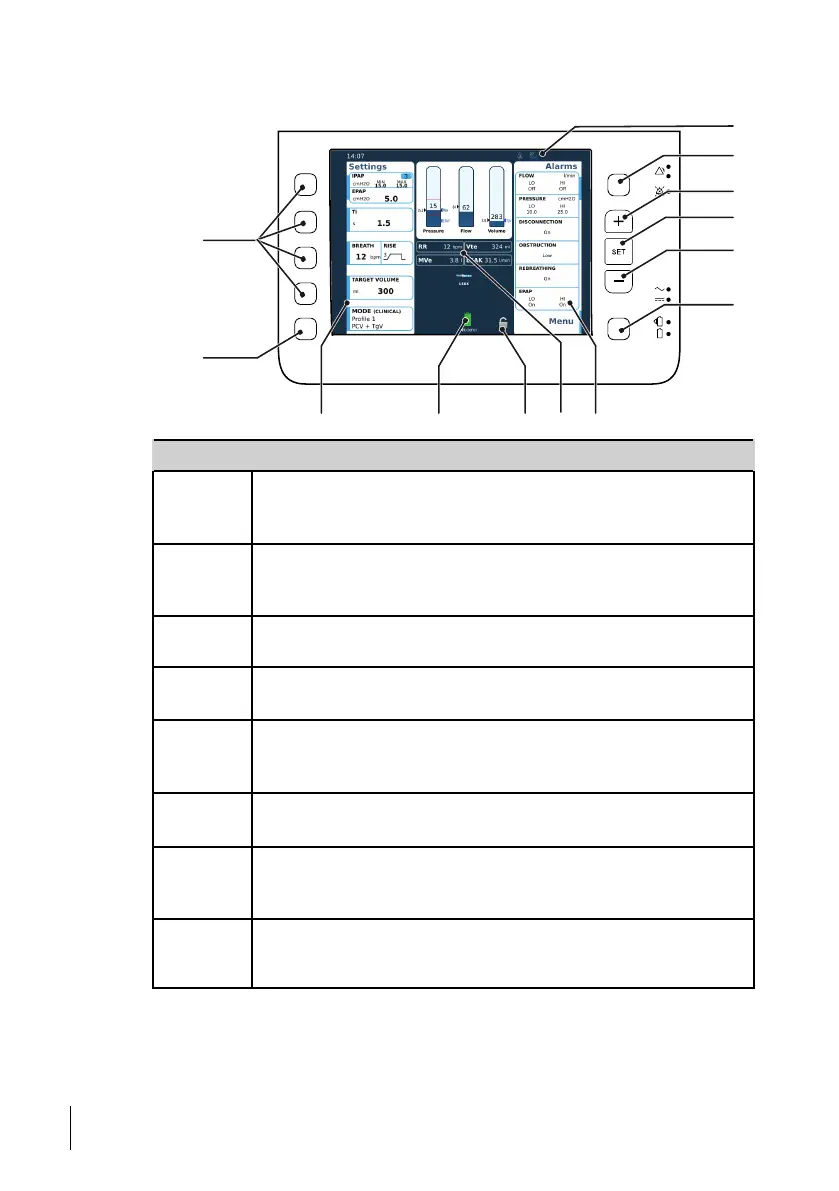
5.2 Navigating the Display
No. Item
1
Mode / Profile
Use this button to select between user profiles (if profiles are configured
by your clinician).
2
Treatment settings buttons
Use these buttons to change the settings in their respective frame on the
display. See 5.6 Treatment Settings, page 49 for more information.
3
Accessory/Function icons
Indicates connected or activated accessories or functions.
4
Alarms settings button
Use this button to change the alarm settings.
5
+ button
Use this button to increase a value when editing a setting, or to move up
in the menu or on the alarm settings list.
6
Set button
Use this button to select a setting to edit and to confirm a change.
7
- button
Use this button to decrease a value when editing a setting, or to move
down in the menu or on the alarm settings list.
8
Menu/More button
Use this button to open the menu for accessing information and settings
for the device and for comfort functions.
46
How to Use the Nippy 4
User Manual
Doc. 006553 M-6



 To Next Page