Symbol Description
Click-in Humidifier (accessory)
The number in the drop indicates humidity setting. If the click-in
humidifier is connected but not activated, the symbol is stroked through.
Heated circuit (accessory)
The number in the symbol indicates the set temperature for the heated
circuit. If the heated circuit is connected but not activated, the symbol is
stroked through.
Multiple pages
Press the MORE button to display the next page.
5.4 Display Overview
5.4.1 Home Mode
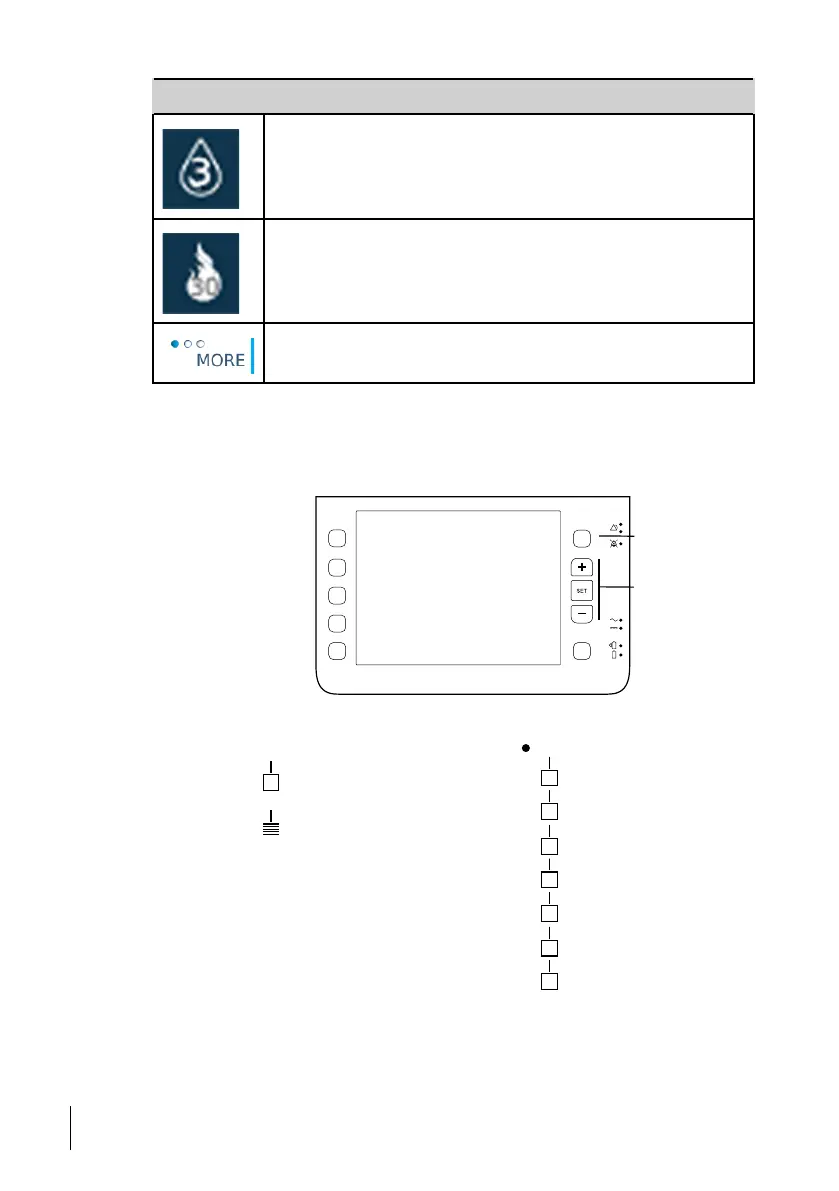
In Home Mode, the Nippy 4 start screen has the following layout:
IPAP, EPAP
TI, Backup Insp. Time
Backup, Rise
Target Volume
Alarms
Navigation buttons
Menu
Icon
explanation:
Page
Sub menu
Humidication Settings
User Preferences
Keypad Lock
Patient Monitor
Compliance Data
Alarm/Event Logs
Device Information
48
How to Use the Nippy 4
User Manual
Doc. 006553 M-6



 To Next Page