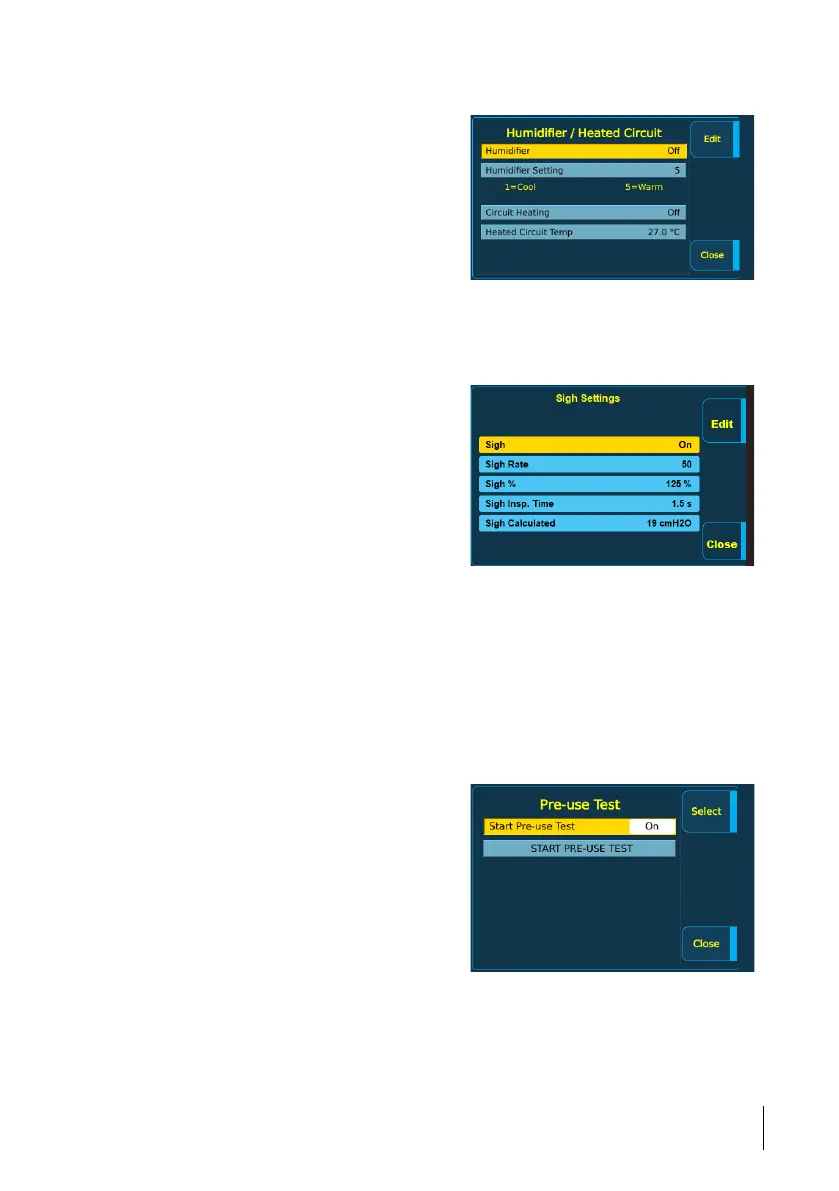
1 Press the Menu button and then select Humidification Settings.
2 Use the + and - buttons to select the
setting to change and click the Edit button.
3 Use the + and - buttons to change the
value and then click the Edit button to
leave the editing mode for the specific
setting.
4 Click Close to save the settings when
done.
5.9.2 Sigh Settings
This menu item lets you make changes to the sigh settings.
1 Press the Menu button and then select Sigh Settings.
2 Use the + and - buttons to select the
setting to change and click the Edit button.
3 Use the + and - buttons to change the
value and then click the Edit button to
leave the editing mode for the specific
setting.
4 Click Close to save the settings when
done.
5.9.3 Pre-Use Test
This menu item is only available in clinical mode and when the Nippy 4 is in standby mode.
This menu item contains:
• Start Pre-use Test On/Off (Selects whether a pre-use test shall be prompted every time
the Nippy 4 is powered on).
The default setting for pre-use test is Off.
• START PRE-USE TEST (starts a pre-use test immediately).
1 Press the Menu button and then select Pre-use Test.
2 Use the + and - buttons to select the
item and then click the Select button.
3 If configuring the pre-use test prompt,
use the + and - buttons to change the value
and then click the Select button to leave the
editing mode.
4 Click Close when done.
5.9.4 User Preferences
This menu item lets you view or make changes to the user preferences:
How to Use the Nippy 4
57
Doc. 006553 M-6 User Manual



 To Next Page