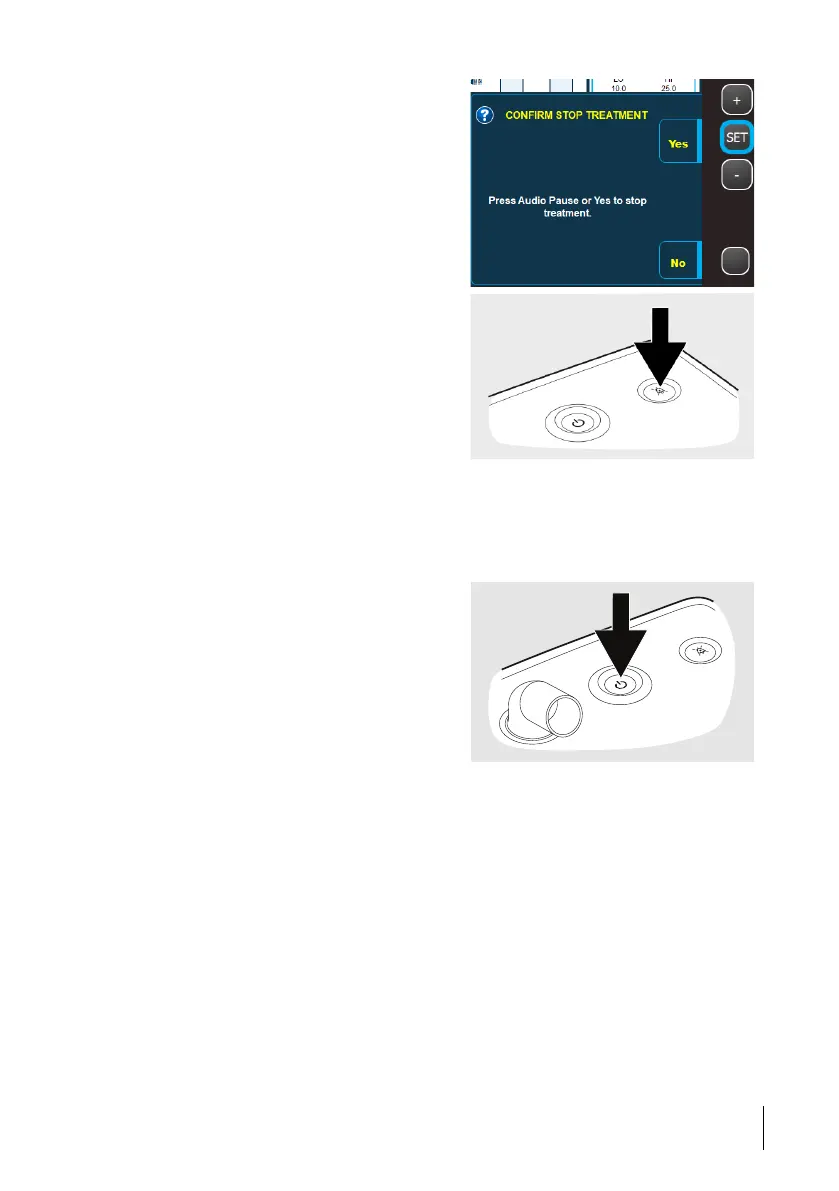
3 Press “Yes” to stop the treatment.
You can also confirm to stop the treatment
by pressing the Audio Pause button.
5.1.5 Turn off / Enter Sleep Mode
If the Nippy 4. is running on batteries, this procedure turns it off.
If the Nippy 4. is connected to mains, this procedure puts it in sleep mode (all functions are
off, except battery charging)
1 When the Nippy 4 is in standby mode
(no treatment is running), press the Start/
Stop button on the front panel.
2 When asked to confirm the action,
press“Yes”.
How to Use the Nippy 4
45
Doc. 006553 M-6 User Manual



 To Next Page