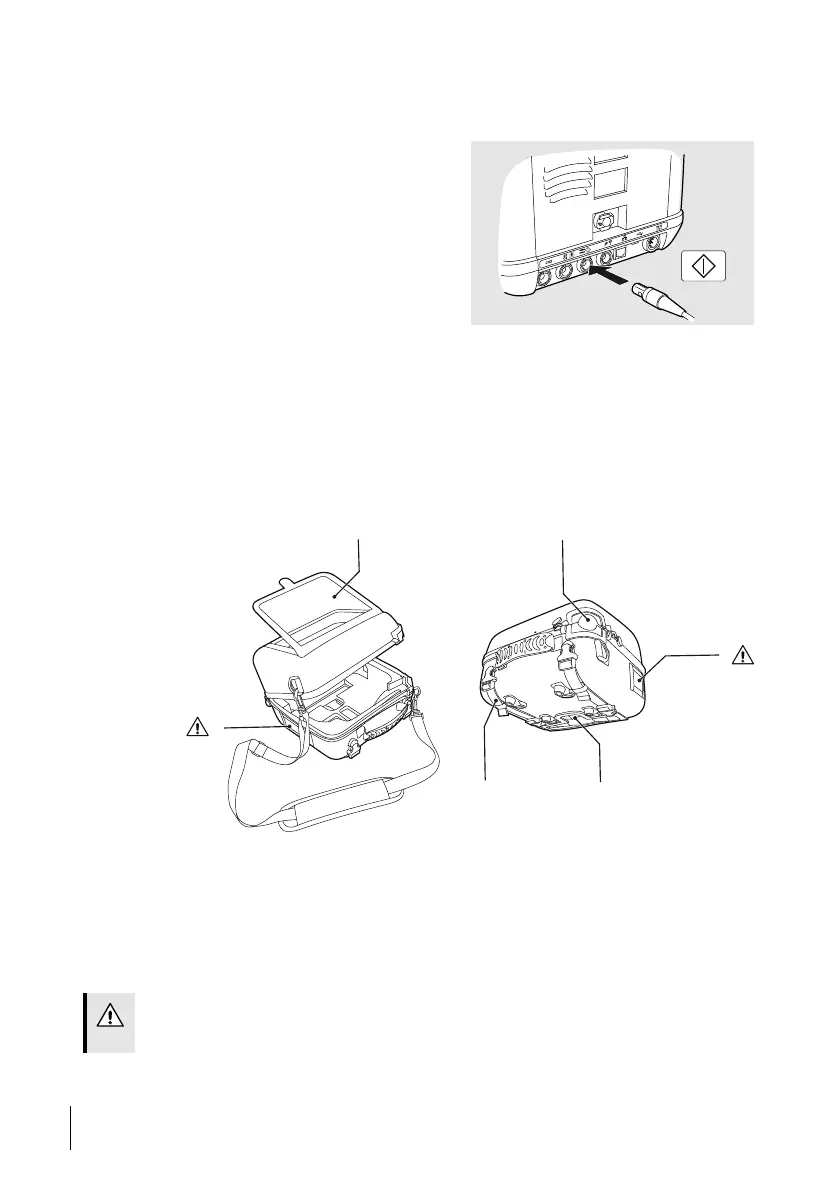
5.12.6 Using the ventilator with the Remote Start/Stop
5.12.6.1 Connecting the Remote Start/Stop
1 Connect the Remote Start/Stop cable to
the ventilator.
Information about safety, warnings, product
description, installation, usage, cleaning,
maintenance and technical specifications
can be found in the user instruction for
Remote Start/Stop.
5.12.7 Using the ventilator with the Protective Cover
The protective cover is intended for additional protection of the ventilator during transpor-
tation, and in hospital, institutional and home care environments. It can be used while the
ventilator is operating, for example mounted on a wheelchair, in a personal vehicle, or car-
ried by hand.
The protective cover protects the ventilator from environmental impact such as shock, water
spill, sunlight, dust and dirt, under normal handling.
The protective cover has the following functions:
1. Transparent window, for accessing front panel and buttons
2. Port for patient circuit
3. Cooling air inlet
4. Port for cables and O
2
inlet
5. Mounting straps
6. Patient air inlet
CAUTION!
Do not cover the air inlets or outlets.
70
How to Use the Nippy 4
User Manual
Doc. 006553 M-6



 To Next Page