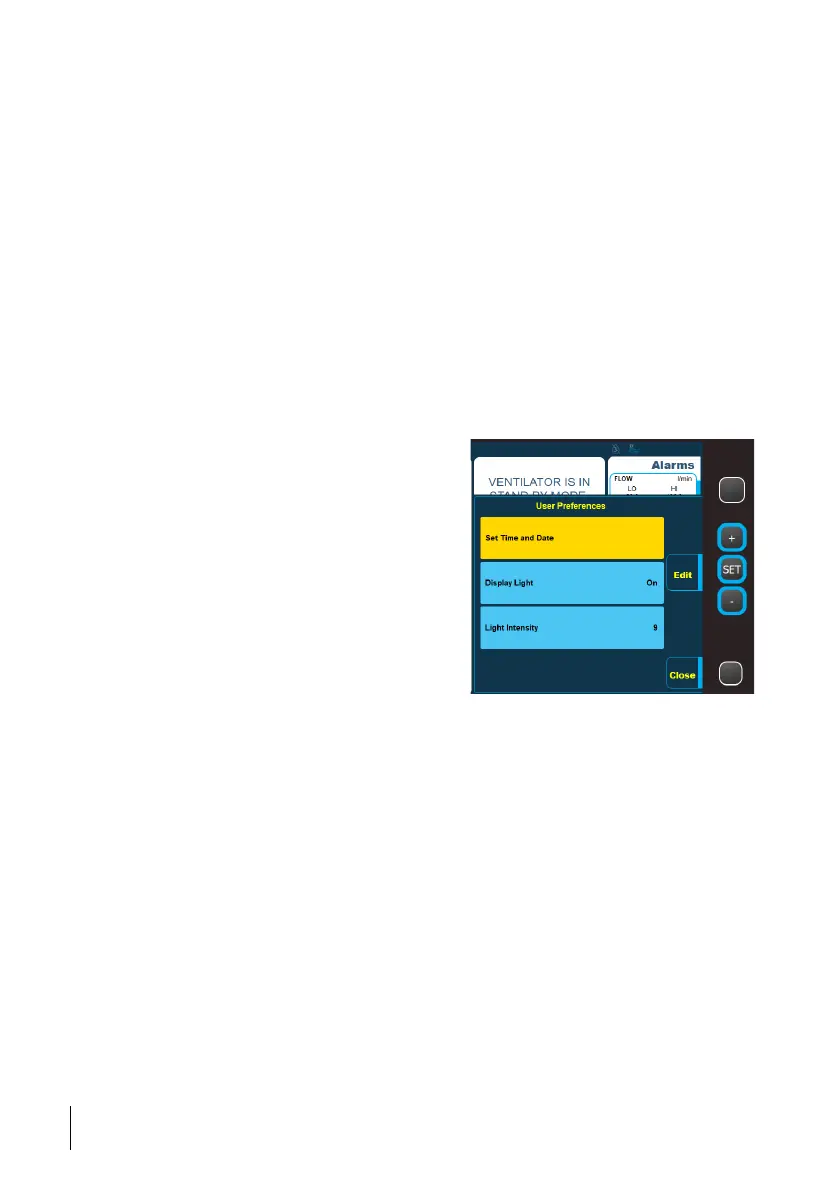
• Time and Date
• Display Light
— On (will keep the display lit up regardless of use)
— Auto (will adjust the light intensity depending on the ambient light)
— Delayed (the display is dimmed after 30 seconds or more depending on the mode
and battery setup. If any button is pressed or any alarm occurs, the display light will
return to normal again).
• Light Intensity (setting range: 1-9, where 1 is the lowest and 9 is the highest light inten-
sity setting).
• AHI (Show/Hide)
Selects whether to show or hide AHI as part of compliance data. AHI is available for
leakage circuits only. This menu item is available in clinical mode only.
• Compliance in Home Mode (Show/Hide)
Change User Preferences
1 Press the Menu button and then select User Preferences.
2 Use the + and - buttons to select the
setting to change and click the Edit button.
3 Use the + and - buttons to change the
value and then click the Edit button to
leave the editing mode for the specific
setting.
4 Click Close to save the settings when
done.
5.9.5 Compliance Data (Optional)
Compliance data is statistics of usage, such as usage hours and days used.
From this menu item you view the compliance data, if the Nippy 4 has been configured to
show it.
5.9.6 Alarm/Event Logs
This menu item displays the alarm and event logs.
58
How to Use the Nippy 4
User Manual
Doc. 006553 M-6



 To Next Page