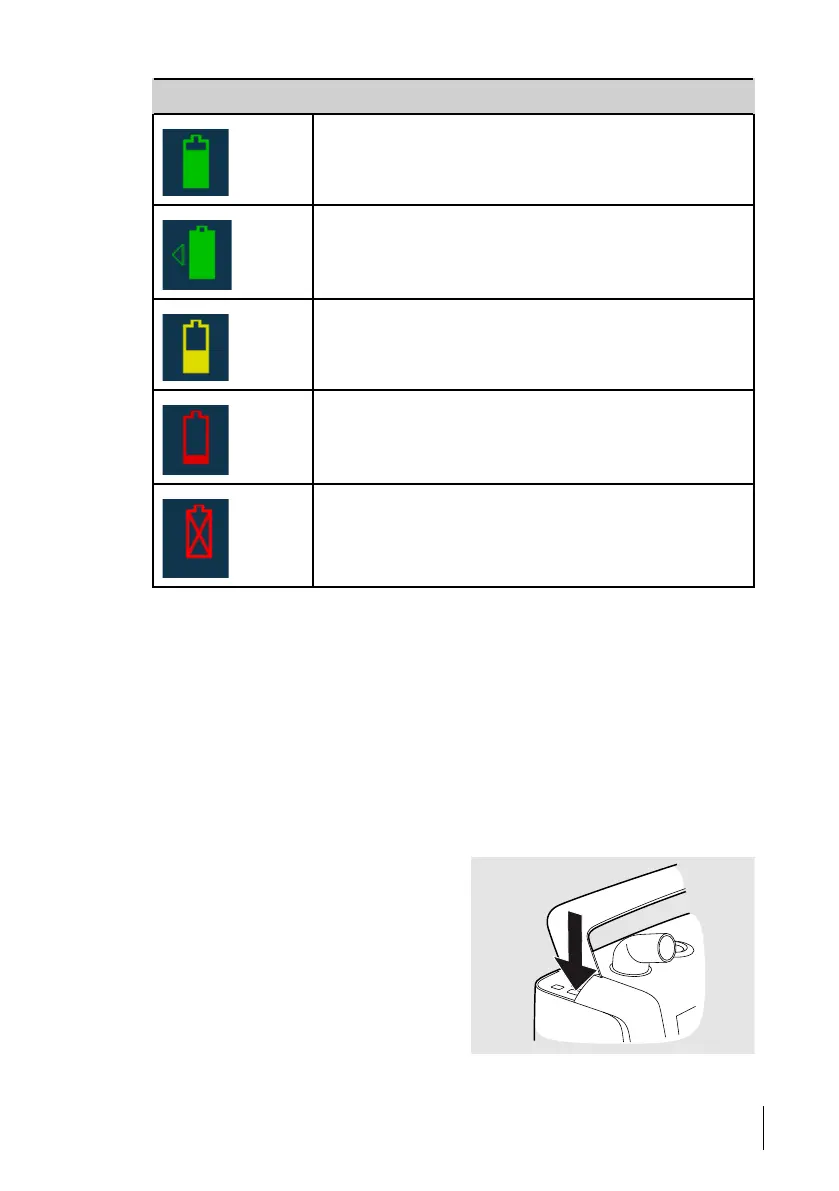
Symbol Description
Internal battery
Green symbol indicates over 50 % state of charge.
Click-in battery
Green symbol indicates over 50 % state of charge.
Medium State of charge
(20 % – 50 %)
Low state of charge (below 20 %)
Malfunctioning battery
5.11.4 Internal Battery
The internal battery is intended as a backup power source if the primary power source fails.
It can also be used as a temporary power source. For example during transportation between
one stationary power source to another.
5.11.5 Click-in Battery
The click-in battery is intended as a power source during transportation, or if the primary
mains power source fails.
The click-in battery can be replaced during treatment, provided that the internal battery is
charged.
Connect the Click-in Battery
1 Release the side cover by pressing the
button under the handle.
How to Use the Nippy 4
63
Doc. 006553 M-6 User Manual



 To Next Page