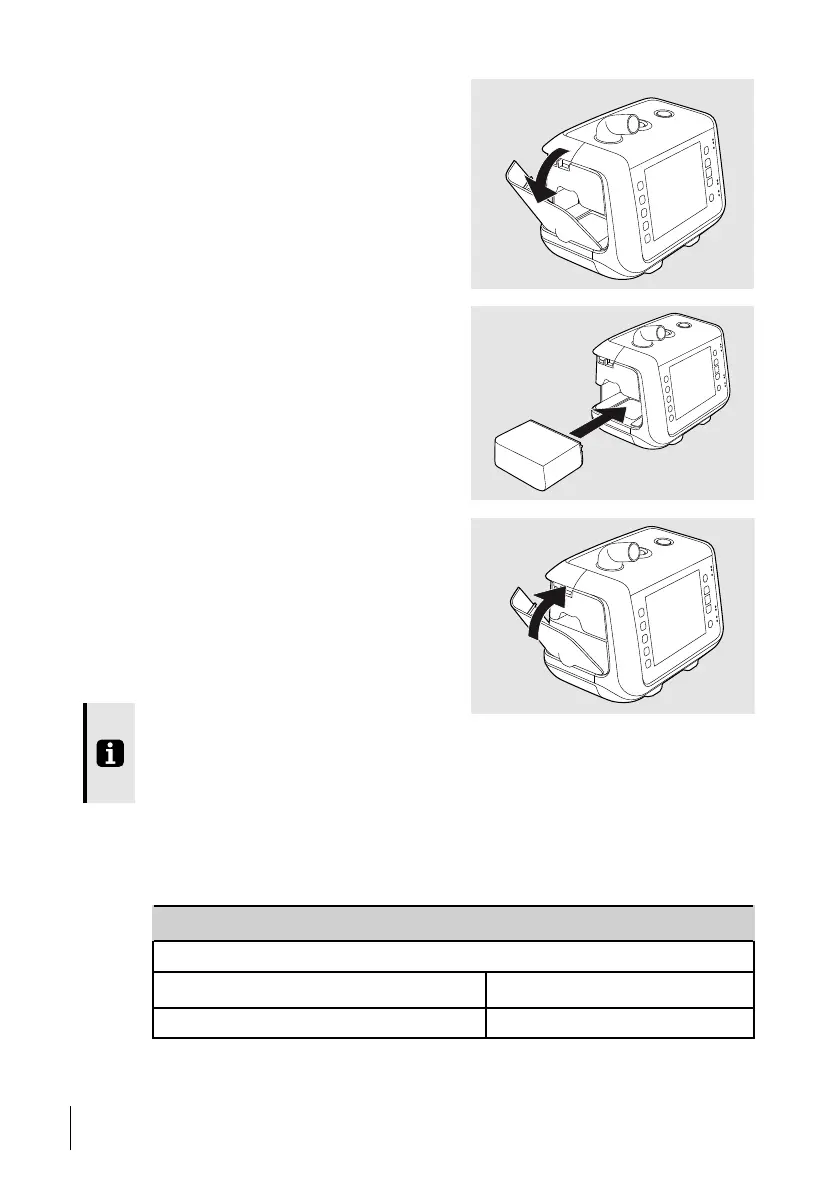
2 Open and remove the side panel.
3 Insert the click-in battery.
4 Close the side panel. Make sure there is
a clicking sound to secure the side panel.
When removing the battery, press down the latch at the bottom of the battery compart-
ment and tilt the ventilator sideways. Make sure to close the side panel after removing
the click-in battery.
5.11.6 Battery Operating Time (Internal and Click-in)
The operation time is dependent on the battery condition, its capacity, the ambient air tem-
perature and the Nippy 4 pressure setting. These data are based on new and fully charged
batteries.
Parameter Example
Environmental Conditions
Ambient temperature
20°C (68°F)
64
How to Use the Nippy 4
User Manual
Doc. 006553 M-6



 To Next Page