EasyManua.ls Logo

Brother BAS-600 - Threading the Needle Thread

Brother BAS-600
118 pages
Print Icon
To Next Page IconTo Next Page
To Previous Page IconTo Previous Page
Loading...
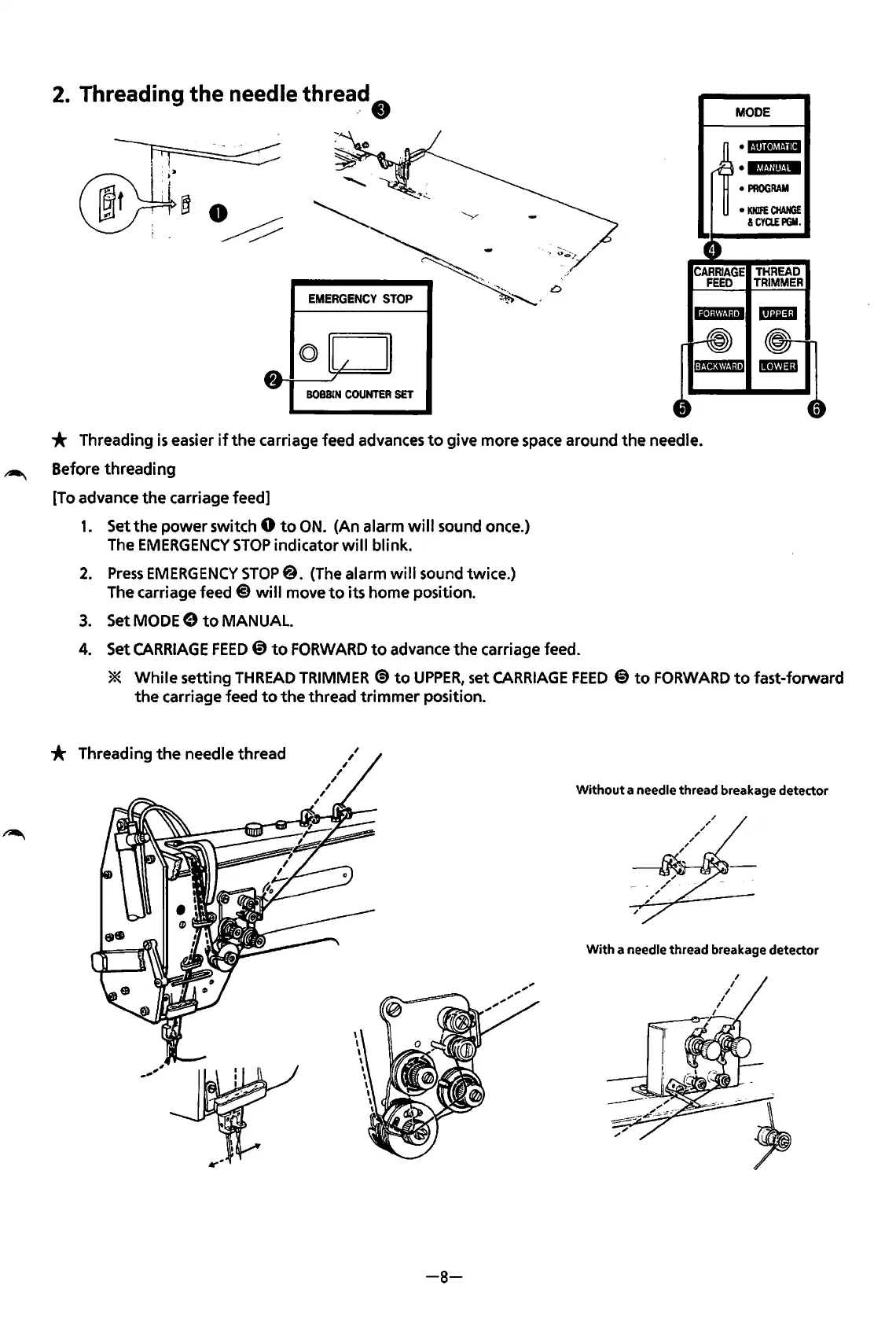
2.
Threading the needle
threa~
t)
BOBBIN
COUNTER
SET
MODE
«·im•IMiil+
•lf.t.Uiit.iW
PROGRAM
KNIFE
CHANGE
&CYa.EPGM.
CARRIAGE
THREAD
FEED
TRIMMER
* Threading
is
easier
if
the
carriage feed advances
to
give more space around
the
needle.
~
Before
threading
[To advance
the
carriage feed]
1.
Set
the
power
switch 0
to
ON.
(An alarm
will
sound once.)
The
EMERGENCY
STOP
indicator
will
blink.
2.
Press
EMERGENCY
STOP@. (The alarm
will
sound twice.)
The carriage feed
@
will
move
to
its home position.
3.
SetMODEe
to
MANUAL.
4.
Set
CARRIAGE
FEED@)
to
FORWARD
to
advance
the
carriage feed.
*
While
setting
THREAD
TRIMMER
@to
UPPER,
set
CARRIAGE
FEED
@
to
FORWARD
to
fast-forward
the
carriage feed
to
the
thread
trimmer
position.
* Threading
the
needle thread
Without
a needle thread breakage detector
With
a needle thread breakage detector
-8-
From the library of: Superior Sewing Machine & Supply LLC

Table of Contents

Related product manuals