EasyManua.ls Logo

Brother BAS-600 - Attaching the Fixed Knife Assembly

Brother BAS-600
118 pages
Print Icon
To Next Page IconTo Next Page
To Previous Page IconTo Previous Page
Loading...
7.
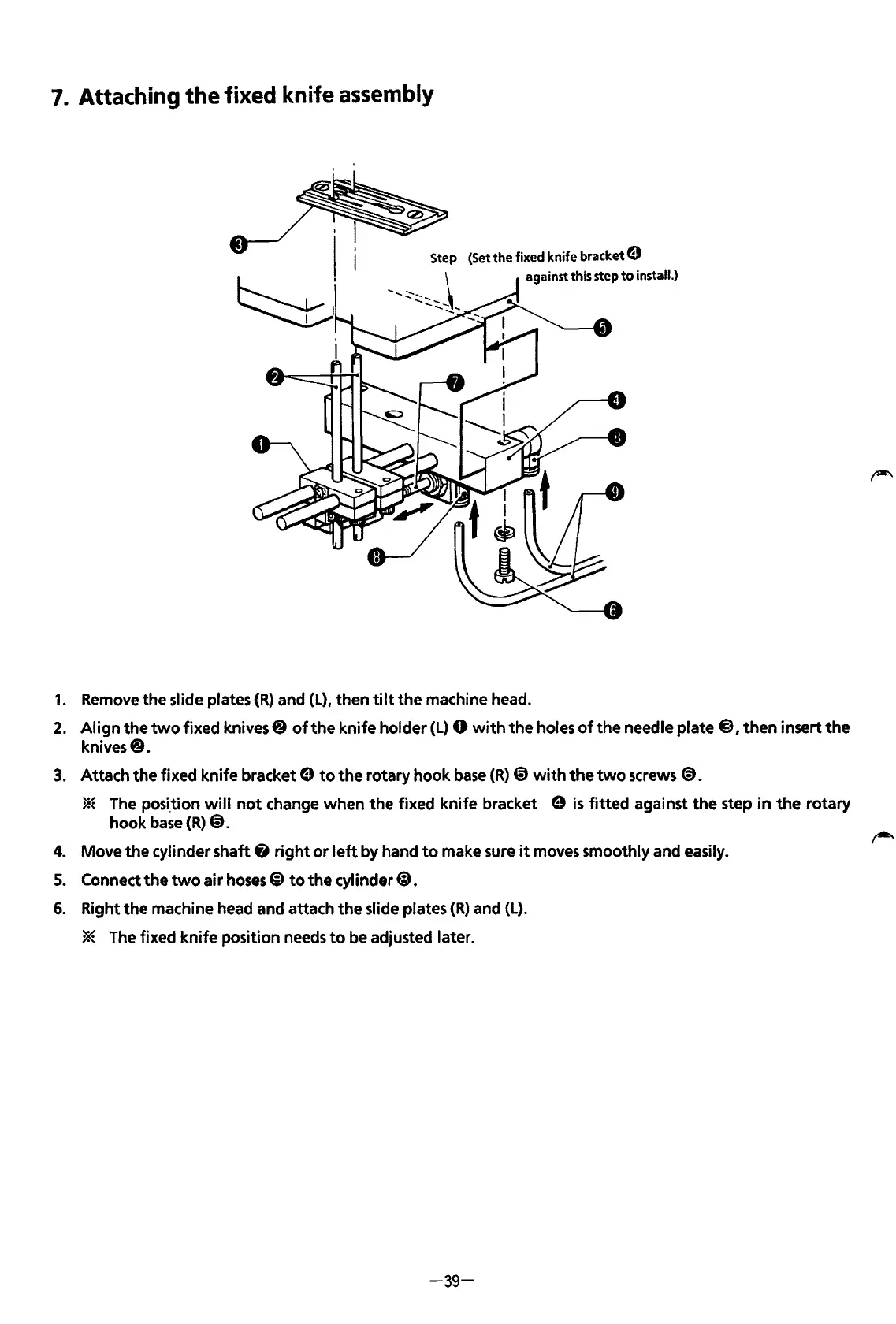
Attaching the fixed knife
assembly
(Set
the
fixed
knife bracket 0
against this step
to
install.)
1.
Remove
the
slide plates
(R)
and (L), then
tilt
the
machine head.
2.
Align
the
two
fixed knives@
of
the
knife holder (L) 0
with
the
holes
of
the
needle plate @),then insert
the
knives@.
3.
Attach
the
fixed knife bracket e
to
the
rotary
hook
base
(R)
@)
with
the
two
screws
@).
* The posi.tion
will
not
change when
the
fixed knife bracket e
is
fitted
against
the
step
in
the
rotary
hook
base
(R)
@.
4.
Move
the
cylinder shaft 8
right
or
left
by hand
to
make sure
it
moves smoothly and easily.
5.
Connect
the
two
air
hoses@)
to
the
cylinder@).
6.
Right
the
machine head and attach
the
slide plates
(R)
and
(L).
* The fixed
knife
position needs
to
be adjusted later.
-39-
From the library of: Superior Sewing Machine & Supply LLC

Table of Contents

Related product manuals