EasyManua.ls Logo

Brother BAS-600 - Removing the Face Plate

Brother BAS-600
118 pages
Print Icon
To Next Page IconTo Next Page
To Previous Page IconTo Previous Page
Loading...
~
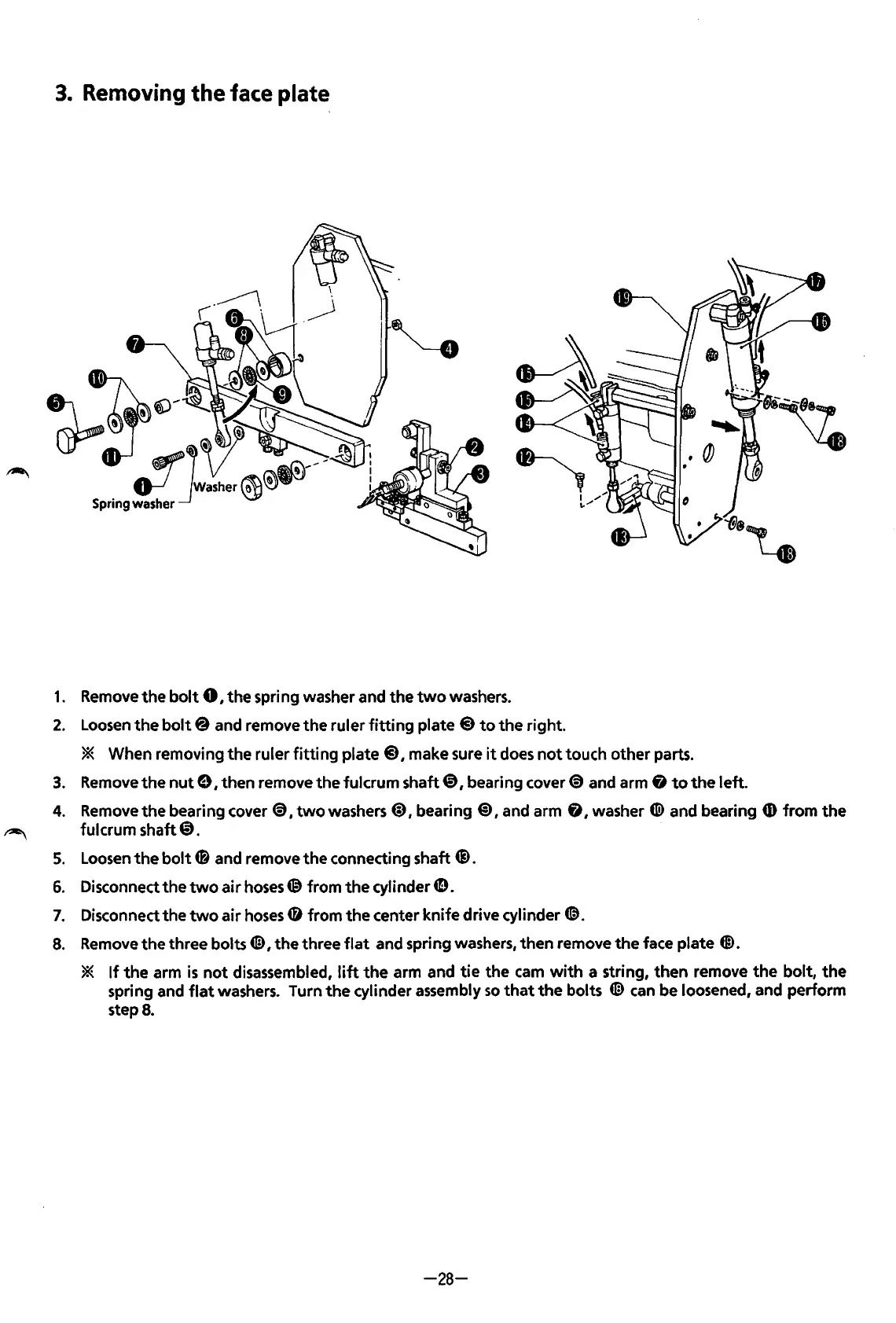
3.
Removing
the
face
plate
1.
2.
3.
4.
5.
6.
7.
8.
Remove
the
bolt
0
1
the
spring washer and
the
two
washers.
Loosen
the
bolt@
and remove
the
ruler
fitting
plate @
to
the
right.
* When removing the ruler
fitting
plate
@I
make sure
it
does
not
touch
other
parts.
Remove
the
nut
e, then remove the fulcrum shaft@), bearing
cover~
and arm
fj
to
the
left.
Remove the bearing
cover~,
two
washers
@),
bearing @),and arm
fj,
washer
«<D
and bearing
CD
from
the
fulcrum shaft
@).
Loosen
the
bolt
4B
and remove
the
connecting shaft Q).
Disconnect
the
two
air
hoses® from
the
cylinder
4D.
Disconnect the
two
air
hoses
CD
from
the
center knife drive cylinder
@.
Remove the three bolts
4£3,
the
three
flat
and spring washers, then remove
the
face plate
@.
*
If
the
arm
is
not
disassembled,
lift
the
arm and
tie
the
cam
with
a string, then remove
the
bolt,
the
spring and
flat
washers. Turn
the
cylinder assembly
so
that
the
bolts
4£3
can
be loosened, and perform
step
8.
-28-
From the library of: Superior Sewing Machine & Supply LLC

Table of Contents

Related product manuals