EasyManua.ls Logo

Brother BAS-600 - Page 92

Brother BAS-600
118 pages
Print Icon
To Next Page IconTo Next Page
To Previous Page IconTo Previous Page
Loading...
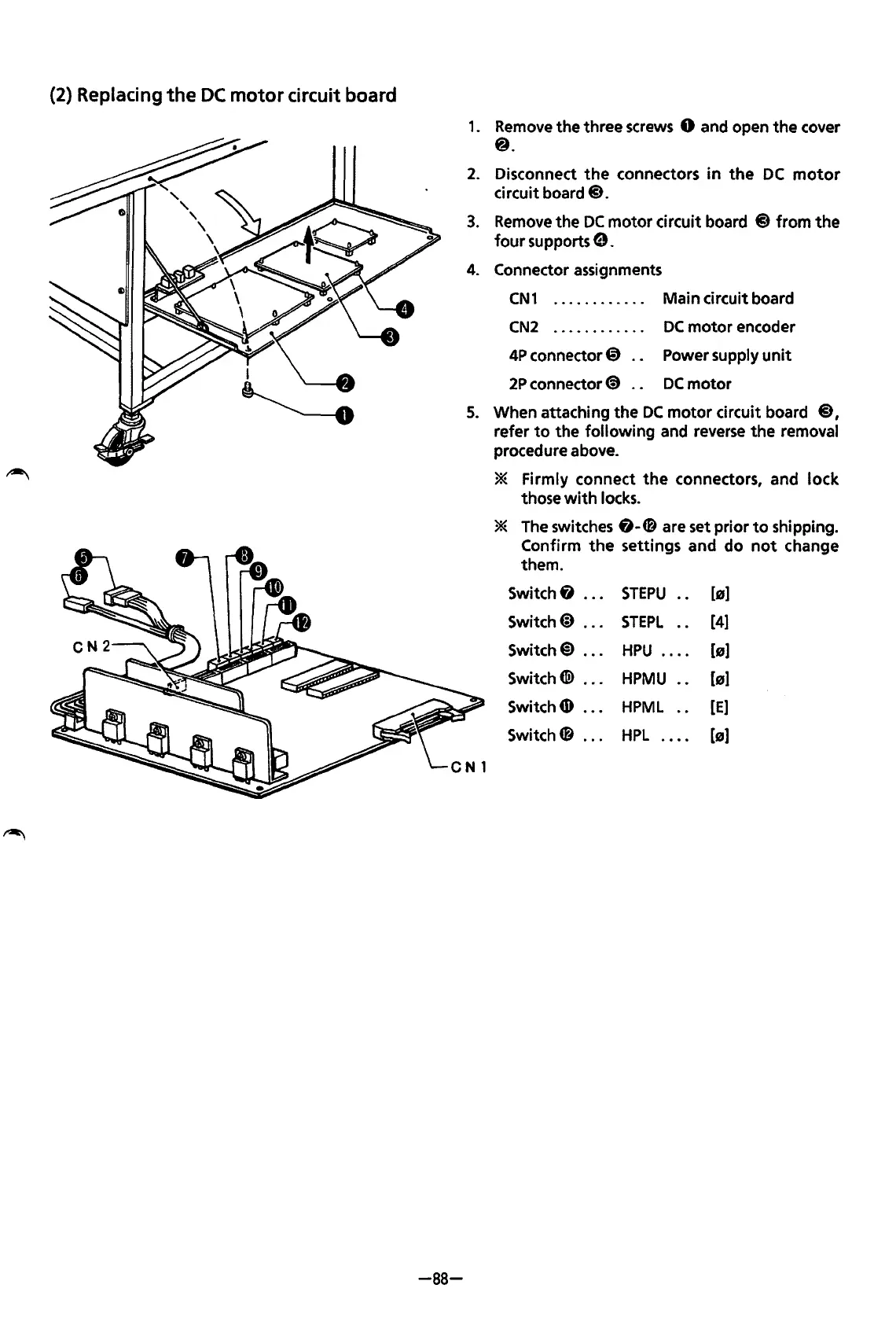
(2) Replacing
the
DC
motor
circuit board
-88-
1.
Remove
the three
screws
0 and open
the
cover
@.
2.
Disconnect
the
connectors
in
the
DC
motor
circuit board@.
3.
Remove
the
DC
motor circuit board
@)
from
the
four
supports
e.
4.
Connector assignments
CN1
. . . . . . . . . . . . Main circuit board
CN2
4P
connector@)
2P
connector@
DC
motor
encoder
Power supply
unit
DC
motor
5.
When attaching
the
DC
motor
circuit board @,
refer
to
the following and reverse
the
removal
procedure above.
* Firmly connect
the
connectors, and lock
those
with
locks.
*
The
switches&-~
are set prior
to
shipping.
Confirm
the
settings and do
not
change
them.
Switch&
...
STEPU
[s]
Switch@
...
STEPL
[4]
Switch@)
...
HPU
....
[s]
Switch(@
...
HPMU
[s]
Switch
4D
•••
HPML
[E)
Switch~
...
HPL
....
(B)
From the library of: Superior Sewing Machine & Supply LLC

Table of Contents