III - 21
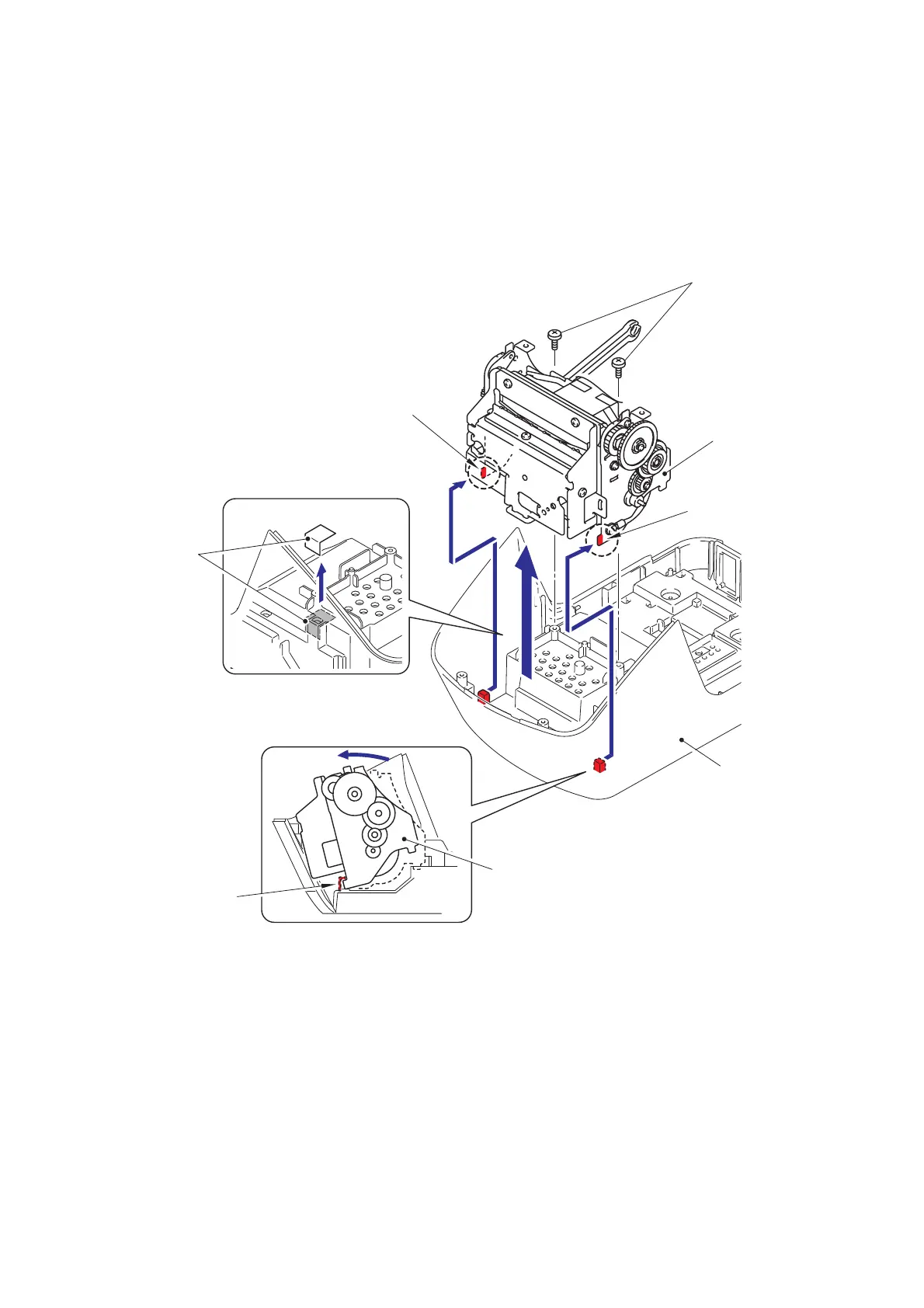
[9] Removing the Mecha ASSY
(1) Remove the two screws from the mecha ASSY.
(2) Turn the mecha ASSY to the direction of the arrow to release the two hooks of
the mecha ASSY from the under cover, and then remove the mecha ASSY from
the under cover.
(3) Remove the filament tape from the under cover.
Fig. 3.4-26 Removing the Mecha ASSY
Mecha ASSY
Screws
Hook
Under cover
Hook
Hook
2b
2a
Mecha ASSY
Filament tape



 To Next Page
 Loading...










