13. TREADLE UNIT ASSEMBLY
SL-710A
95
6) Memorizing the modulation position when pressing the treadle backward
• Press the treadle backward until the depression force suddenly becomes heavier, and hold the
pedal in that position while carrying out the following procedure. (For treadle unit H)
• If the depression force of the pedal does not change suddenly when it is pressed backward,
carry out the following procedure with your foot removed from the pedal. (For treadle unit G)
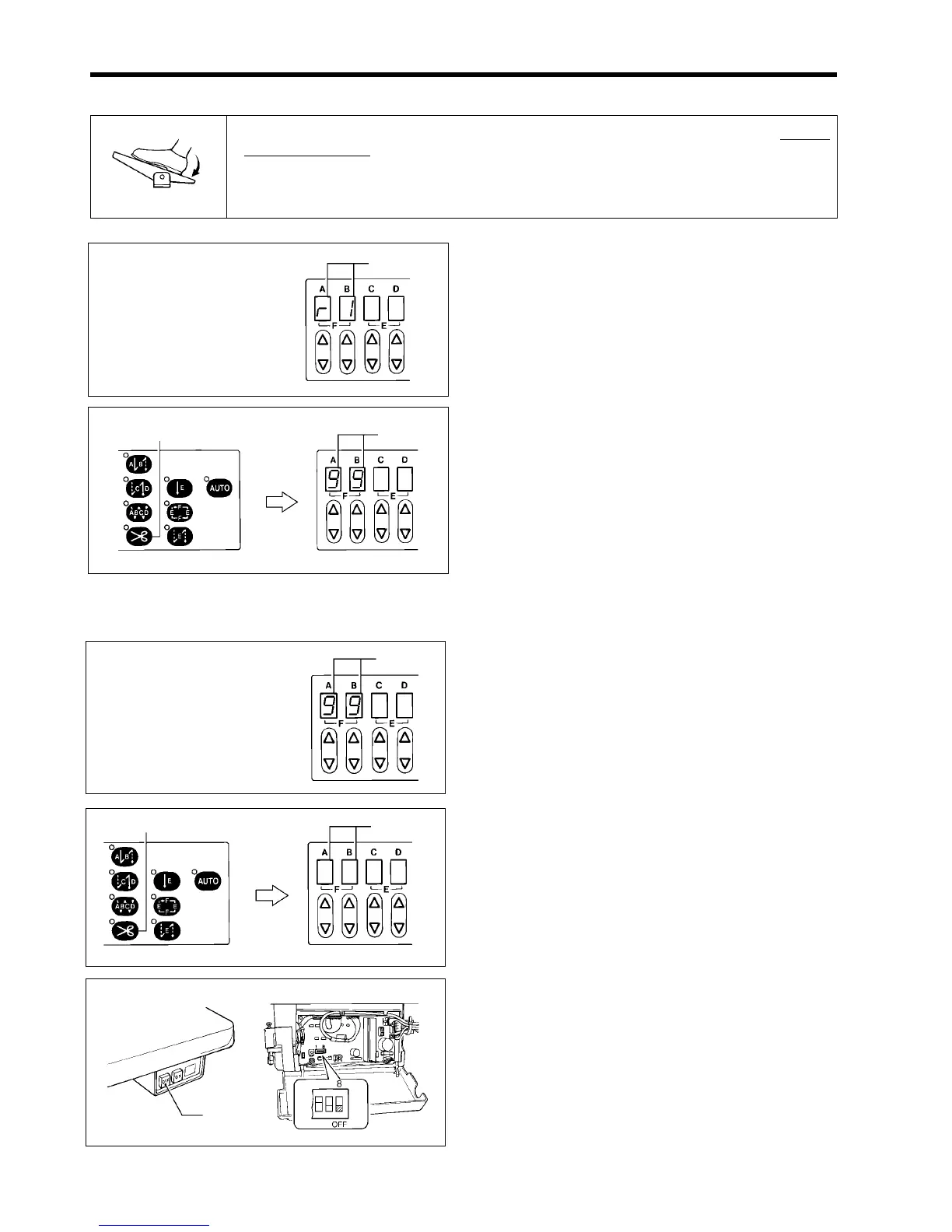
1. Check that “r1” is flashing in columns A and B (4) of
the display window.
2. Press the thread trimming key (2).
“99” will flash in columns A and B (4) of the display
window.
7) Completion of setting
1. Check that “99” is flashing in columns A and B (4) of
the display window.
2. Press the thread trimming key (2).
Columns A and B (4) of the display window will be
cleared.
3. Turn off the power switch (1).
4. Set DIP switch No.8 to OFF.
1856M
(4)
1857M
(4)
(2)
(4)
1860M
(1)
Press gently
1850M
Or in the
neutral position
1858M
(4)
(2)
1859M



 To Next Page