7. ADJUSTMENTS
SL-710A
64
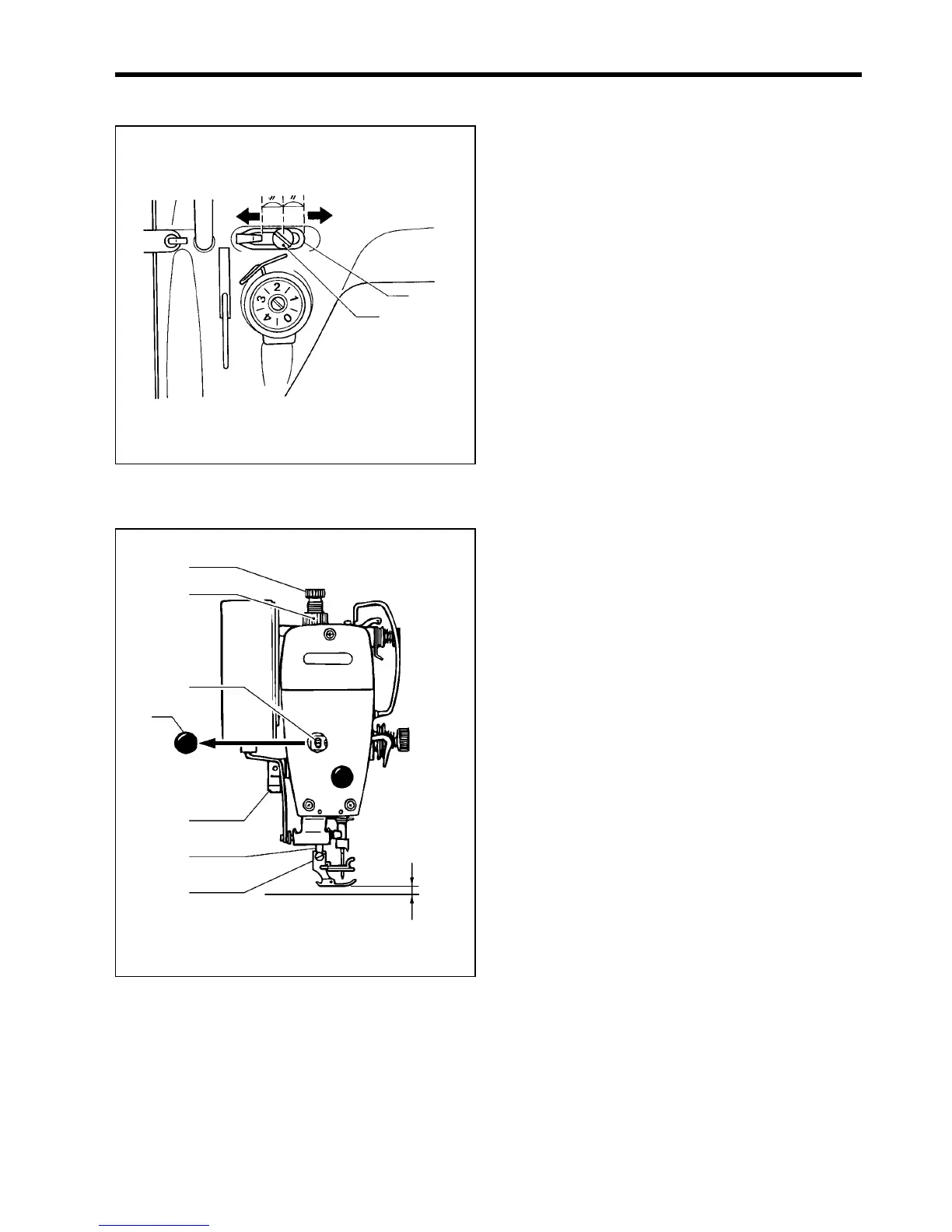
7-2. Adjusting arm thread guide R
The standard position of arm thread guide R (1) is the
position where the screw (2) is in the center of the
adjustable range for arm thread guide R. (1).
* To adjust the position, loosen the screw (2) and then
move arm thread guide R (1).
• When sewing thick material, move arm thread
guide R (1) to the left. (The thread take-up amount
will become greater.)
• When sewing thin material, move arm thread guide
R (1) to the right. (The thread take-up amount will
become less.)
7-3. Adjusting the presser foot height
The standard height of the presser foot (1) is 6 mm when
the presser foot (1) is raised by means of the presser bar
lifter (2).
1. Loosen the nut (3) of the adjustment screw (4), and
then turn the adjustment screw (4) so that there is no
pressure applied to the presser foot.
2. Raise the presser bar lifter lever (2). The presser foot
(1) will also rise.
3. Remove the oil cap (5).
4. Loosen the bolt (6) and then move the presser bar (7)
up or down until the presser foot (1) is at the standard
height of 6 mm.
5. Tighten the bolt (6).
6. Replace the oil cap (5).
7. Adjust the presser foot pressure using the adjustment
screw (4), and then tighten the nut (3).
0918M
Becomes greater
(2)
Becomes less
1196M
(4)
(6)
(2)
(3)
(5)
(7)
(1)
6 mm



 To Next Page