6. ASSEMBLY
SL-710A
56
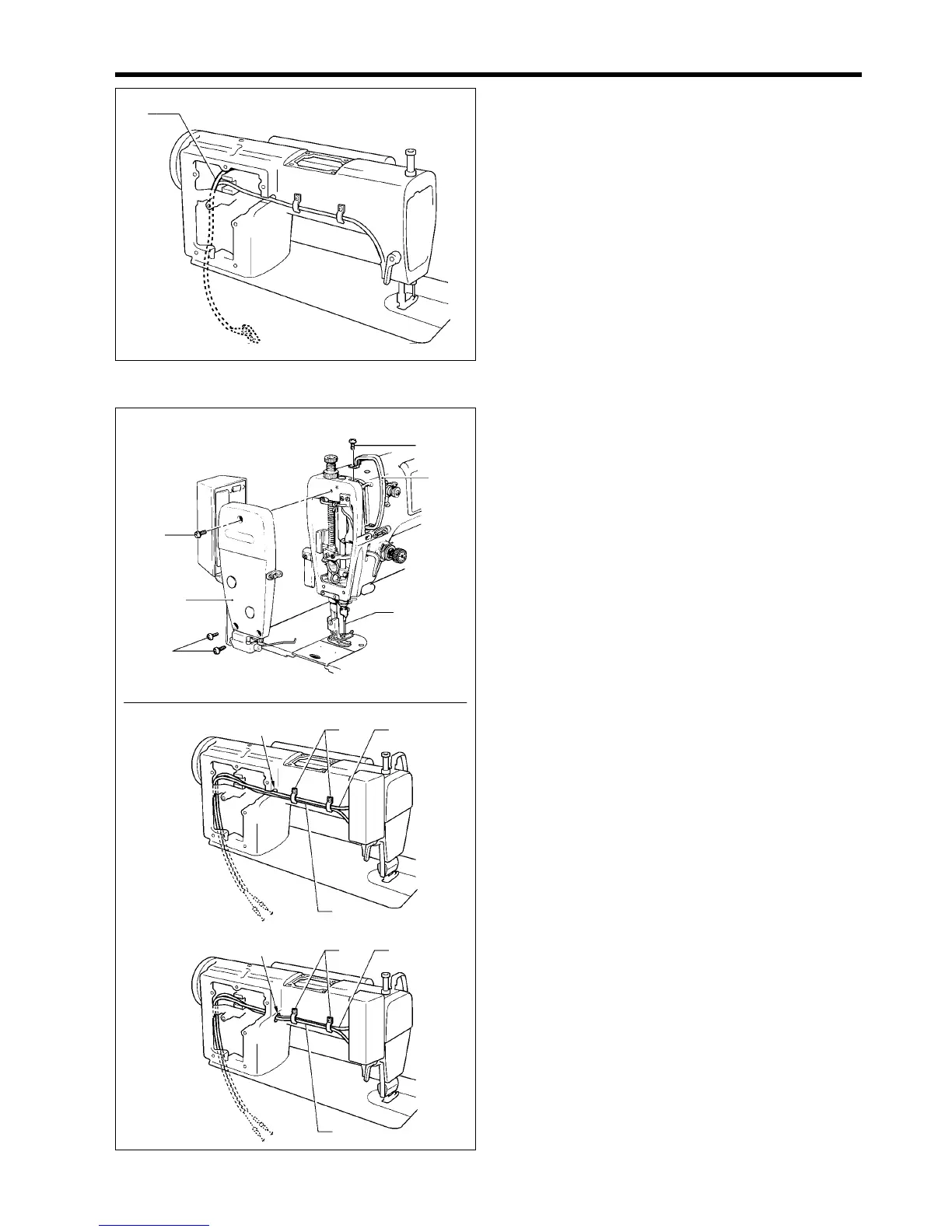
4. Pass the cord (2) of the operation panel (1) under the
arm as shown in the illustration.
6-26. Face plate and thread take-up cover
1. Install the face plate (1) to the arm with the three
screws (2).
2. Install the thread take-up cover (3) to the arm with the
screw (4).
3. Install the needle (5).
4. Pass the thread wiper cord (6) under the arm as
shown in the illustration.
5. Secure the thread wiper cord (6) together with the
reverse actuator cord (7) using the cord holder (8).
<DD7100A, 710A>
<DD7100>
1800M
(2)
(2)
(3)
(1)
(4)
(5)
(8)
(7)
(6)
(6)
(8)
(7)
1801M
1799M
(2)



 To Next Page