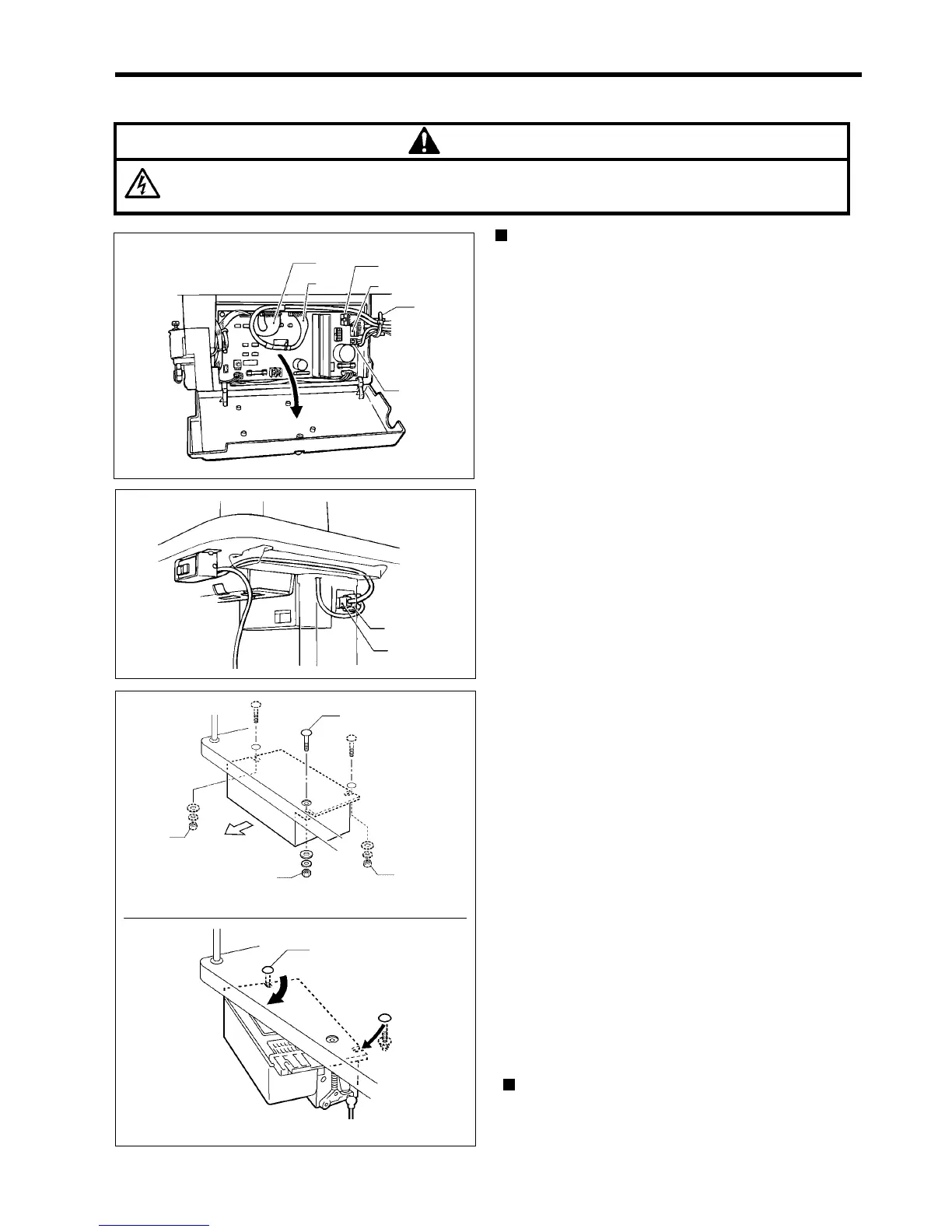
9. REMOVING AND INSTALLING THE CONTROL BOX
SL-710A
76
9. REMOVING AND INSTALLING THE CONTROL BOX
DANGER
Wait at least 10 minutes after turning off the power switch and disconnecting the power cord from the wall
outlet before opening the face plate of the control box. Touching areas where high voltages are present can
result in severe injury.
Removal
1. Remove the cable tie (1), and then disconnect the
connectors (2) to (6) from the sewing machine.
2. Disconnect the power supply connector (7) and the
motor connector (8).
3. Loosen the nuts (9) and (10) (without removing them).
4. Remove the bolt (11) and nut (12).
5. Pivot the control box around the bolt (13) and pull it out
to remove it from the table.
Installation
Install by following the removal procedure in reverse.
1827M
1828M
(1)
(8)
(7)
(11)
(10)
(9)
(12)
1829M
(13)
To rear
(2)



 To Next Page