7. ADJUSTMENTS
SL-710A
71
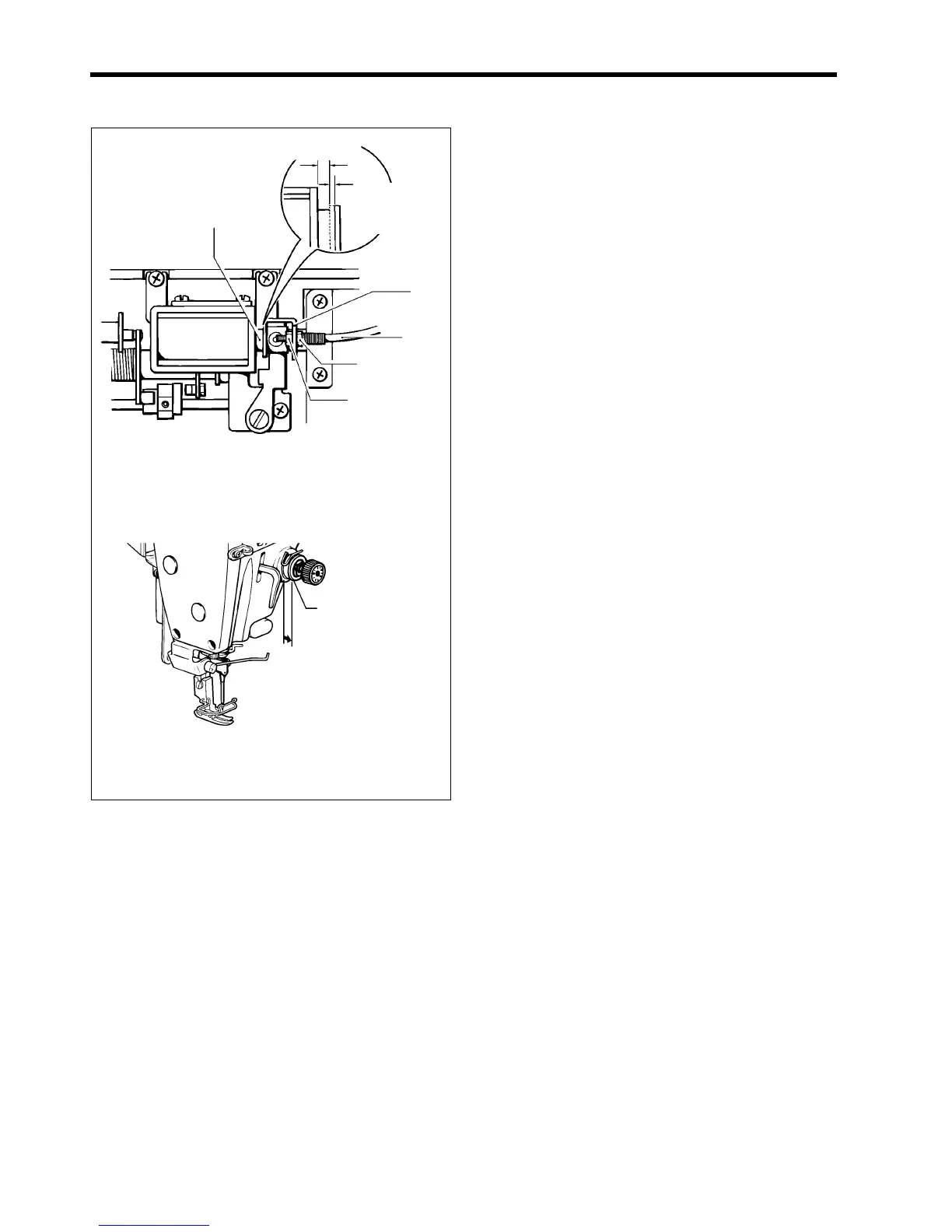
7-12. Adjusting the tension release wire
If the tension discs stay open or if the upper thread pulls
out of the needle after thread trimming, carry out the
following adjustments.
* Lower the presser foot when making these
adjustment.
A. If the upper thread pulls out of the needle
(The tension release wire does not operate
enough during thread trimming)
• When the solenoid plunger (1) is pushed by 2 - 3
mm, the tension discs (2) start opening, and when
it is pushed all the way, the tension discs (2)
should always be open.
• When the solenoid plunger (1) is released, the
tension discs (2) close.
1. Loosen the nuts (3) and (4), and then push the
solenoid plunger (1) by 2 - 3 mm.
2. Tighten the left-side nut (3) until the tension discs (2)
start to open.
3. Check that the tension discs (2) open fully when the
solenoid plunger (1) is pushed all the way, and that the
tension discs (2) close when the solenoid plunger (1)
is released.
4. Tighten the right-side nut (4).
B. If the tension discs stay open
1. Check that the solenoid lever (5) has returned fully.
2. Check that the tension release wire (6) is not
stretched.
3. Adjust using nuts (3) and (4) as described above.
* If adjustment is not possible, adjust the tension of
the tension release wire (6). (Refer to 6-23 on page
55.)
1824M
(1)
(5)
(6)
(4)
(3)
Open
2 - 3 mm
Opening
starts
1795M
(2)
0.5 - 1 mm



 To Next Page