22. TROUBLESHOOTING
SL-710A
140
Problem Possible cause Page
18.Machine does not
operate when power is
turned on and treadle
is pressed.
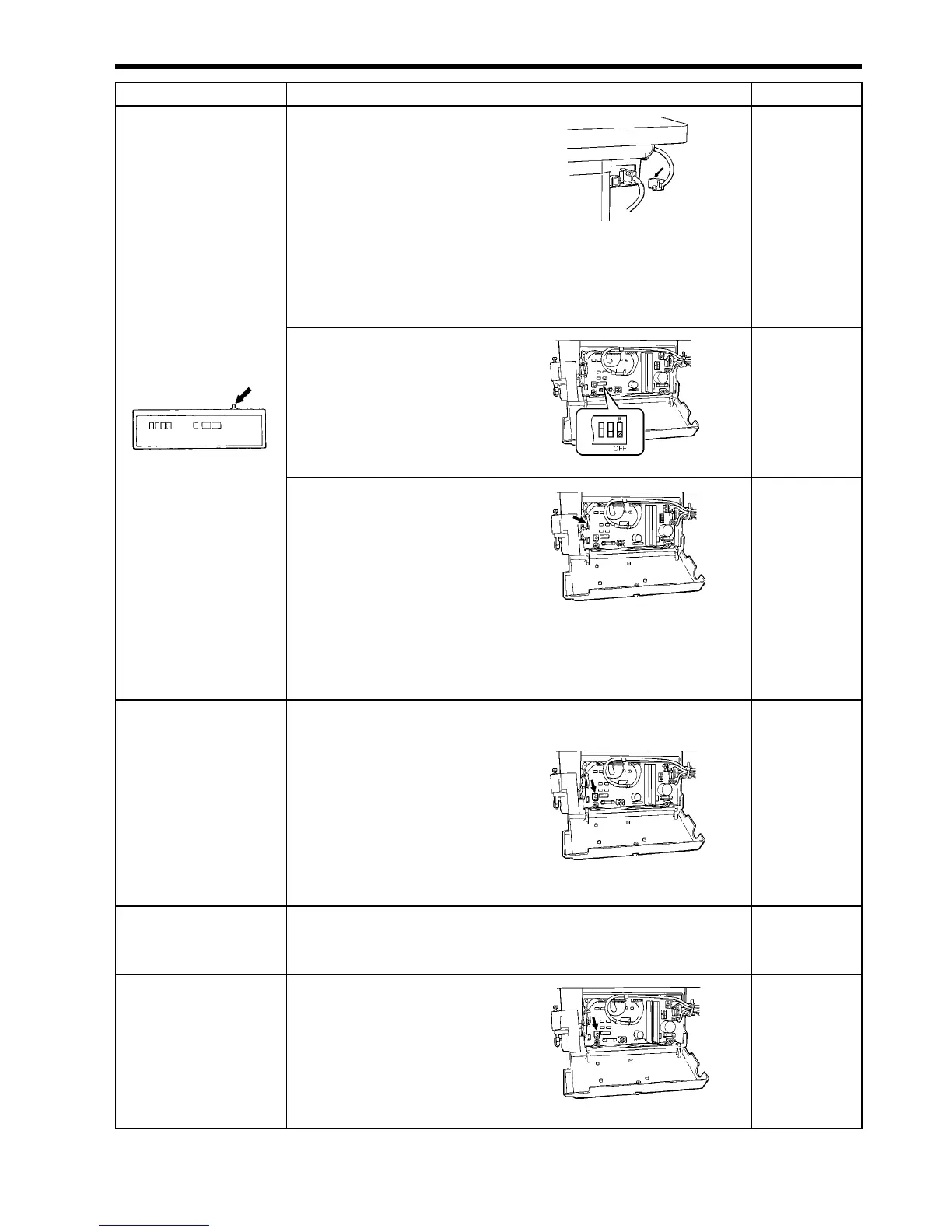
1) Operating panel power
indicator does not
illuminate.
• Is the power supply connector
disconnected from the control
box?
Insert the connector securely.
• Is the power supply plug incorrectly wired or is the voltage incorrect?
Check the power plug wiring and the power supply voltage. (Try
inserting into a different wall socket.)
Instruction manual
-
2) Only operating panel
power indicator
illuminates.
• Is DIP switch No.8 inside the
control box set to ON?
Set DIP switch No.8 to OFF.
81
3)
Operation panel operates
normally.
• Is the treadle unit connector
inside the control box
disconnected?
Securely connect the connector.
• Has the treadle unit or control circuit board been replaced?
Adjust the depression stroke to the standard setting.
• Is operation possible using the standing operation pedal?
If operation is not possible, turn the power off and then back on again.
96
92
-
19. Machine does not
operate at high speed.
• Is the sewing speed setting or backtack speed setting incorrect?
Set the speed to a higher speed using the operating panel.
• Is the FVR inside the control box
at the maximum setting?
Turn the FVR clockwise to the
maximum setting.
• Treadle unit signal abnormality.
Adjust the depression stroke to the standard setting.
Instruction manual
80
92
20.
Thread is trimmed
when treadle is
returned to the
neutral position.
• Treadle unit signal abnormality.
Adjust the depression stroke to the standard setting.
92
21. Startup is slow.
• Is the FVR inside the control box
at the maximum setting?
Turn the FVR clockwise to the
maximum setting.
80
1002M
1003M
0998M
1920M
1920M
1001M



 To Next Page