11. CONTROL CIRCUIT BOARD
SL-710A
80
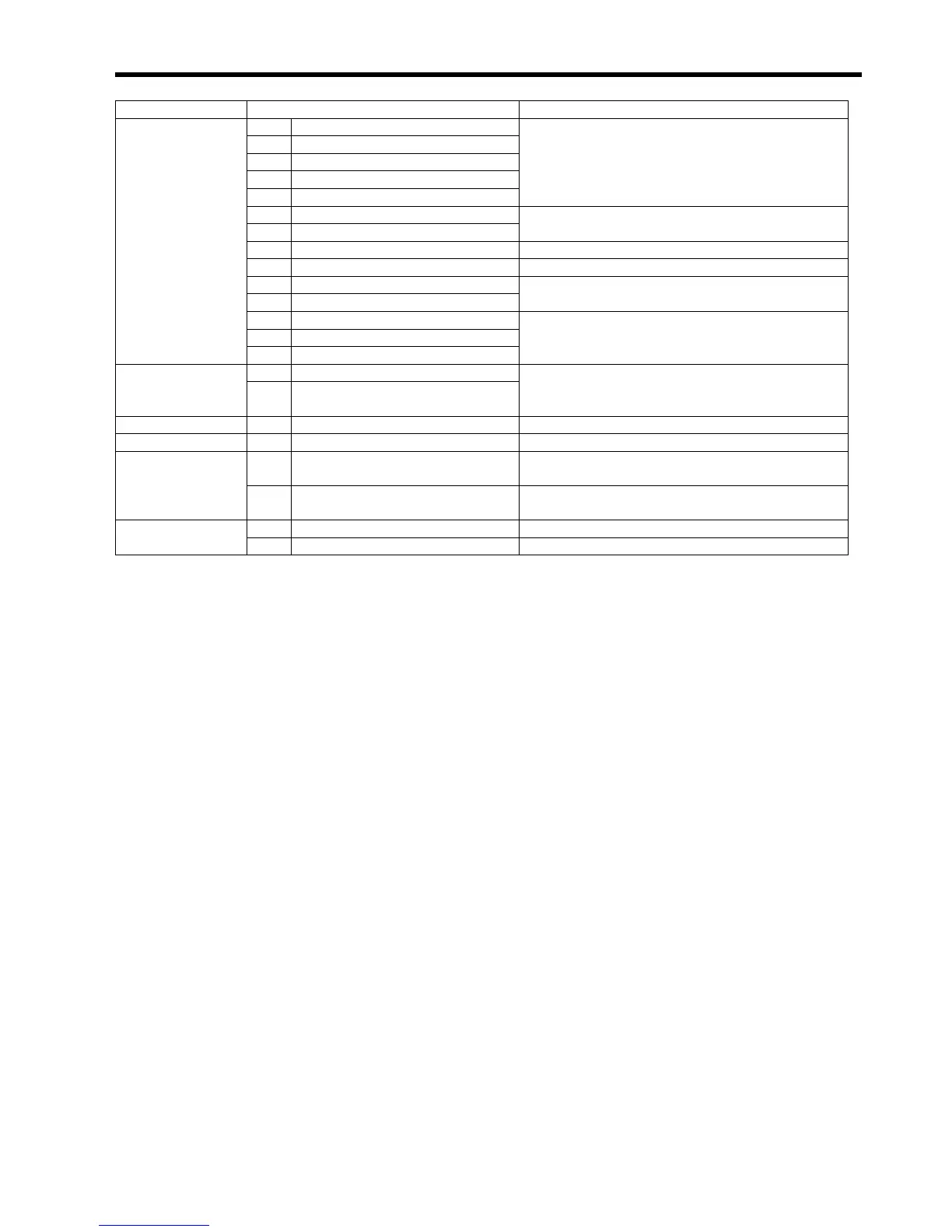
Name Function
(5) Operation panel connector
(8) Synchronizer connector
(10) Lower thread detector connector
(11) Sewing machine connector
(12) Solenoid-type presser lifter connector
Connect to sewing machine connectors.
(4) Coupler connector
(3) Relay connector
Connect to power supply circuit board connectors.
(1) Treadle connector Connect to treadle unit connector.
(23) Standing operation connector (Already connected for some specifications.)
(14) Control power supply connector
(20) Illumination lamp connector
Connect to transformer connectors.
(9) Puller connector
(15) Output power supply connector
Connectors
(22) Bobbin changer connector
For optional devices.
(13) Solenoid power supply fuse (8 A)Fuses
(19) Illumination lamp power supply
fuse (5 A)
For preventing overcurrent
Terminal board (17) Terminal board For illumination lamp (6 V)
DIP switch (18) DSW 8-element DIP switch (*1)
(2) PVR Coordinates the treadle unit (24) and control circuit
board (16). (*2)
Control dials
(21) FVR Use to adjust the fluorescent tube and lamp if they
are flickering when the sewing machine starts. (*3)
(6) Red LED Indicates power supply circuit board problems.LED indicators
(7) Green LED Indicates that the power is on.
*1: When using the automatic presser lifter, set DIP switch 2 to ON. If the sewing machine is used while DIP switch 2 is
set to OFF, the sewing machine may start operating before the presser foot is lowered. (Refer to page 81.)
*2: This is adjusted at the time of shipment from the factory, and should generally not be touched. However, it should be
adjusted when either the control circuit board (16) or treadle unit (24) is replaced. (Refer to page 92.)
*3: This is set to the right-most position at the time of shipment from the factory. The flickering is reduced if turned to the
left, but the sewing machine operation will become slower.
In addition, the maximum speed may become lower.



 To Next Page