S-7300A
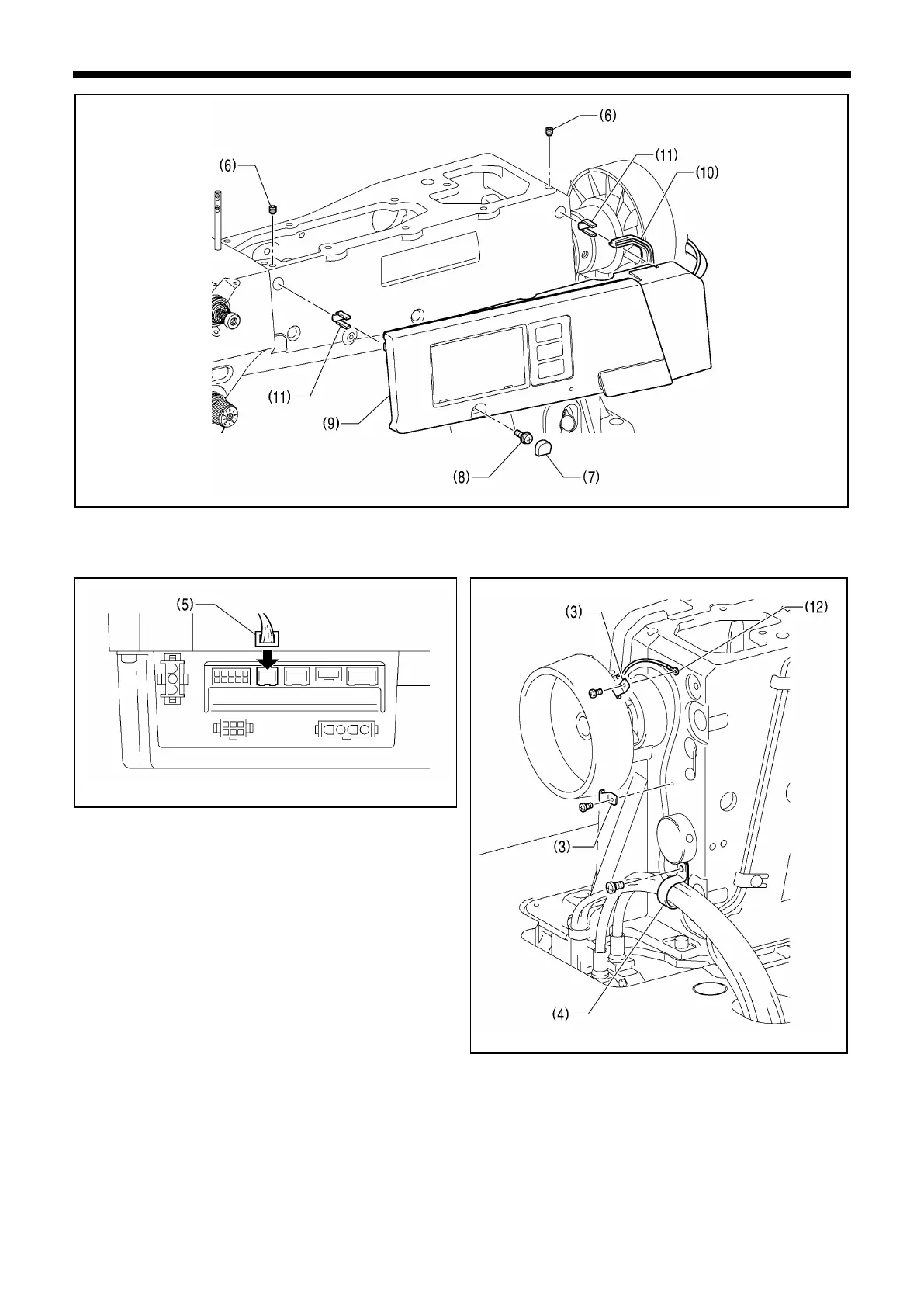
10. Fit the panel edge cushion (10) onto the panel (9).
11. Fit the panel support (11) onto the panel (9).
12. Fit the panel (9) to the machine head, secure it with the two set screws (6) and the screw (8), and then install the cap (7).
13. Install the cord holder (3) and the harness clamp (4).
Tighten the ground wire (12) together with the cord holder (3) at this time.
14. Connect the 10-pin operation panel connector (5).



 To Next Page