3-6 User Manual
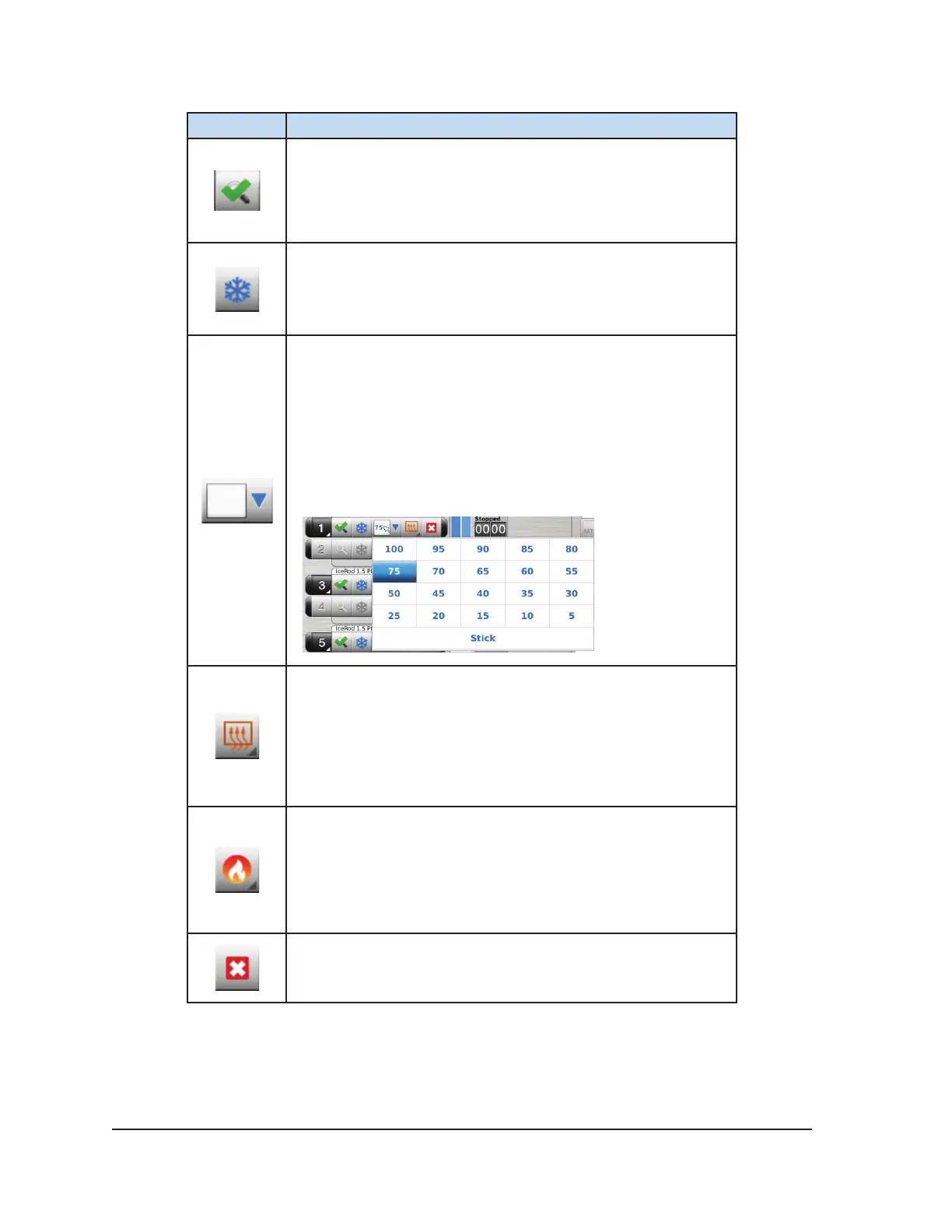
Button Description
Tested button - Following completion of Needle Integrity and
Functionality Testing, the button displays a check mark and the
remaining control buttons on the channel become active.
Freeze button – Begins a Freeze phase at the selected freeze
intensity.
Freeze Intensity drop-down menu – Provides an option to
adjust the freeze intensity from 100% to 5% or to select “Stick”
intensity.
NOTE: The Visual-ICE System controls freeze intensity by
adjusting the duration of argon ow over each 10 second block
of time (e.g., 30% freeze intensity freezes for 3 seconds and
idles for 7 seconds).
Thaw button – Begins a Thaw phase.
Advanced Thaw Controls: Pressing and holding the Thaw
button provides an option for enabling FastThaw and an
option for enabling track ablation via the Cautery button.
The FastThaw and Cautery functions are available only on
CX-type cryoablation needles.
FastThaw button – Begins a FastThaw phase.
Advanced Thaw Controls: Pressing and holding the
FastThaw button provides an option to change from
FastThaw to i-Thaw. The FastThaw function is available
only on CX-type cryoablation needles.
Stop button – Stops any activity.



 To Next Page