3-14 User Manual
3.5 Congure Settings
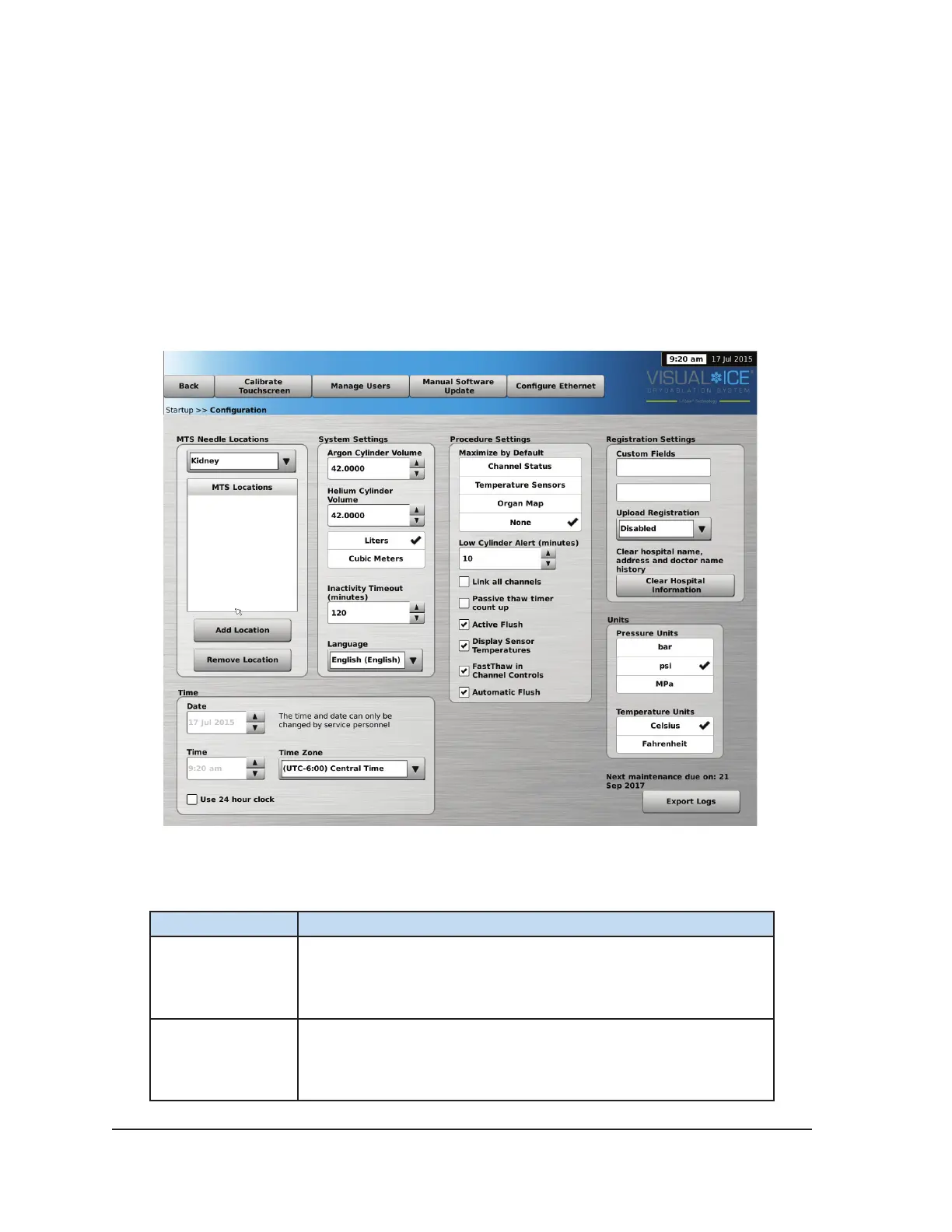
The Congure Settings Screen allows selection of settings used during a cryoablation procedure.
Settings that may be changed include MTS Needle Locations, System, Procedure and Registration
Settings and Units (reference Section 5.1).
Control buttons have options for Calibrate Touch Screen, Manage Users, Manual Software Update,
and Congure Ethernet (reference Section 5.1). The Manual Software Update and the Congure
Ethernet buttons are available only to system administrators and service personnel.
Only Service personnel have the option to adjust the system time and date.
Screen 3-15. Congure Settings
Table 3-5. Congure Settings Options
Button
Function
Calibrate
Touchscreen
Calibrate the touchscreen.
Manage Users
Change your password.
Administrative users may add users, remove users, or change the
password of any user.



 To Next Page