4-14 User Manual
During the Needle Integrity and Functionality Test, the Gas Indicators for both gases provide
estimates of the time remaining before depletion of the cylinders assuming that all connected
needles are operated simultaneously (reference Section 3.3.1).
12. When using Multi-Point Thermal Sensors (MTS), prepare the desired number of sensors for
testing. The Visual-ICE System supports use of four thermal sensors. Connect each thermal
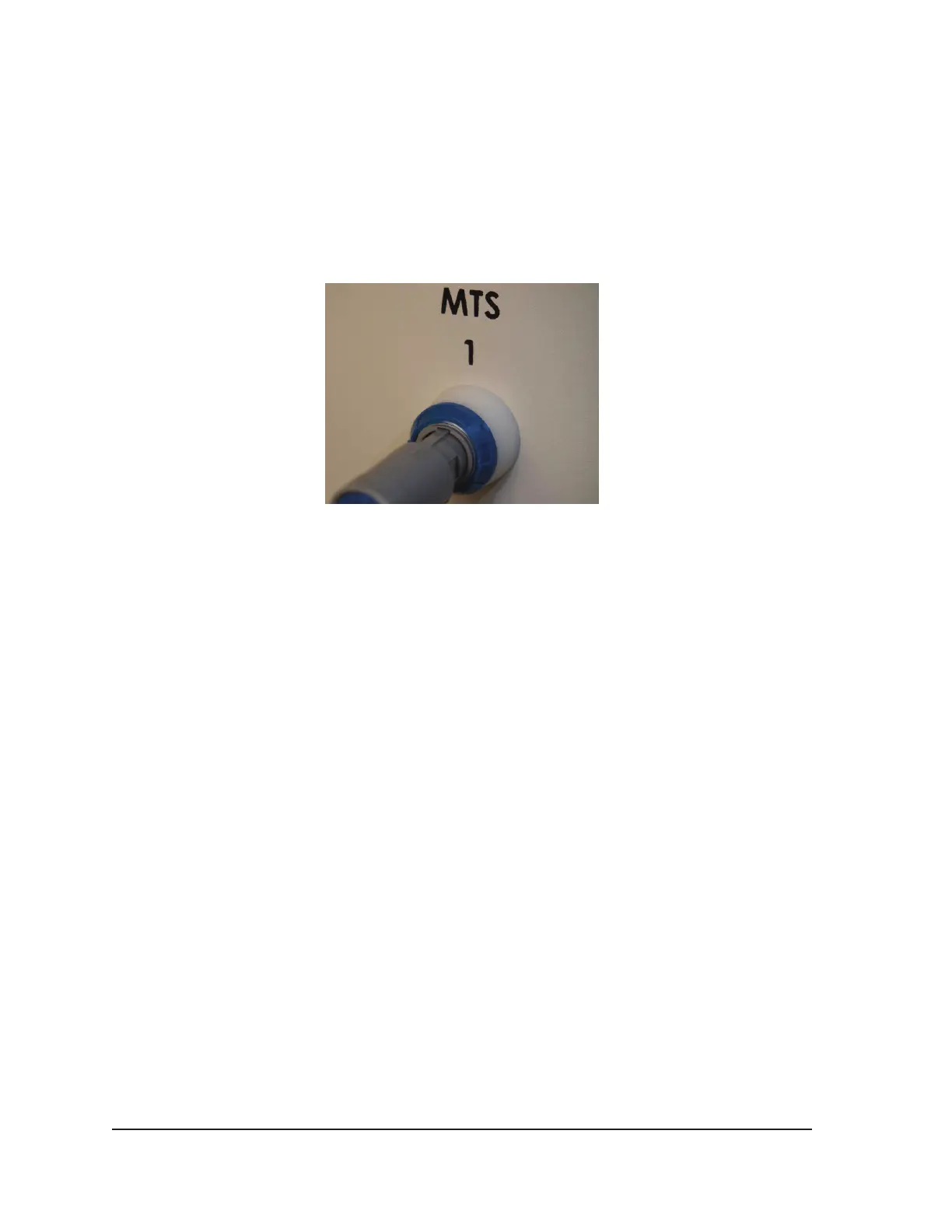
sensor to an MTS connection port by pushing the connector into the port. Ensure that the
rectangular tongue on the MTS connector is aligned with the groove at the top of the connection
port for proper MTS insertion (Figure 4-5).
Figure 4-5. MTS Connection
13. Conrm MTS functionality by verifying that the connected sensor produces a reasonable on-
screen temperature reading (e.g., close to room temperature) in the Temperature Sensor section
of the software screen.
CAUTION. Do not use an MTS that has failed the thermal sensor functionality testing; erroneous
temperature measurements may be displayed.
CAUTION. Do not allow the MTS to touch the cryoablation needle during use; erratic
temperature measurements may be displayed.
4.2 Performing a Cryoablation Procedure
WARNING. Do not touch the screen if the touch-screen monitor goes blank for more than
ve (5) seconds during a procedure. Immediately turn o power to the system and end the
procedure to avoid inadvertent activation of needles.
1. OPTIONAL: On the Procedure Screen, select the Registration button to enter optional patient
treatment information. Use the stylus or your nger to enter information on the virtual keyboard.
Available data entry elds are Patient ID, Hospital Name, Hospital Address, Physician Name, and
Organ Type. If you need to enter any other registration information, two custom elds can be
labeled in the Congure Settings Screen (reference Section 5.1).
NOTE: The Visual-ICE System automatically loads the appropriate Organ Map based on the
Organ Type selected on the Registration button.
CAUTION. Select a unique Patient ID that does not reveal the patient’s identity to other system
users.
2. OPTIONAL: Select the Notes button on the Procedure Screen to enter additional procedure
notes. Notes can be entered at any time during the cryoablation procedure.



 To Next Page