Visual-ICE™ Cryoablation System
3-7
3.3.5 Channel Status
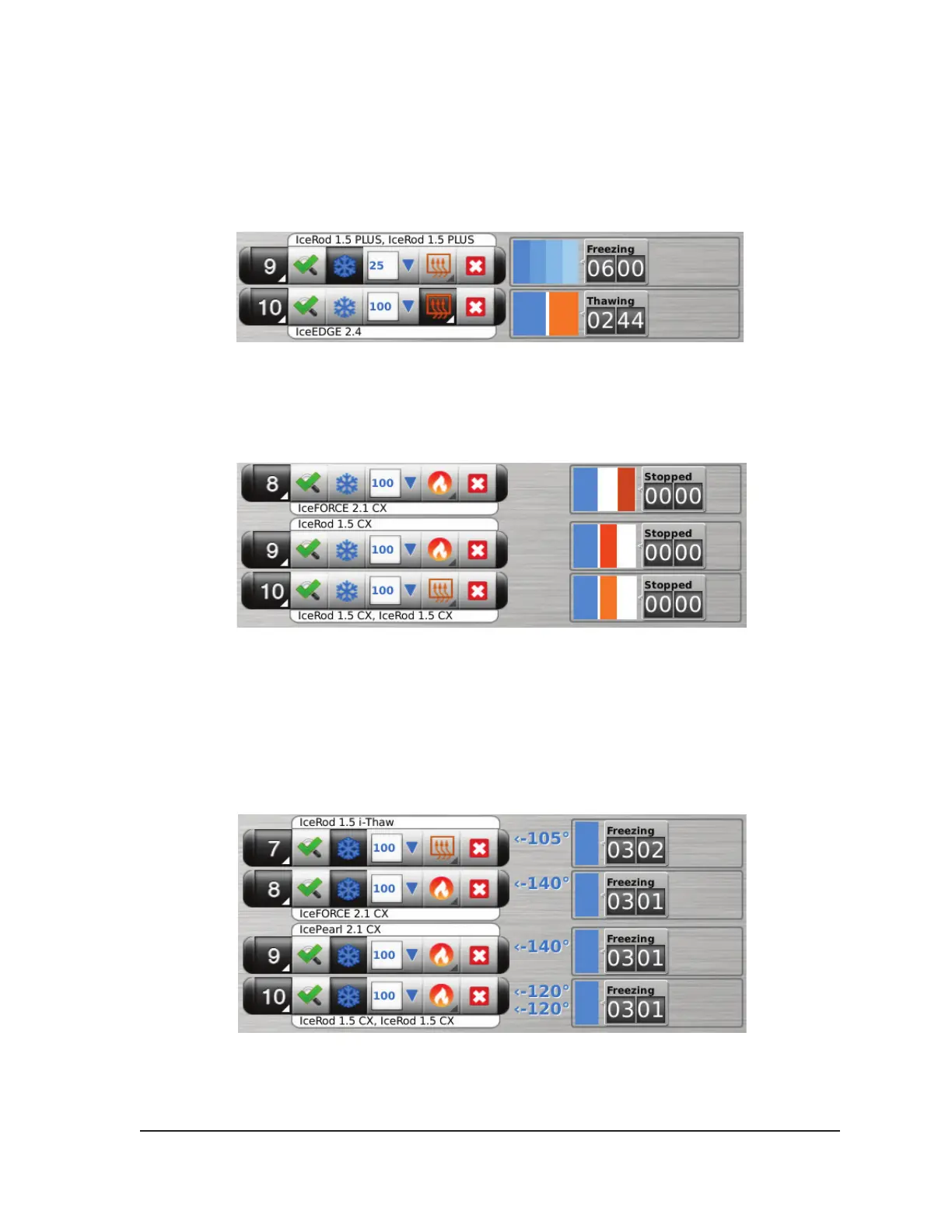
Channel Status shows the status of each freeze, thaw, and idle phase with numeric and color-coded
displays on the progress indicator. Variations in blue shading visually represent the selected freeze
intensity. The Timer button to the right of the progress indicator displays the elapsed time of the
current phase.
Screen 3-5. Channel Controls and Channel Status section
Variations in orange shading visually distinguish active thaw (helium or i-Thaw), FastThaw and
Cautery phases (Screen 3-6).
Screen 3-6. Active Thaw Channel Status section
For i-Thaw and CX-type needles, the Channel Status also displays the internal gas temperature at
the needle tip during freeze phase and the estimated temperature range for the needle shaft during
active thaw phase. The temperature display is updated every 2 seconds.
NOTE: During the needle warming phase for CX-type needles, the channel status will display a
rotating warming indicator
Screen 3-7. Needle Tip Temperature Display



 To Next Page