Visual-ICE™ Cryoablation System
4-5
Additional Login Options:
If you forgot your password, contact your System Administrator and request that the administrator log
in, go to the Manage Users screen and change your password.
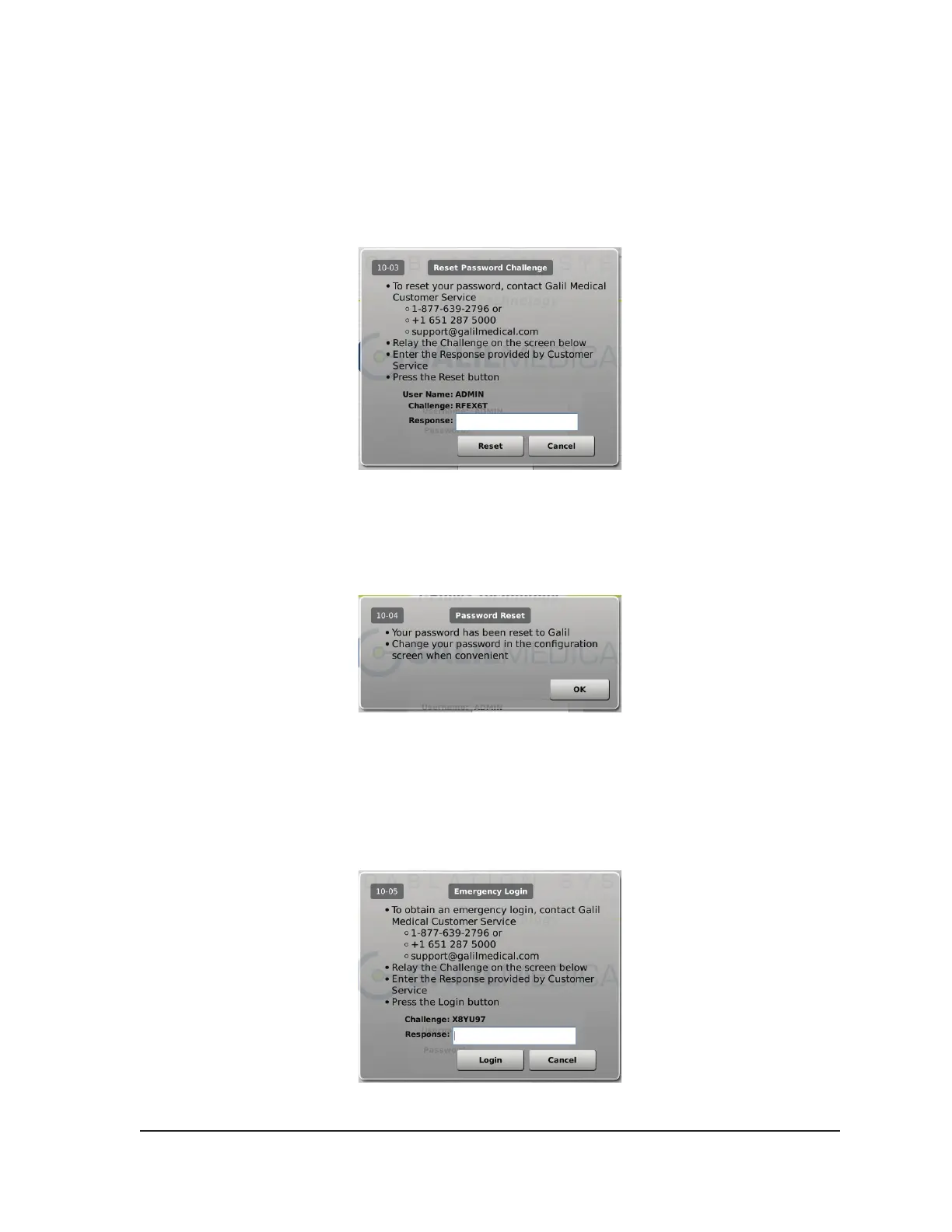
Alternatively, press the Forgot Password button at the top of the screen (Screen 4-3). A displayed
message provides a challenge to be relayed to Galil Medical Customer Service (Screen 4-5).
Screen 4-5. Reset Password Challenge
Customer Service will provide a response to be entered on the screen using the virtual keyboard.
Your password will be reset (Screen 4-6) and you will have an opportunity to change your password
in the conguration screen.
Screen 4-6. Password Reset
In case of emergency, press the Emergency Login button at the top of the screen (Screen 4-3). A
message is displayed with a challenge. Call Galil Medical Customer Service to receive the proper
response to enter, then press the Login button (Screen 4-7).
NOTE: This action does not reset your password.
Screen 4-7. Emergency Login



 To Next Page