4-4 User Manual
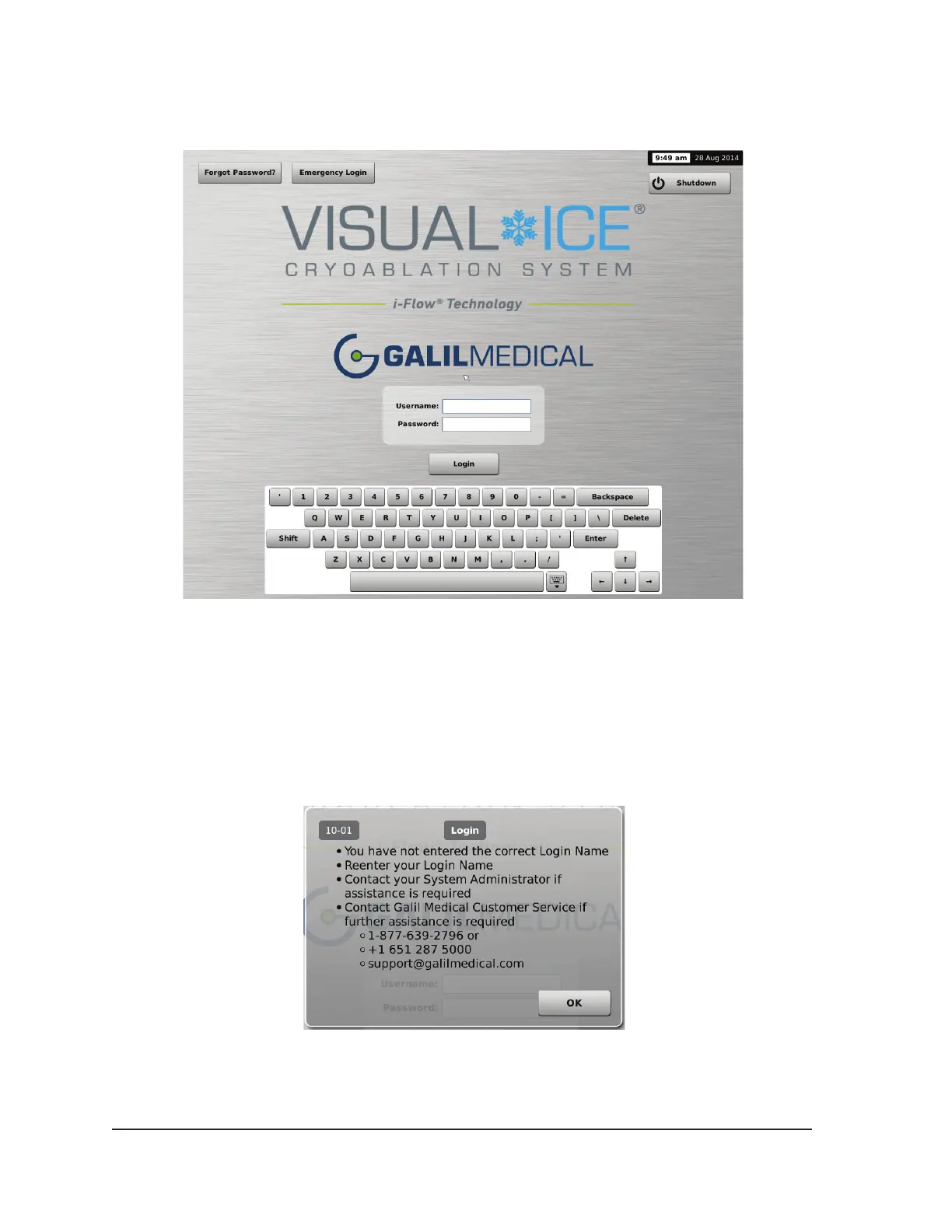
The Login Screen appears after the boot-up process is complete.
Screen 4-3. Login Screen
9. Enter your assigned login name and password using the on-screen virtual keyboard.
NOTE: The login name and password are not case-sensitive. Numbers are displayed when the
keyboard is in upper case. To change text case, use the shift button on the virtual keyboard.
NOTE: If you leave the user interface idle for a pre-set time with no activity, the Visual-ICE
System software requires you to re-enter your password to unlock the user interface (reference
Section 5.1).
Screen 4-4. Incorrect Login



 To Next Page